Today in “Attack techniques so stupid, they can’t possibly succeed… except they do!” — we look at Invoice Scams.
PayPal and other sites allow anyone (an attacker) to send anyone (their victims) an invoice containing the text of the attacker’s choosing. In this attack technique, PayPal sends you an email suggesting that the attacker already has taken your money, and you should call the attacker-supplied telephone number if you have a problem with that.
Because PayPal is acting as a (clueless) accomplice in this scam, the email contains markers of legitimacy (including the “This message is from a trusted sender” notice):
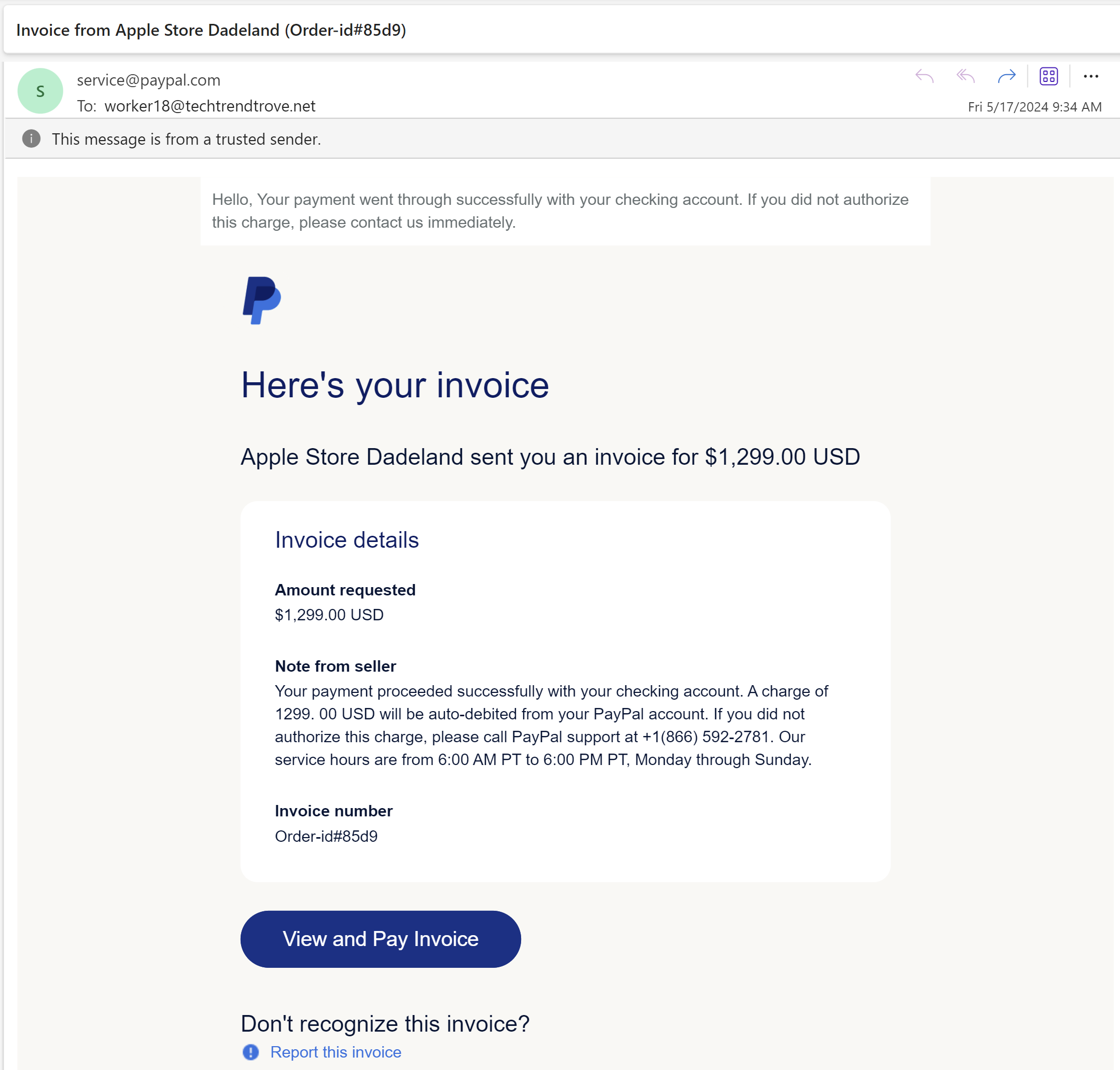
If you call the attacker’s phone number, they will solicit enough information to actually rob you.
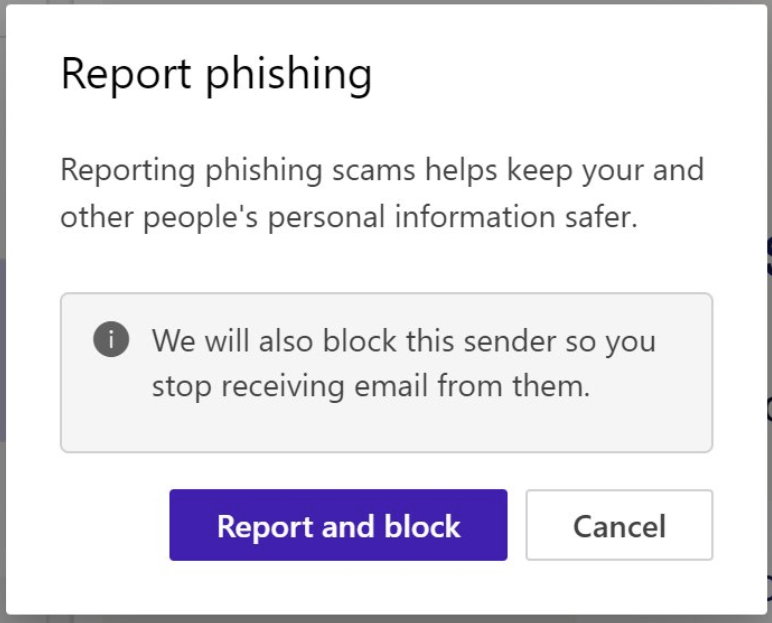
In the current version of the Microsoft Outlook web application, you can choose to report this phishing email. Because it really was PayPal that sent this phishing lure, choosing “Report and Block” will block all future email from PayPal, including any emails that aren’t scams, which may not be what you expected to happen.
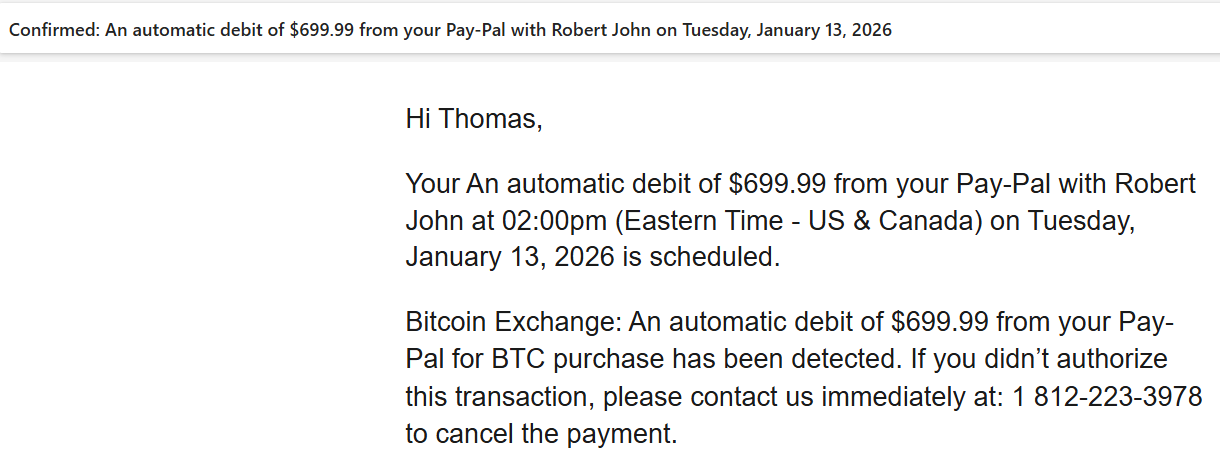
Note that PayPal isn’t the only vendor with this issue; Square has recently started allowing the same scam, and attackers are abusing Calendly for the same thing:
Attackers are also conducting attacks using DocuSign to send fake invoices.
“Status” Messages Too
Pretty much any service that offers email notifications with attacker supplied text will get abused. For example, an attacker can configure Microsoft Azure to spam arbitrary email addresses with status alerts that have attacker-controlled text, like so:
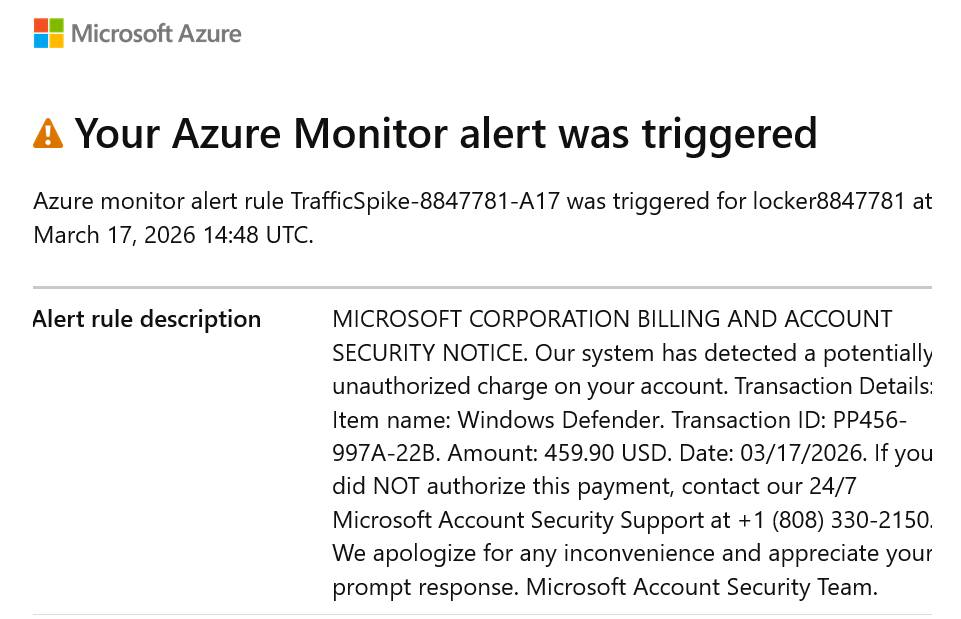
The advantage to an attacker here is that the email was sent by Microsoft’s legitimate email servers, being used as an unwitting accomplice to the fraud. The user can mark the email as fraudulent, but since it’s from a legitimate service, it’s unlikely that it will help much.
Best Practices
Software-as-a-Service vendors should take care not to allow attackers to abuse their services in this way. At the very minimum, every email sent on behalf of an untrusted party should have a Report Fraud link at the bottom to allow the vendor to learn when they’re behaving as a criminal accomplice.
If possible avoid sending emails to any address unless that address specifically opts-in to receiving messages (and ensure the opt-in prompt’s text is fully controlled by your service!).
Stay safe out there.
-Eric
 text/plain