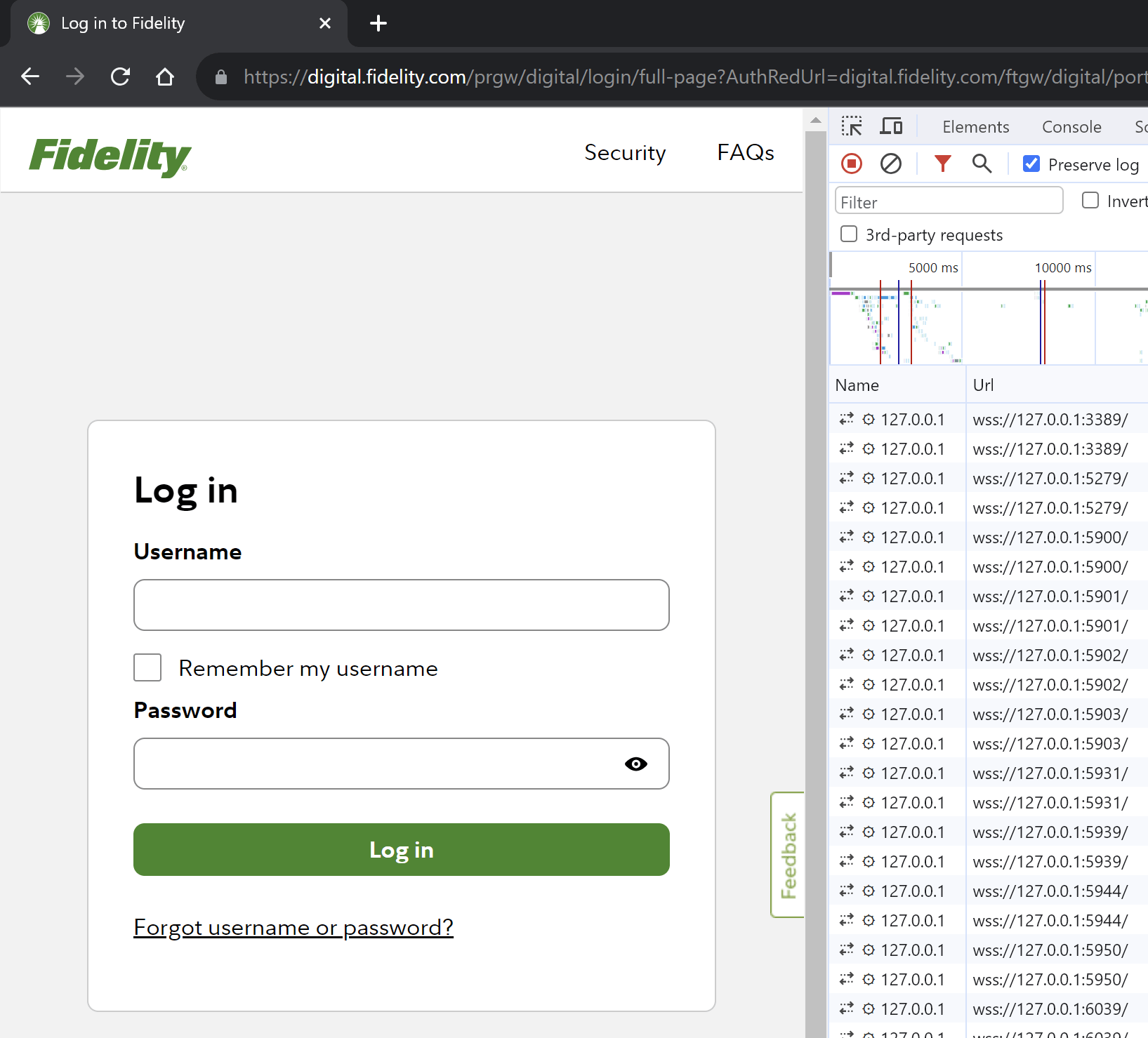
If you closely watch the Network tab in the Chromium Developer Tools when you try to log into Fidelity Investments, you might notice something that seems a bit weird. JavaScript on the page attempts to create WebSocket connections to a bunch of local ports on the IPv4 localhost address (127.0.0.1):
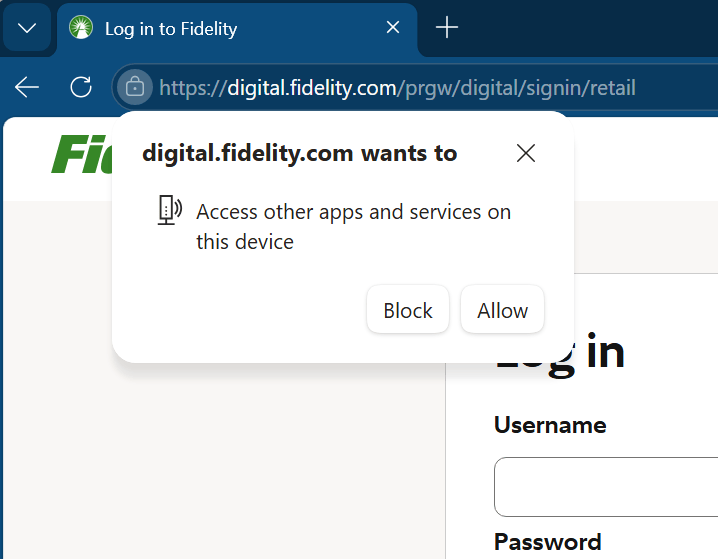
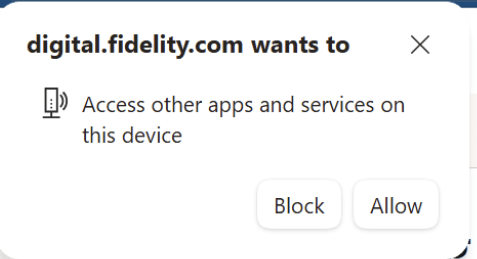
Prompt: <Site> wants to Access other apps and services on this device
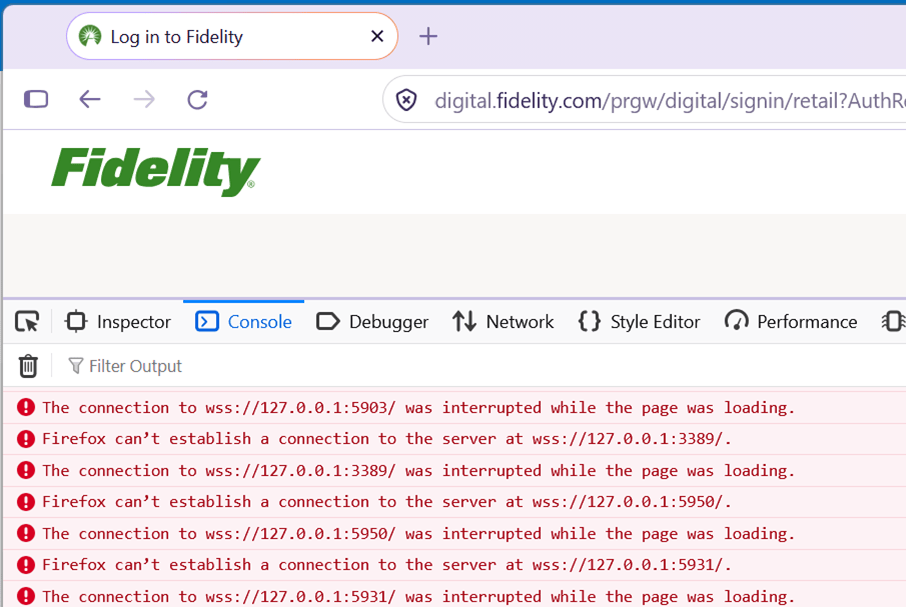
As of September 2026, Firefox does not appear to warn the user about such requests:
But why??
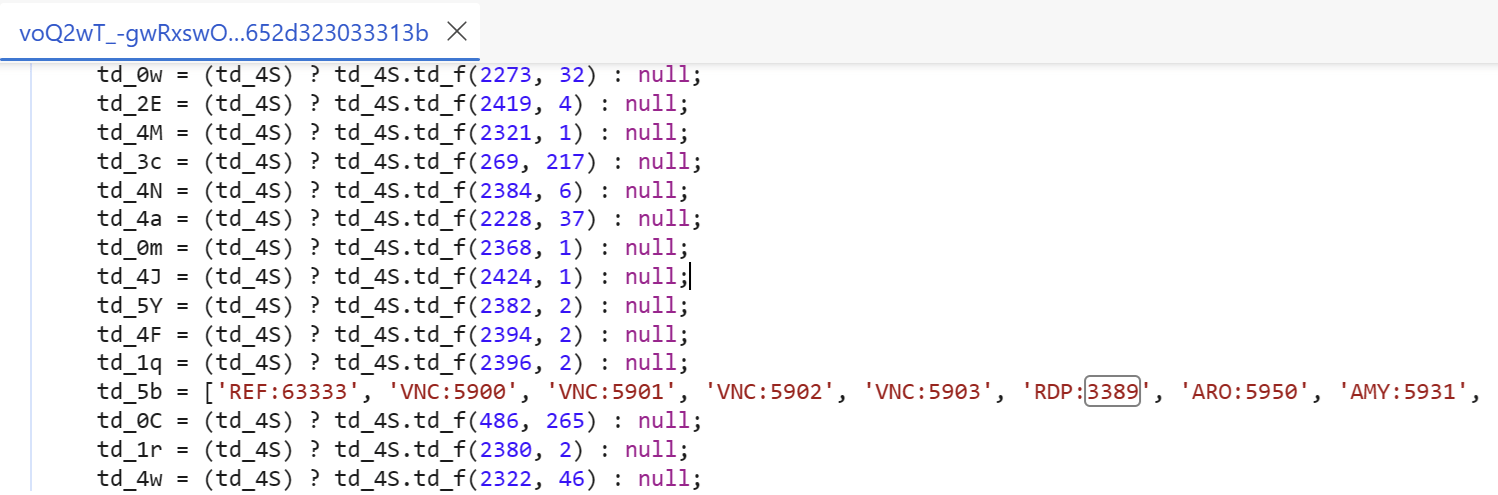
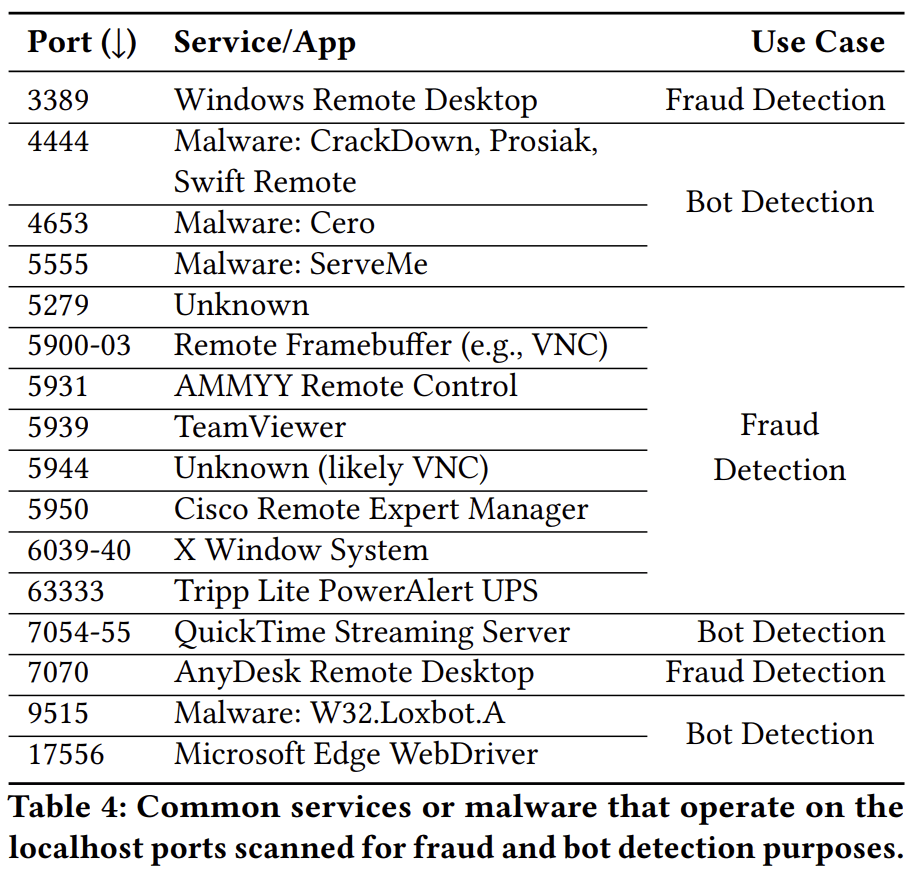
First, you may wonder why the site is probing those specific ports. If you look at the website’s source code, you’ll see a clue; each port number in the code is preceded by a short tag of the protocol expected to be listening on that port:
Most of these appear to be related to remote control software.
But why does the website attempt loopback connections to these ports?
The Web Platform does not expose “raw sockets” that would allow the JavaScript to speak any of the protocols in question, and the WebSocket handshake is explicitly designed to prevent using a WebSocket to talk to anything that doesn’t realize it’s speaking to a WebSocket. Furthermore, Chromium has an explicit port block list for well-known ports that are used for protocols that might conceivably be confused by receiving HTTP/HTTPS/WebSocket traffic, and none of these ports are on that list anyway.
So, if the JavaScript cannot hope to communicate using any of the target ports’ expected protocols, why does it even try?
+ 36 were for fraud detection, + 10 were for bot detection, + 12 were communicating with native apps, + 44 were likely due to developer error
Knock and Talk: Section 4.3
For the Fidelity case, it seems obvious that they’re probing these ports for fraud detection purposes.
Beyond Anti-Fraud
The “Native Apps” case is one I’ve mentioned previously in my Web-to-App Communication Techniques post; the tl;dr is that the Web Platform only exposes a few mechanisms to allow a website to talk to a native application running on the user’s computer, and messaging a localhost server is one of them. As of 2026, this technique is used by software like TurboTax and TopazLabs products when communicating between their websites in the browser and their Win32 native clients.
Amusingly, the paper’s authors found that, while there’s significant concern about allowing websites this power, then they investigated malicious sites using this technique, those sites were doing so because they were phishing sites that had bulk copied the code from legitimate bank login pages. 🤣
The authors (incorrectly) posit that the probing scripts could detect information about any server running on the target port, but thanks to how WebSocket handshakes work, that’s not possible. Instead, the best the script could do is perform a timing/error analysis to determine whether there’s any service listening on the port [Demo/Article].
Still, it does seem a bit worrisome that web apps can do this sort of probing, and from “inside” the user’s firewall. Because the browser is on localhost, and it’s talking to localhost, most firewalls will ignore the connection attempt and allow it through. If nothing else, this seems like a tracking and fingerprinting vector, and browser vendors have been working hard to eradicate those.
There aren’t necessarily any great options: if browsers simply blocked web content’s access to localhost, any of the scenarios that rely on Web-to-App communication will break. Elsewhere in the Web Platform, there are old and new attempts to isolate the local machine and local network from Internet-sourced web pages. The new proposals rely on CORS preflights, which might be harder to adopt for WebSocket servers, and which might be subject to the same timing analysis already being abused here.
Update: As noted above, Chromium-based browsers will now a permission prompt in this scenario:
In cases like this (Fidelity, EBay signin, with no local app), simply clicking “Block” is usually harmless, but you may need to choose “Allow” for web/native hybrid scenarios that involve your local apps.
In general, I wouldn’t worry too much about this — it certainly might be scary to see port scans happening from your browser process in your EDR logs, but it should be comforting to know that the browser usually isn’t actually able to communicate over those ports.
-Eric
Note: Login pages scanning ports is not new. This was an exciting topic back in 2020 and made the rounds widely at that time.
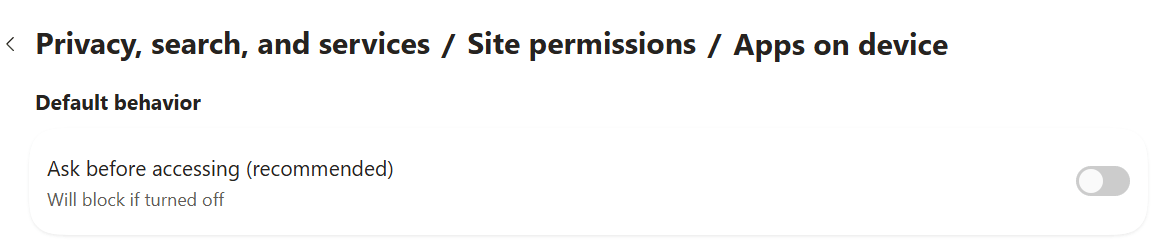
Update: If you’d like to suppress the browser’s loopback access permission prompt, you can do so by visiting about://settings/privacy/sitePermissions/allPermissions/loopbackNetwork and turning off the option:
You can switch to “Block” by default if you like, but don’t forget you did it!
Impatient optimist. Dad. Author/speaker. Created Fiddler & SlickRun. PM @ Microsoft 2001-2012, and 2018-, working on Office, IE, and Edge. Now working on Microsoft Defender. My words are my own, I do not speak for any other entity.
View more posts