Here’s an image from a server with a LetsEncrypt certificate.

Cheating Authenticode, Redux
Back in 2014, I explained two techniques that have been used by developers to store information in Authenticode-signed executables without breaking the signature, including information about the EnableCertPaddingCheck registry flag that can be set to break the technique1.
Recently, Kevin Jones pointed out that Chrome’s signed installer differs on each download, as you can see in this file comparison of two copies of the Chrome installer, one downloaded from IE and one from Firefox:

Surprisingly, the Chrome installer is not using either unvalidated data-injection technique I wrote about previously.
So, what’s going on?
The Extra Certificate Technique
Fortunately, Kevin wrote an awesome tool for examining Authenticode signatures at a deep level: Authenticode Lint, which he describes in this blog post. Running his tool with the default options, the solution to our mystery is immediately revealed. The signing block contains an extra certificate named (literally) “Dummy Certificate”:

By running the tool with the -extract argument, we can view the extra (untrusted) certificate included in the signature block and see that it contains a proprietary data field with the per-instance data:
You can see this technique in use inside Microsoft Edge installers as well:

This technique for injecting unsigned data into a signature block could be a source of vulnerabilities (like this attack) unless you’re very careful; anyone using this Extra Certificate technique should follow the same best practices previously described for the Unvalidated Attributes technique. (Which Kevin further explored in an aborted defense against in his post about Authenticode Sealing).
Authenticode Lint is a great tool, and I strongly recommend that you use it to help ensure you’re following best-practices for Authenticode-signing. My favorite feature is that you can automate the tool to verify an entire folder tree of binaries. You can thus be confident that you’ve signed all of the expected files, and done so properly.
-Eric
1 In the years since my original “Cheating Authenticode” post, I’ve learned that even when EnableCertPaddingCheck is not enabled, the signature verification API will scan the data in the signature block of the file to attempt to detect markers of popular data archival formats (e.g. PKZIP Magic Bytes). If such markers are found, the signature will be treated as invalid. This marker scanning was a Windows Vista-era mitigation (later backported) that attempts to block the abuse of signed insecurely-self-extracting executable files: an attacker could swap out the compressed payload for a malicious payload without breaking the file’s signature.
TLS Fallbacks are Dead
Just over 5 years ago, I wrote a blog post titled “Misbehaving HTTPS Servers Impair TLS 1.1 and TLS 1.2.”
In that post, I noted that enabling versions 1.1 and 1.2 of the TLS protocol in IE would cause some sites to load more slowly, or fail to load at all. Sites that failed to load were sending TCP/IP RST packets when receiving a ClientHello message that indicated support for TLS 1.1 or 1.2; sites that loaded more slowly relied on the fact that the browser would retry with an earlier protocol version if the server had sent a TCP/IP FIN instead.
TLS version fallbacks were an ugly but practical hack– they allowed browsers to enable stronger protocol versions before some popular servers were compatible. But version fallback incurs real costs:
- security – a MITM attacker can trigger fallback to the weakest supported protocol
- performance – retrying handshakes takes time
- complexity – falling back only in the right circumstances, creating new connections as needed
- compatibility – not all clients are willing or able to fallback (e.g. Fiddler would never fallback)
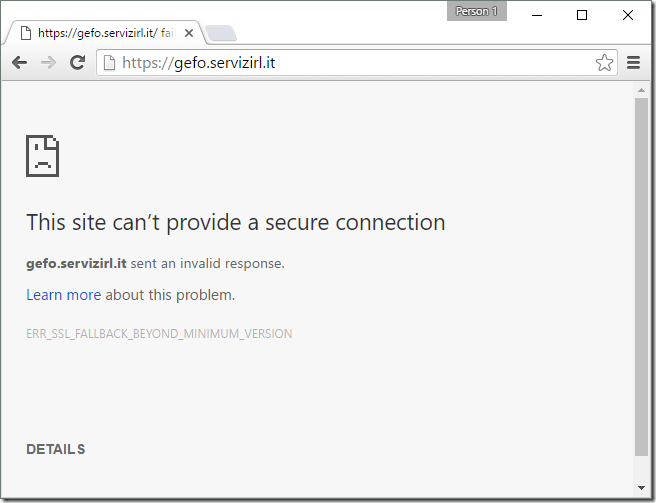
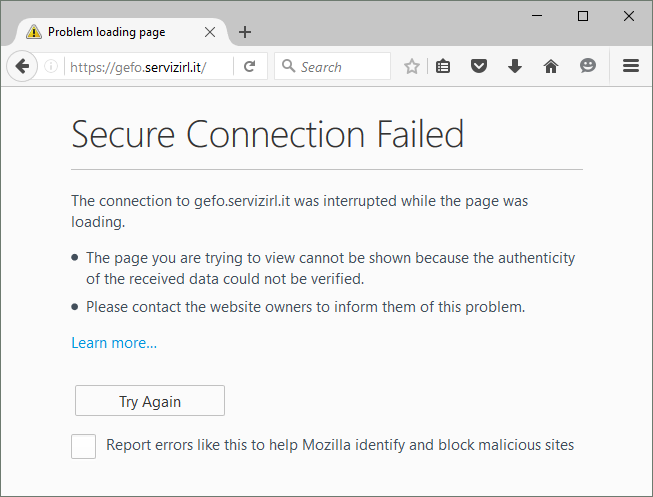
Fortunately, server compatibility with TLS 1.1 and 1.2 has improved a great deal over the last five years, and browsers have begun to remove their fallbacks; first fallback to SSL 3 was disabled and now Firefox 37+ and Chrome 50+ have removed fallback entirely.
In the rare event that you encounter a site that needs fallback, you’ll see a message like this, in Chrome:
or in Firefox:
Currently, both Internet Explorer and Edge fallback; first a TLS 1.2 handshake is attempted:

and after it fails (the server sends a TCP/IP FIN), a TLS 1.0 attempt is made:

This attempt succeeds and the site loads in IE.
UPDATE: Windows 11 disables TLS/1.1 and TLS/1.0 by default for IE. Even if you manually enable these old protocol versions, fallbacks are not allowed unless a registry/policy override is set.
EnableInsecureTlsFallback = 1 (DWORD) set inside

HKLM\SOFTWARE\Microsoft\Windows\CurrentVersion\Internet Settings or
HKLM\SOFTWARE\Policies\Microsoft\Windows\CurrentVersion\Internet Settings
If you analyze the affected site using SSLLabs, you can see that it has a lot of problems, the key one for this case is in the middle:

This is repeated later in the analysis:

The analyzer finds that the server refuses not only TLS 1.2 but also the upcoming TLS 1.3.
Unfortunately, as an end-user, there’s not much you can safely do here, short of contacting the site owners and asking them to update their server software to support modern standards. Fortunately, this problem is rare– the Chrome team found that only 0.0017% of TLS connections triggered fallbacks, and this tiny number is probably artificially high (since a spurious connection problem will trigger fallback).
-Eric
Non-Secure Clicktrackers–The Fastest Path from A+ to F
HTTPS only works if you use it.
Coinbase is an online bitcoin exchange backed by $106M in venture capital investment. They’ve got a strong HTTPS security posture, including the latest ciphers, a 4096bit RSA key, and advanced features like browser-preloaded HSTS and HPKP.
SSLLabs grades Coinbase’s HTTPS deployment an A+:
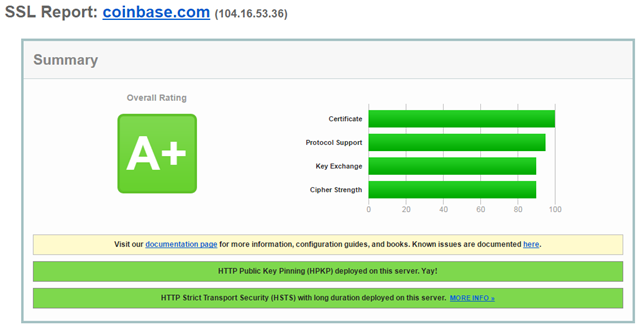
This is a well-secured site with a professional security team.
Here’s the email they just sent me:

Let’s run the MoarTLS Analyzer on that:
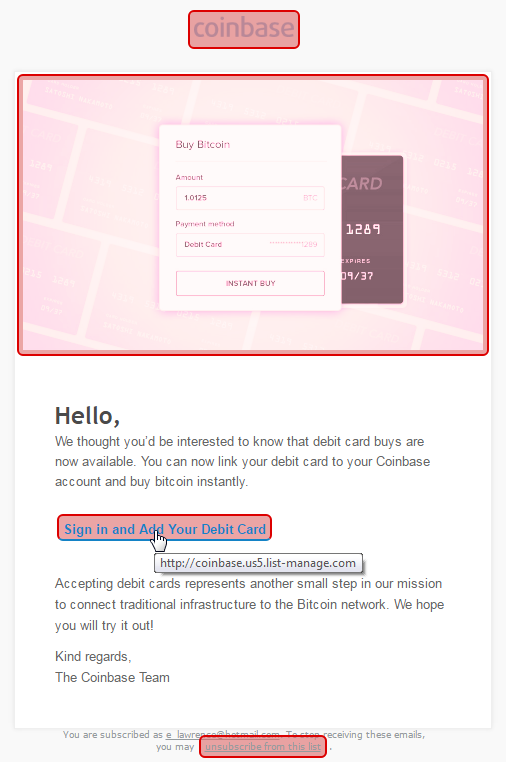
That’s right… every hyperlink in this email is non-secure and any click can be intercepted and sent anywhere by a network-based attacker.
Sadly, Coinbase is far from alone in snatching security defeat from the jaws of victory; my #HTTPSFAIL folder includes a lot of other big names:

It doesn’t matter how well you secure your castle if you won’t help your visitors get to it securely. Use HTTPS everywhere.
-Eric
Update: I filed a bug with Coinbase on HackerOne. Their security team says that they “agree” that these links should be HTTPS, but the problem is Mailchimp (their email vendor) and they can’t fix it. Mailchimp offers a security vulnerability reporting form, delivered exclusively over HTTP:
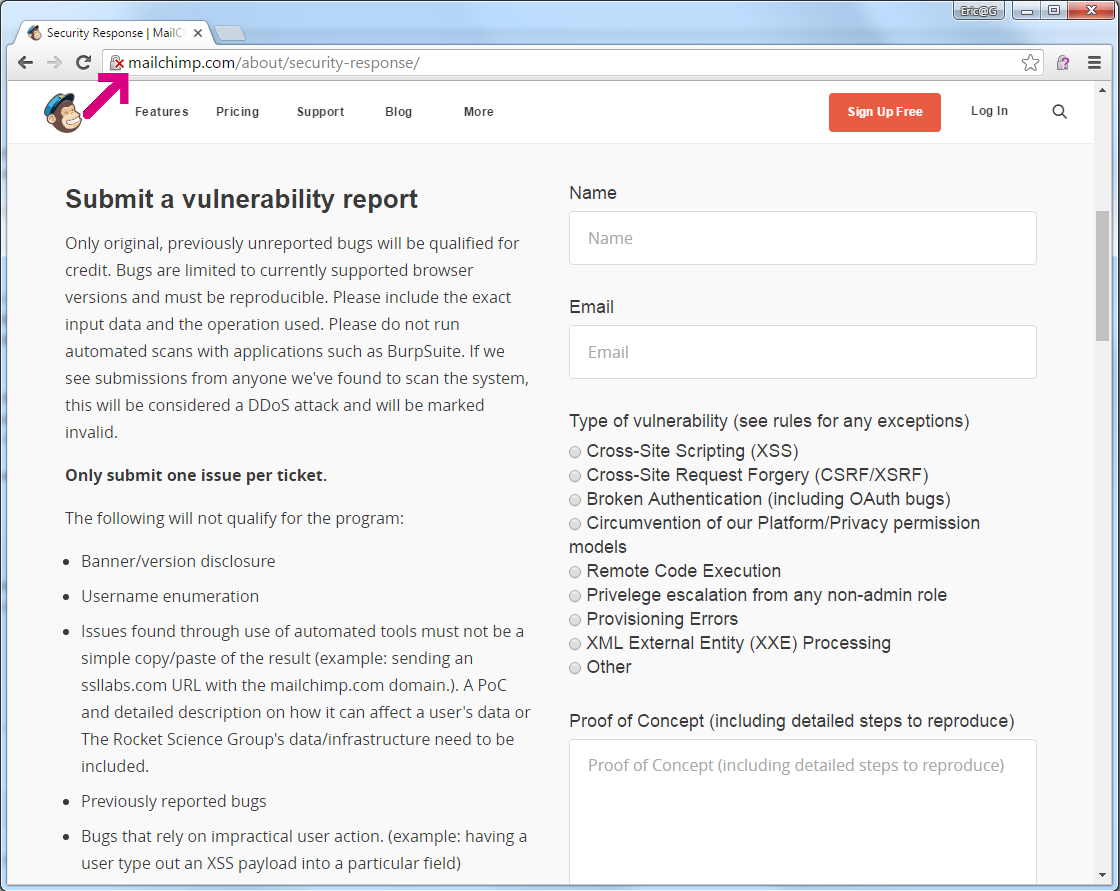
Coinbase isn’t the first service whose security is bypassed because their emails are sent with non-secure links; the Brave browser download announcements suffered the same problem.
File Paths in Windows
Handling file-system paths in Windows can have many subtleties, and it’s easy to forget how some of this very intricate system works under the covers.
Happily, a .NET developer has started blogging a bit about file paths, presumably as they work to improve .NET’s handling of paths longer than the legacy MAX_PATH limit of 260 characters:
Also not to be missed are blog posts about Windows’ handling of File URIs:
-Eric
 text/plain