Earlier this year, I wrote about various extensions available to bolster your browser’s defenses against malicious sites. Today, let’s look at another such extension: the Microsoft Defender Browser Protection extension. I first helped out with extension back in 2018 when I was an engineer on the Chrome Security team, and this spring, I was tasked with improving the extension.
The new release (version 1.663) is now available for installation from the Chrome Web Store. Its protection is available for Chrome and other Chromium-derived browsers (Opera, Brave, etc), running on Windows, Mac, Linux, or ChromeOS.
While the extension will technically work in Microsoft Edge, there’s no point in installing it there, as Edge’s SmartScreen integration already offers the same protection. Because Chrome on Android does not support browser extensions, to get SmartScreen protections on that platform, you’ll need to use Microsoft Edge for Android, or deploy Microsoft Defender for Endpoint.
What Does It Do?
The extension is conceptually pretty simple: It performs URL reputation checks for sites you visit using the Microsoft SmartScreen web service that powers Microsoft Defender. If you attempt to navigate to a site which was reported for conducting phishing attacks, malware distribution, or tech scams, the extension will navigate you away to a blocking page:
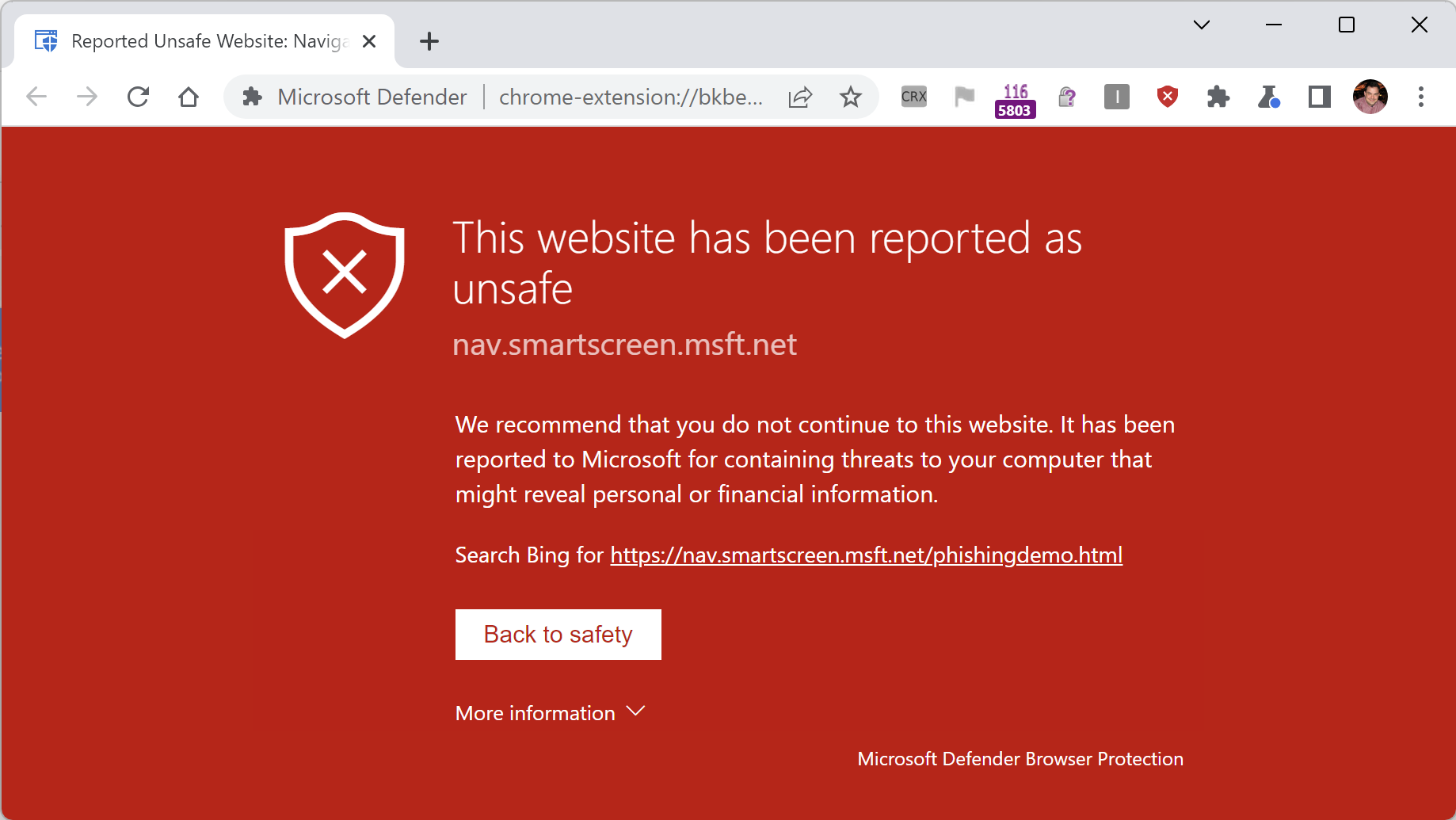
This protection is similar to that offered by Google SafeBrowsing in Chrome, but because it uses the Microsoft SmartScreen service for reputation, it blocks malicious sites not included in Google’s block list.
What’s New?
The primary change in this new update is a migration from Chromium’s legacy “Manifest v2” extension platform to the new “Manifest v3” platform. Under the hood, that meant migrating the code from a background page to a ServiceWorker, and making assorted minor updates as APIs were renamed and so on.
The older version of the extension did not perform any caching of reputation check results, leading to slower performance and unnecessary hits to the SmartScreen URL reputation service. The new version of the extension respects caching directives from service responses, ensuring faster performance and lower bandwidth usage.
The older version of the extension did not work well when enabled in Incognito mode (the block page would not show); this has been fixed.
The older version of the extension displayed text in the wrong font in various places on non-Windows platforms; this has been fixed.
In addition to the aforementioned improvements, I fixed a number of small bugs, and introduced some new extension policies requested by a customer.
Enterprise Policy
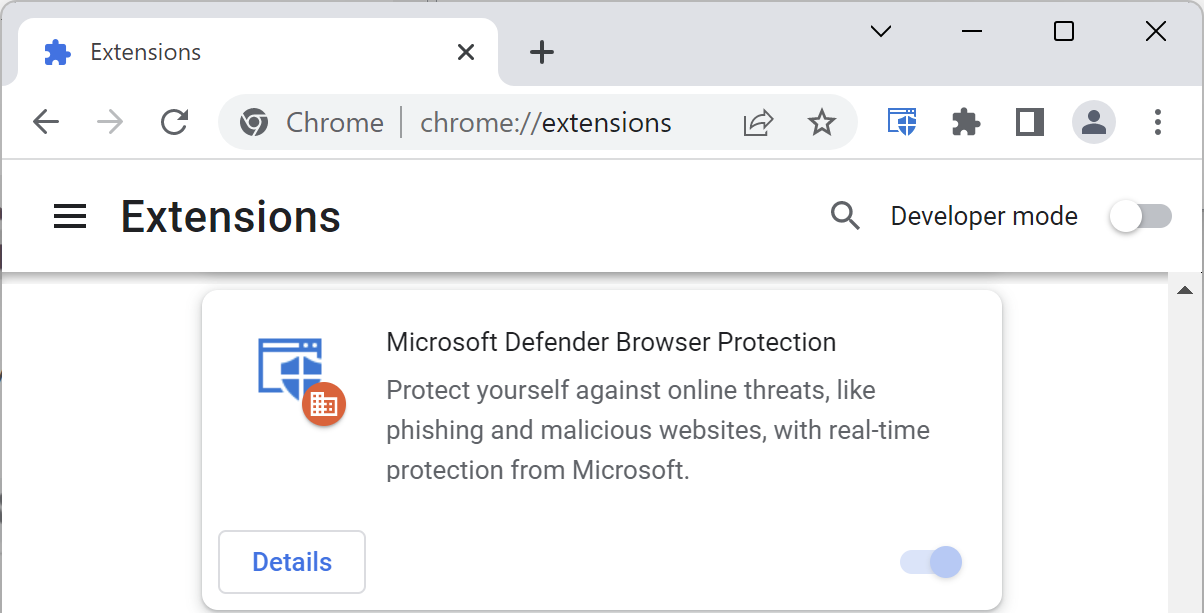
Extensions can be deployed to managed Enterprise clients using the ExtensionInstallForceList group policy.

When installed in this way, Chrome disallows disabling or uninstalling the extension:
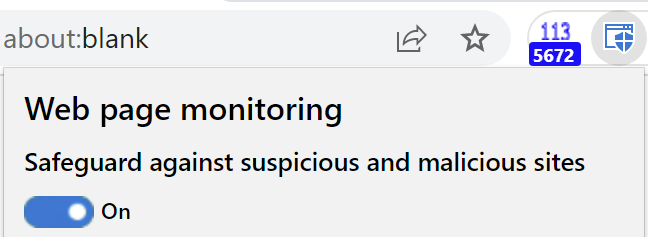
However, the extension itself offers the user a simple toggle to turn off its protection:
… and the “Disregard and continue” link in the malicious site blocking page allows a user to ignore the warning and proceed to a malicious site.
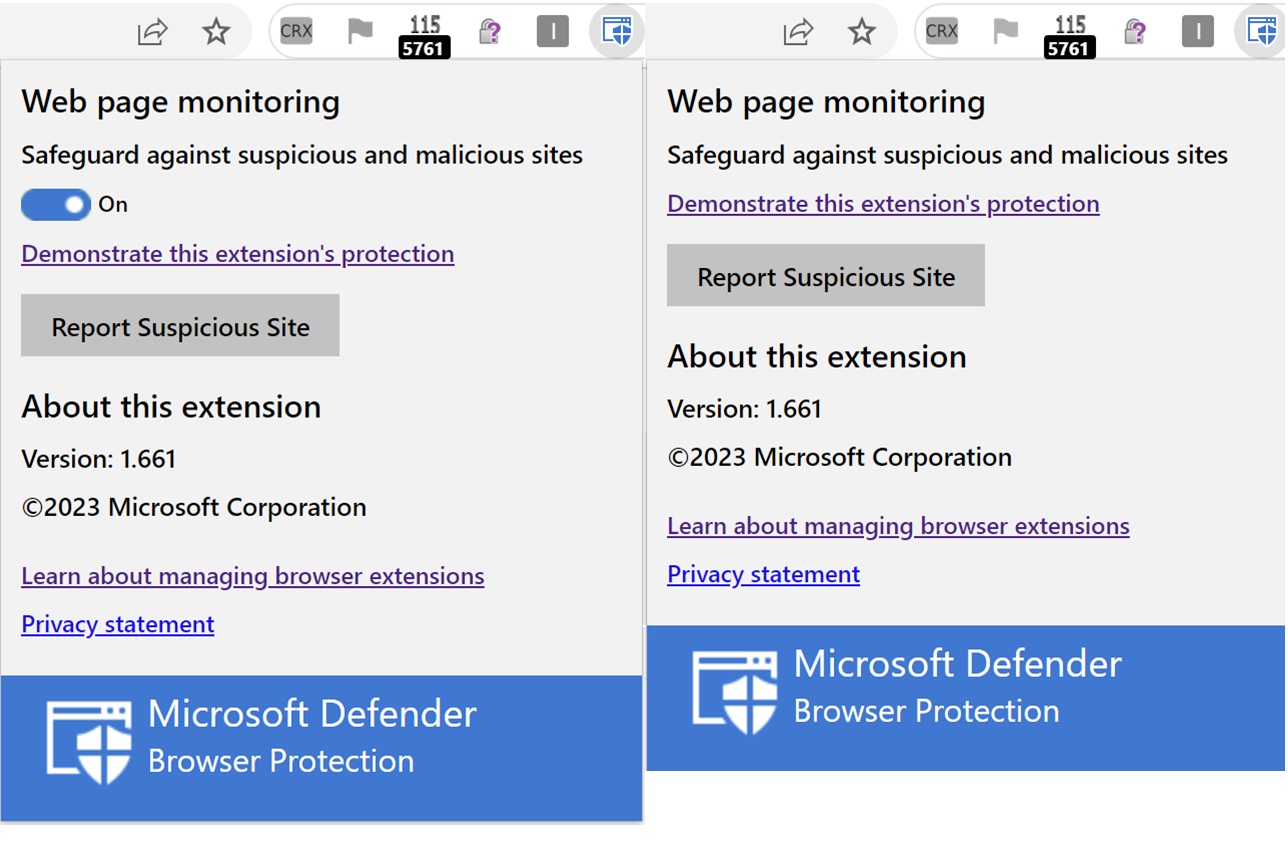
In the updated version of the extension, two Group Policies can be set to control the availability of the Protection Toggle and Disregard link.
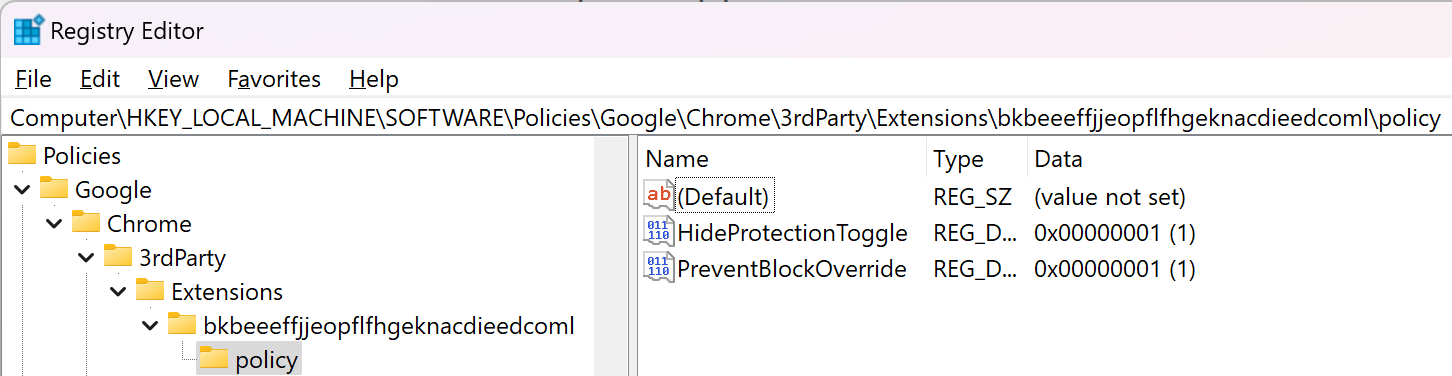
Windows Registry Editor Version 5.00

[HKEY_LOCAL_MACHINE\SOFTWARE\Policies\Google\Chrome\3rdParty\Extensions\bkbeeeffjjeopflfhgeknacdieedcoml\policy]
"HideProtectionToggle"=dword:00000001
"PreventBlockOverride"=dword:00000001
After the policy is configured, you can visit the chrome://policy page to see the policies set for the extension:

When both policies are set, the toggle and continue link are hidden, as shown in these side-by-side screenshots:

Note that extensions are not enabled by default in the Chrome Incognito mode, even when force-installed by an administrator. A user may manually enable individual extensions using the Details > Allow in Incognito toggle on the extension’s item in the chrome://extensions page, but there’s no way to do this via policy. An admin wanting to require use of an extension must block Incognito usage outright.
Limitations
Note that this extension has a few known limitations.
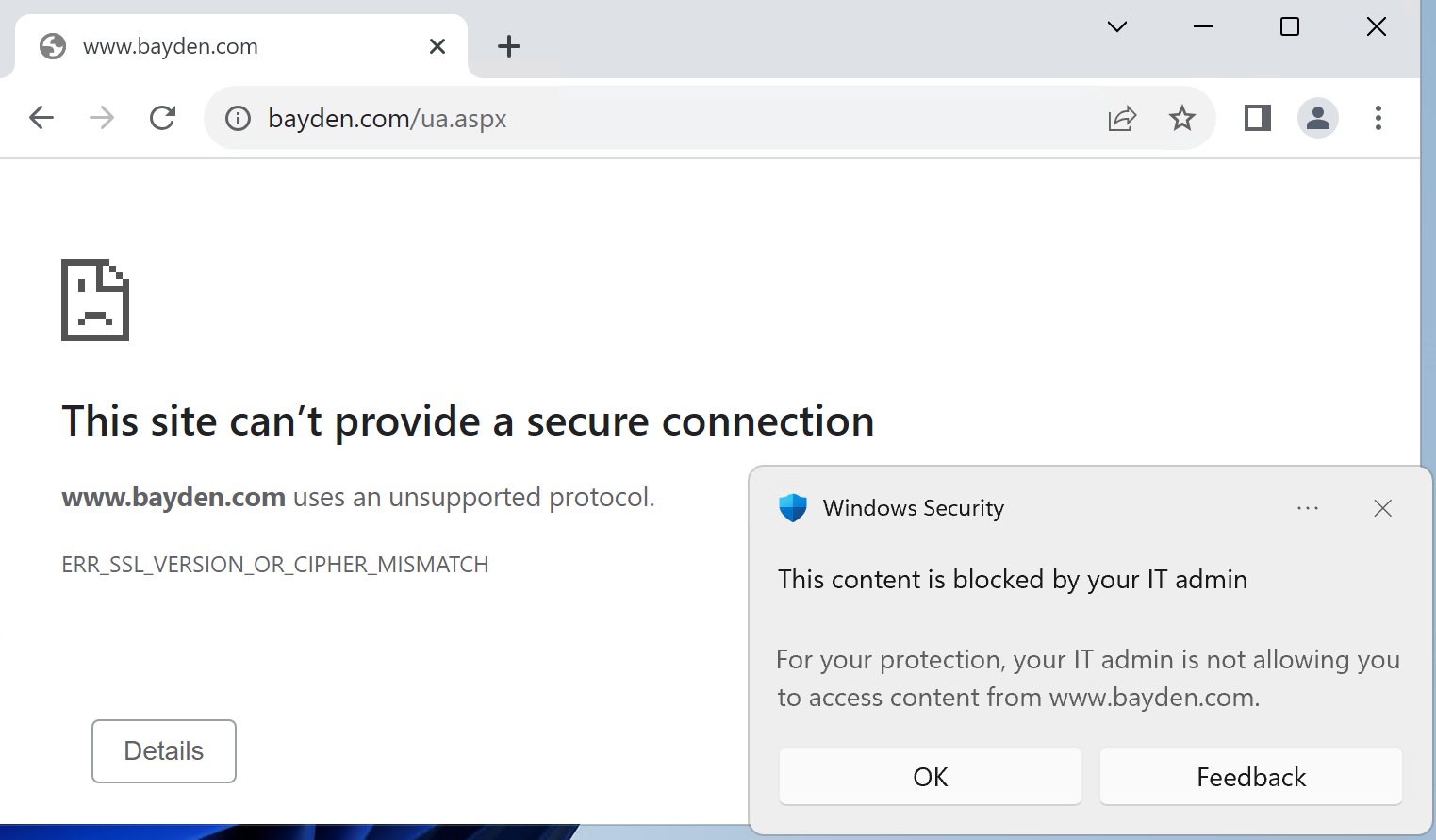
First, the extension only blocks phishing and malware sites known to Microsoft SmartScreen. If your organization has configured custom blocking of sites via Windows Defender’s Network Indicators or Web Content Filtering, those blocks are still enforced at the network level, meaning that you get a Windows toast notification and the browser will show a ERR_SSL_VERSION_OR_CIPHER_MISMATCH message.
Second, unlike SmartScreen in Edge, the extension does not support administrator-configured exceptions. For example, if your company uses a “phishing simulation” company to try to phish your employees for “testing” purposes, there’s no way to configure this extension to ignore the simulation site.
I hope you like the new version of this extension. Please reach out if you encounter any problems!
-Eric
 text/plain
I appreciate the work you put into making this better.
We use Microsoft Defender for Cloud Apps and Microsoft Defender for Endpoint in our enterprise for web content filtering. This extension does not support web content filtering. Can you update it to make it work in an Enterprise environment that uses web content filtering?
Unfortunately, not easily. The problem is that implementing these requires that the service request send both an organization ID and a device ID. I could add a group policy that would allow an organization to push their OrgID into the extension, but that approach would not work for sending a device ID because the device ID is unique to the device, so each device would need a different one. (The browser extension platform does not have the ability to compute/retrieve the DeviceID itself from within the browser sandbox).
Are there any plans to release this extension for Firefox?
At present, no, although conceptually it should not be very hard to do so.
Any plans to make this screen customizable? Branding, specific warnings, etc. Thanks!
I’d love to learn more about your scenario (feel free to email me at Microsoft; ericlaw@). I’d be curious to understand what sort of branding would be desired, what the value would be, etc. Thanks!
Hi
I’m considering deploying Microsoft Defender Browser Protection for Google Chrome extension (https://browserprotection.microsoft.com/) in my organization but I would be interested in configuring the extension for blocking additional types of content apart from MALICIOUS and PHISHING, it would be nice to have the possibility of blocking content types like Games, Pornography, etc. And have the possibility for managing all this via GPO
Are you considering introducing a feature for the extension like this one?
Thank you
No, the APIs available for the extension do not expose non-malicious site data. To block categories like that, the Web Content Filtering feature of Microsoft Defender for Endpoint is available and blocks across all popular browsers.
This alert has suddenly begun popping up and closing my AOL page while viewing emails. Sometimes it jumps in right away, other times I find it’s there after I’ve stepped away for a while. What is it identifying on the AOL page?
Thank you
Can you share the text that is right under the “this page has been identified as unsafe” title?
Hi Eric,
Directly below the “This Website Has Been Reported as Unsafe” message, appears the following:
api.intentiq.com
It either appears spontaneously (usually killing an AOL page) or, and this is the kicker: every time I click on “Report that this site does not contain threats” a new Chrome tab suddenly appears with the exact same big red full page warning message. I could literally report them repeatedly from now until forever; every time I do, a new one appears on a new tab it opens on its own.
Interestingly also, although the Microsoft page I am redirected to to report the website as not unsafe declares that it will send me a confirmation email, no such emails have ever arrived.
I’d love to send you a photo of the screen but do not see that I can do so.
Thanks for any help!
Thanks, looking into this. It’s also seen on Yahoo Finance pages. My current assumption is that it’s caused by malicious ads on that intentiq.com provider.