Users of modern versions of Windows 11 have a powerful security feature for keeping their devices secure, known as Smart App Control.
I’ve talked about this feature a few times over the last year, but in April 2026, a powerful improvement landed. Previously, Smart App Control could not be turned back on if you ever turned it off. That limitation has been removed in Windows 11 version 25H2 (Windows Security App v1000.29554+), making the feature far more practical to use and try out.
What is Smart App Control?
While Windows’ SmartScreen AppRep feature only checks the reputation of the entry point program (typically a .exe file) from an untrusted origin (like the Internet), Windows 11’s Smart App Control goes further than SmartScreen and evaluates trust/signatures of all code (DLLs, scripts, etc) that is loaded by the Windows OS Loader and script engines. This provides a broader range of protection (somewhat akin to Gatekeeper on MacOS) and addresses AppRep bypasses like DLL hijacking. If a code file is unsigned, Windows will consult the Microsoft Defender Intelligent Security Graph in the cloud to see whether the file is known to be trustworthy and permit it to load only if so.
Beyond trust evaluation, when Smart App Control is enabled, many dangerous file types are blocked from ShellExecute() entirely if a file is from an untrusted origin.
End-users can enable Smart App Control in the Windows Security App.
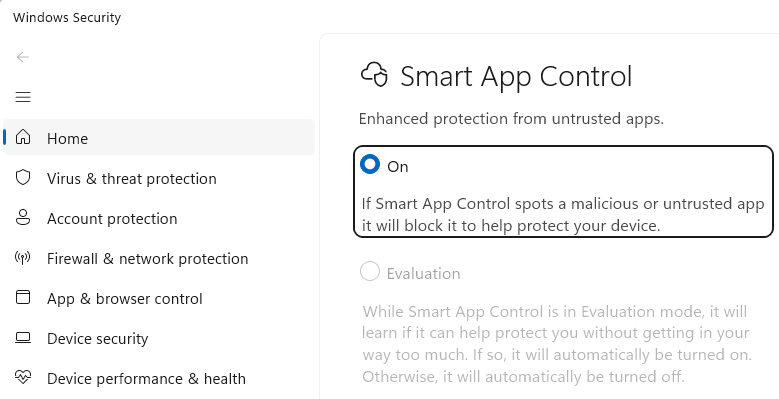
Automatic Enablement
By default, Smart App Control starts in Evaluation mode, meaning that it watches as you use your device to determine whether SAC’s protections are a good match for your use cases. If your device is determined to be a good candidate, Windows 11 will automatically enable SAC:
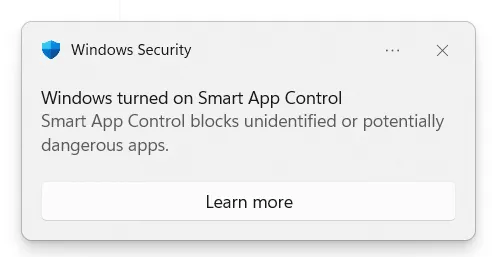
While SAC works great for the majority of consumers, it tends to cause too much friction on devices used by Developers and within Enterprises, because these devices commonly interact with unsigned code or code that is not broadly used by the public.
Smart App Control UX
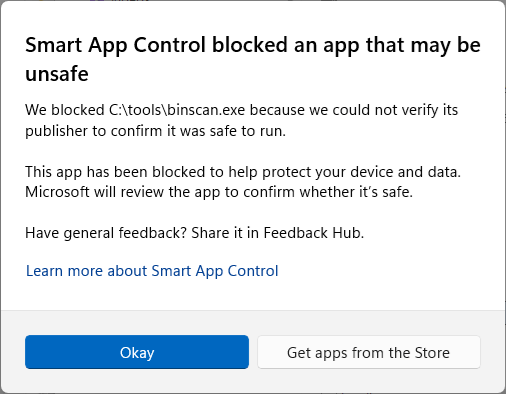
When attempting to launch an unsigned unknown application from File Explorer, the following block occurs:
Attempting to launch an unsigned unknown console application from a command prompt shows a textual error (referencing “Device Guard policy”):

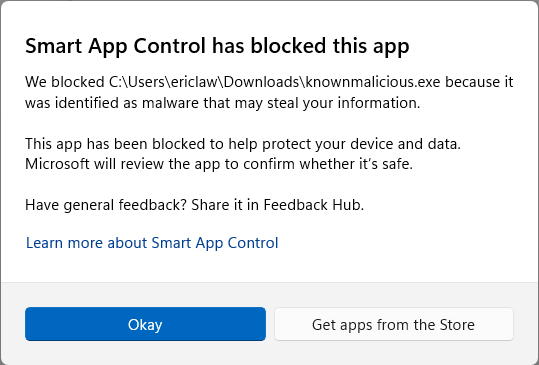
If a known-malicious application is encountered, the following UX will be shown:
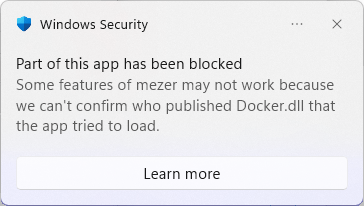
If an application tries to load an unknown unsigned DLL (e.g. a plugin), the following “Part of this app has been blocked” notification will be shown:
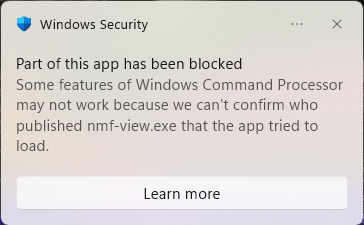
When a Chromium extension attempts to launch an unsigned Native Messaging Host that has an unknown reputation, the host app execution is blocked and following toast is shown:
Other file types
One of the most exciting features of Smart App Control is that it blocks the Windows Shell from opening files of certain types if they originate from untrusted locations.
As of April 2026, the list of SAC-blocked-if-MotW extensions is .appref-ms, .appx, .appxbundle, .bat, .chm, .cmd, .com, .cpl, .dll, .drv, .gadget, .hta, .iso, .js, .jse, .lnk, .msc, .msp, .ocx, .pif, .ppkg, .printerexport, .ps1, .rdp, .reg, .scf, .scr, .settingcontent-ms, .sys, .url, .vb, .vbe, .vbs, .vhd, .vhdx, .vxd, .wcx, .website, .wsf, .wsh.
If you attempt to open one of these potentially dangerous files from an untrusted source, you’ll encounter the following block dialog:
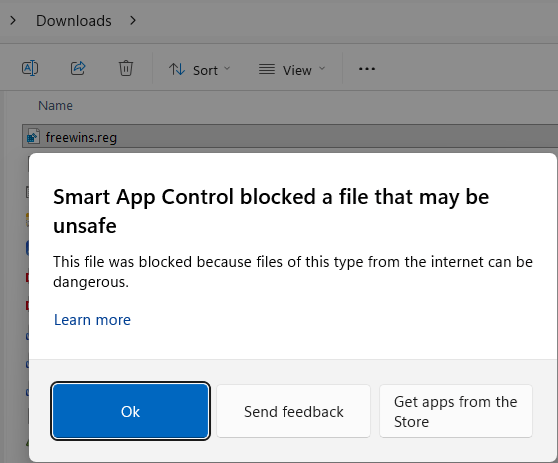
Notably, this dialog box does not offer an override. If you’re confident that the file is from a trusted source, you could remove the MotW or temporarily disable SAC before opening it.
Impact on Other Features
- Enabling SAC causes the Choose where to get apps setting to be ignored.
- Enabling SAC causes SmartScreen Application Reputation to be disabled.
- When SAC is enabled, Microsoft Defender Antivirus enters a special “Hybrid” mode. In Hybrid mode, Defender’s real-time protection feature is less-active, reducing the monitoring (BM and file open/close scans) for processes unless the system determines that the process is one that is particularly interesting (e.g. a script engine host). Hybrid mode was originally created for the Windows S configuration.
- If SAC is enabled while a 3P antivirus product is active (replacing Defender), Defender will remain in Passive mode to service file reputation queries from the SAC engine.
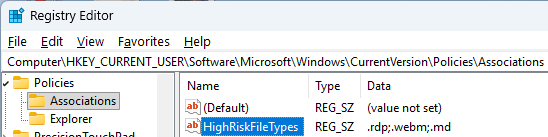
- Unfortunately, SAC’s dangerous file type list is baked into the feature and is not extensible. It does not respect the
HighRiskFileTypeslist from the registry or theEditFlagsof the file type.
- Enabling SAC disables the Windows Shell’s normal use of URLAction-based security. Specifically, consider a file with a MotW from the Restricted Sites zone:

By default, if you attempt to execute the Restricted-Zone exe, it is blocked:
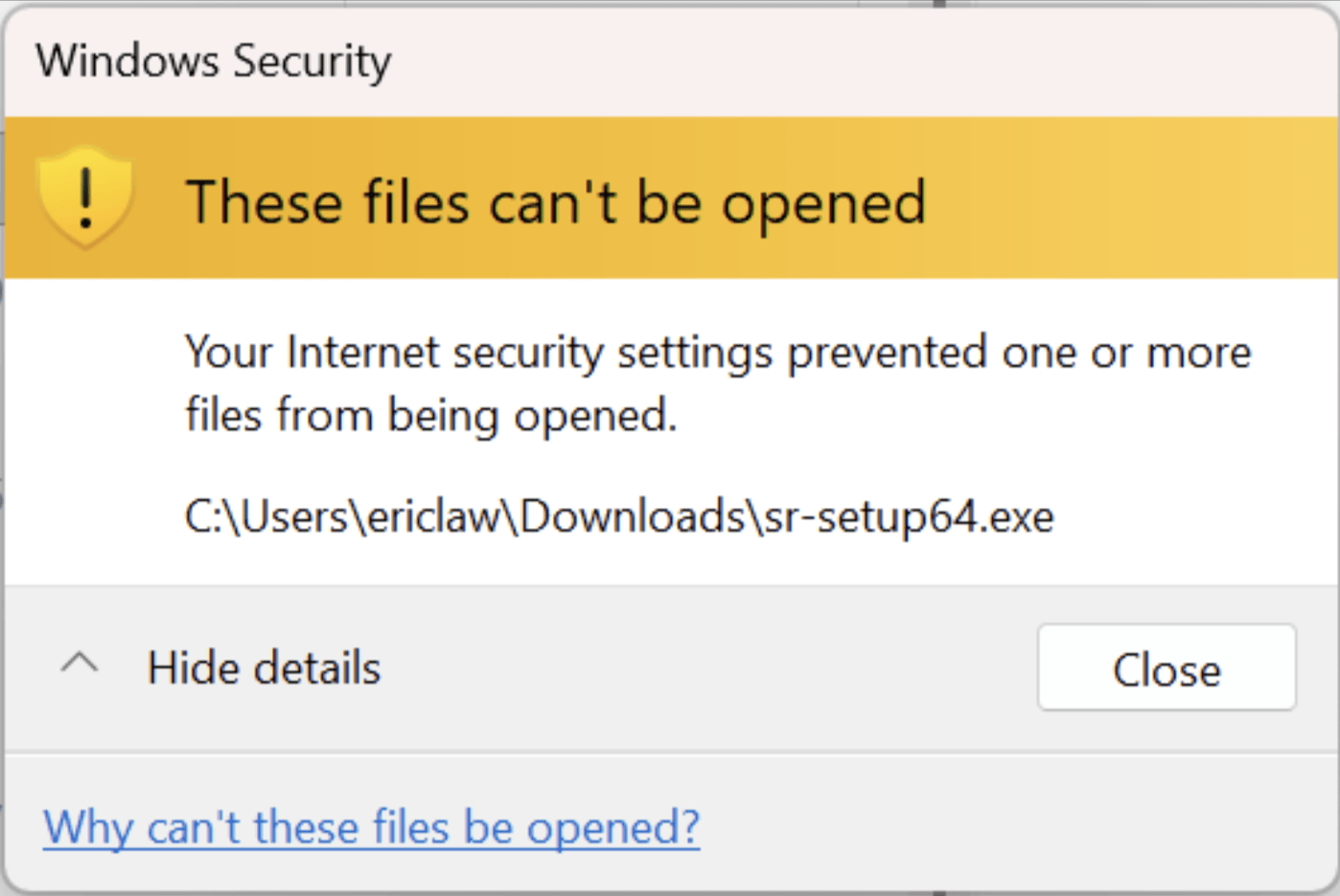
That block occurs because URLACTION_SHELL_EXECUTE_HIGHRISK is set to BLOCK for the Restricted Zone. However, when SAC is enabled, the ProcessURLAction check does not run and SAC assumes responsibility for safety of the file.
Developer Guidance
For software publishers, the best way to avoid problems with SAC blocking your app is to sign your code, already a longstanding best practice. Importantly, unlike SmartScreen AppRep (which only verifies the reputation files with an Internet origin), SAC verifies signatures on all code modules, including DLLs and packages like MSIs. That means that tricks like using a signed stub installer to drop unsigned code will not be good enough.
Signature verification in Smart App Control is based on the Code Integrity platform in Windows, which has stronger signing requirements than used elsewhere in Windows Authenticode. In particular, ensure that you use strong hash digest algorithms (e.g. SHA256) and that your certificate chain chains to a public Certificate Authority root that is included in Microsoft’s Trusted Root Certificates program. Signatures from certificates that chain to a root outside of Microsoft’s program (e.g. one that chains to a root the user or admin trusted via certmgr.msc or Group Policy) will not be considered valid.
One early problem with Smart App Control is that the Code Integrity codepath didn’t support ECC signatures. That shortcoming has been addressed, but for broadest compatibility and least friction, you should still avoid ECC for code-signing.
Other Links
Nitty Gritty – Nearly four years ago, @n4r1B posted an amazingly low-level exploration of the underlying implementation of SAC and the Windows code integrity technology that implements it.
- https://n4r1b.com/posts/2022/08/smart-app-control-internals-part-1/
- https://n4r1b.com/posts/2022/09/smart-app-control-internals-part-2/
-Eric