Detecting When the User is Offline

Can you hear me now?

In the web platform, simple tasks are often anything but. Properly detecting whether the user is online/offline has been one of the “Surprisingly hard problems in computing” since, well, forever.

Web developers often ask one question (“Is this browser online?”) but when you dig into it, they’re really trying to answer a question that’s both simpler and much more complex: “Can I reliably send and receive data from a target server?”.

The browser purports to offer an API which will answer the first question via the simple navigator.online property. Unfortunately, this simple property doesn’t really answer the real question, because:

  • The property is a snapshot of a moment in time, “potentially failing due to Time of check vs. Time of use”. Network access can be lost or regained the instant after you query the property.
  • The property doesn’t indicate whether a request might be blocked by some other feature (firewall, proxy, security software, extension, etc).
  • Not all features on all platforms (e.g. Airplane mode) influence the output of the API.
  • The property indicates that the client has some form of connectivity, not necessarily connectivity to the desired site.
  • The API can return what reasonable people would call a “False Positive”: The navigator.onLine documentation notes:

You could be getting false positives, such as in cases where the computer is running a virtualization software that has virtual ethernet adapters that are always “connected.”

MDN

I encounter this issue all the time because I have HyperV installed:

Because of this, I never get the “Your browser is offline” version of the network error page– I instead get various DNS error pages instead.

The web platform’s Network Information API has similar shortcomings.

Non-browser Windows software can use the NLM API to try to learn about the user’s network availability, but it suffers from most of the same problems noted above. However, APIs like INetworkListManager_get_IsConnectedToInternet have the same problems when the user is behind a Captive Portal or a target requires a VPN, or when the user is connected via Wifi to a router (“Yay! You’re online!”) that’s plugged into a cable modem that is turned off (“But you can’t get anywhere!”).

What To Do?

While it’s unfortunate that answering the simple question (“Is the user online?“) is complex/impossible, answering the real question has a straightforward solution: If you want to know if something will work, try it!

The approach taken by most products is simple.

When your code wants to know “Can I exchange data with foo.com”, you just send a network request “Hey, Foo.com, can you hear me?” (sometimes sending a quick HEAD request to a simple echo service) and you wait to hear back “Yup!

If you don’t receive an affirmative response within a short timeout, you can conclude “Whelp, whether I’m connected or not, I can’t talk to the site I care about.”

You might then set up a retry loop, using a truncated exponential backoff delay[1] to avoid wasting a lot of effort.

-Eric

[1] For example, Chromium’s network error page retries as follows:

base::TimeDelta GetAutoReloadTime(size_t reload_count) {
  static const int kDelaysMs[] = {0, 5_000, 30_000, 60_000,
                                  300_000, 600_000, 1_800_000};

Chromium elsewhere contains a few notes on available approaches:

// (1) Use InternetGetConnectedState (wininet.dll). This function is really easy 
// to use (literally a one-liner), and runs quickly. The drawback is it adds a

// dependency on the wininet DLL.

//

// (2) Enumerate all of the network interfaces using GetAdaptersAddresses

// (iphlpapi.dll), and assume we are "online" if there is at least one interface

// that is connected, and that interface is not a loopback or tunnel.

//

// Safari on Windows has a fairly simple implementation that does this:

// http://trac.webkit.org/browser/trunk/WebCore/platform/network/win/NetworkStateNotifierWin.cpp.

//

// Mozilla similarly uses this approach:

// http://mxr.mozilla.org/mozilla1.9.2/source/netwerk/system/win32/nsNotifyAddrListener.cpp

//

// The biggest drawback to this approach is it is quite complicated.

// WebKit's implementation for example doesn't seem to test for ICS gateways

// (internet connection sharing), whereas Mozilla's implementation has extra

// code to guess that.

//

// (3) The method used in this file comes from google talk, and is similar to

// method (2). The main difference is it enumerates the winsock namespace

// providers rather than the actual adapters.

//

// I ran some benchmarks comparing the performance of each on my Windows 7

// workstation. Here is what I found:

//   * Approach (1) was pretty much zero-cost after the initial call.

//   * Approach (2) took an average of 3.25 milliseconds to enumerate the

//     adapters.

//   * Approach (3) took an average of 0.8 ms to enumerate the providers.

//

// In terms of correctness, all three approaches were comparable for the simple

// experiments I ran... However none of them correctly returned "offline" when

// executing 'ipconfig /release'.


New TLDs: Not Bad, Actually

The Top Level Domain (TLD) is the final label in a fully-qualified domain name:

The most common TLD you’ll see is com, but you may be surprised to learn that there are 1479 registered TLDs today. This list can be subdivided into categories:

  • Generic TLDs (gTLD) like .com
  • Country Code TLDs (ccTLDs) like .uk, each of which is controlled by specific countries
  • Sponsored TLDs (sTLDs) like .museum, which are designed to represent a particular community
  • … and a few more esoteric types

Some TLD owners will rent domain names under the TLD to any buyer (e.g. anyone can register a .com site), while others impose restrictions:

  • a ccTLD might require that a registrant have citizenship or a business nexus within their country to get a TLD in their namespace; e.g. to get a .ie domain name, you have to prove Irish citizenship
  • a sTLD may require that the registrant meet some other criteria; e.g. to register within the .bank TLD, you must hold an active banking license and meet other criteria

Zip and Mov

Recently, there’s been some excitement about the relatively-new .ZIP and .MOV top-level domains.

Why?

Because .zip and .mov are longstanding file extensions used to represent ZIP Archives and video files, respectively.

The argument goes that allowing .zip and .mov TLDs means that there’s now ambiguity: if a human or code encounters the string "example.zip", is that just a file name, or a bare hostname?

Alert readers might immediately note: “Hey, that’s also true of .com, the most popular TLD– COM files have existed since the 1970s!” That’s true, as far as it goes, but it is fair to say that .com files are rarely seen by users any more; on Windows, .com has mostly been supplanted by .exe except in some exotic situations. Thanks to the popularity of the TLD, most people hearing dotcom are going to think “website” not “application”.

(The super-geeks over on HackerNews point out that name collisions also exist for popular source code formats: pl is the extension for Perl Scripts and the ccTLD for Poland, sh is the extension for bash scripts and the ccTLD for St. Helena, and rs is the extension for Rust source code and the ccTLD for the Republic of Serbia.)

Okay, so what’s the badness that could result?

Automatic Hyperlinking

In poking the Twitter community, the top threat that folks have identified is concern about automatic hyperlinkers: If a user types a filename string into an email, or their blog editor, or twitter, etc, it might be misinterpreted as a URL and automatically converted into one. Subsequently, readers might see the automatically-generated link, and click it under the belief that the author intended to include a URL, effectively an endorsement.

This isn’t a purely new concern– for instance, folks mentioning the ASP.NET platform encounter the automatic linking behavior all the time, but that is a fairly constrained scenario, and the https://asp.net website is owned by the developers of ASP.NET, so there’s no real harm.

However, what if I sent an email to my family saying, “hey, check out VacationPhotos.zip” with a ZIP file of that name attached to my email, but the email editor automatically turned VacationPhotos.zip into a link to https://VacationPhotos.zip/.

I concede that this is absolutely possible, however, it does not seem terribly exciting as an attack vector, and I remain unconvinced that normal humans type filename extensions in most forms of communication.

Having said that, I would agree that it probably makes sense to exclude .mov and .zip from automatic hyperlinkers. Many (if not most) such hyperlinkers do not automatically link any string that contains every individual instance of the 1479 current TLDs, and I don’t think introducing autolinking for these two should be a priority for them either.

Google’s Gmail automatically hyperlinks 534 TLDs.

(As an aside, if I was talking to an author of an automatic hyperlinker library, my primary concern would be the fact that almost all such libraries convert example.com into a non-secure reference to http://example.com instead of a secure https://example.com URL.)

User Confusion

Another argument goes that URLs are already exceedingly confusing, and by introducing a popular file extension as a TLD, they might become more so.

I do not find this argument compelling.

URLs are already incredibly subtle, and relying on users to mentally parse them correctly is a losing proposition in multiple dimensions.

There’s no requirement that a URL contain a filename at all. Even before the introduction of the ZIP TLD, it was already possible to include .zip in the Scheme, UserInfo, Hostname, Path, Filename, QueryString, and Fragment components of a URL. The fact that a fully-qualified hostname can now end with this string does not seem especially more interesting.

Omnibox Search

When Google Chrome was first released, one of its innovations was collapsing the then-common two input controls at the top of web browsers (“Address” and “Search”) into a single control, the aptly-named omnibox. This UX paradigm, now copied by basically every browser, means that the omnibox must have code to decide whether a given string represents a URL, or a search request.

One of the inputs into that equation is whether the string contains a known TLD, such that example.zi and example.zipp are treated as search queries, while example.zip is assumed to mean https://example.zip/ as seen here:

If you’d like to signal your intent to perform a search, you can type a leading question mark to flip the omnibox into its explicit Search mode:

If you’d like to explicitly indicate that you want a navigation rather than a search, you can do so by typing a leading prefix of // before the hostname.

As with other concerns, omnibox ambiguity is not a new issue: it exists for .com, .rs, .sh, .pl domains/extensions, for example. The omnibox logic is also challenged when the user is on an Intranet that has servers that are accessed via “dotless” (aka “plain”) hostnames like https://payroll, (leading to a Group Policy control).

General Skepticism

Finally, there’s a general skepticism around the introduction of new TLDs, with pundits proclaiming that they simply represent an unnecessary “money grab” on the part of ICANN (because the fees to get an official TLD are significant, and a brand that wants to get their name under every TLD will have to spend a lot).

“Why do we even need these?” pundits protest, making an argument that boils down to “.com ought to be enough for anybody.

This does not feel like a compelling argument for a number of reasons:

  1. COM was intended for “commercial entities”, and many domain owners are not commercial at all
  2. COM is written in English, a language not spoken by many of the world’s population
  3. The legacy COM/NET/ORG namespace is very crowded, and name collisions are common. For example, one of my favorite image editors is Paint.Net, but that domain name was, until recently, owned by a paint manufacturer. Now it’s “parked” while the owner tries to sell it (likely for thousands of dollars).

Other pundits will agree that new TLDs are generally acceptable, but these specific TLDs are unnecessarily confusing due to the collision with popular file extensions and the lack of an obviously compelling scenario (e.g. “why do we need a .mov TLD when we already have .movie TLD?“). It’s a reasonable debate.

Some pundits argue “Hey, domains under new TLDs are often disproportionately malicious”, pointing at .xyz as an example.

That tracks, insofar as the biggest companies tend to stick to the most common TLDs. However, most malicious registrations under non-.COM TLDs don’t happen because getting a domain in a newer TLD is “easier” or subject to fewer checks or anything of that sort. If anything, new TLDs are likely to have more stringent registration requirements than a legacy TLD. And if the bad guys want to identify themselves by hanging out in a low-reputation TLD neighborhood, that seems like a net good for security.

New TLDs Represent New, More Secure Opportunities

One very cool thing about the introduction of a new TLD is that it gives the registrar the ability to introduce new requirements of the registrants without the fear of breaking legacy usage.

In particular, a common case is HSTS Preloading: a TLD owner can add the TLD to the browser’s HSTS preload list, such that every link to every site within that namespace is automatically HTTPS, even if someone (a human or an automatic hyperlinker) specifies a http:// prefix. There are now 40 such TLDs: android, app, bank, chrome, dev, foo, gle, gmail, google, hangout, insurance, meet, page, play, search, youtube, esq, fly, eat, nexus, ing, meme, phd, prof, boo, dad, day, channel, hotmail, mov, zip, windows, skype, azure, office, bing, xbox, microsoft, notably including ZIP and MOV.

One especially fun fact about requiring HTTPS for an entire TLD is that it means that every site within that TLD requires a HTTPS certificate. To get a HTTPS certificate from a public CA requires that the certificate be published to Certificate Transparency, a public ledger of every certificate. Security software and brand monitors can watch the certificate transparency logs and get immediate notification when a suspicious domain name appears.

Beyond HSTS-preload, some TLDs have other requirements that can reduce the likelihood of malicious behavior within their namespace; for example, getting a phony domain under bank or insurance is harder because of the registration requirements that demand steps that can lead to real-world prosecution.

Unfortunately, software today does little to represent a TLD’s protections to the end-user (there’s nothing in the browser that indicates “Hey, this is a .bank URL so it’s much more likely to be legitimate“), but a domain’s TLD can be used as an input into security software’s URL reputation services to help avoid false positives.

MakeA.zip

I decided to play around with the new TLD by registering a new site MakeA.zip which will point at a simple JavaScript program for creating ZIP files. The DNS registration is $15/year, and Cloudflare provides the required TLS certificate for free.

Now I just have to write the code. :)

-Eric

A Beautiful 10K

This morning was my second visit to the Austin Capitol 10K race. Last year’s run represented my first real race, then two months into my new fitness regime, and I only met my third goal (“Finish without getting hurt“) while missing the first two (“Run the whole way“, and “Finish in 56 minutes“). Last year, I finished in 1:07:38.

This year, I set out with the same goals and achieved all three: I ran without stopping, finishing in 52:25 (8:27/mile), just over 15 minutes faster than last year. I beat not only my 56 minute goal, but also my unstated “It’d be really nice to beat 54 minutes” goal, and while it wasn’t exactly easy, I think I could’ve gone harder and faster. Last year I beat at 66% of my gender/age group, while this year I beat 88%. I had some advantages: This year, I got six hours’ sleep (awoken early by an errant notification at 05:30), had a productive trip to the bathroom, and benefitted from being 20 pounds lighter and having run ~900 miles over the last year.

The weather was absolutely perfect: in the high 50s, a light breeze with clear skies and dry ground. We left the house at 6:50 or so and managed to snag one of the last five parking spots in my preferred lot in the park near the start of the race. Supposedly there were 17000 registrations, although the scoreboard shows 22058 finishers?

The start of the race was the hardest part, with a few significant hills. But none were as steep or as nearly long as I’d remembered from last year, and I had no trouble running them. Having started with a faster group, I didn’t have to dodge walkers on the hill, and I was inspired by the truly hardcore folks around me (a younger mom next to me was doing everything I was doing, faster, while pushing a stroller).

Still, the start felt slow, and avoided looking at my watch until the halfway point, figuring that I’d wait until then to assess the hole I was in and figure out how to react. I was delighted to discover that I hit the 5K mark at almost exactly 27 minutes (27 minutes on my watch, 26:37 on the “chip time”), exactly on track for my “secret” goal of 54 minutes. But now I was excited– could I run a negative split with the second half faster than the first?

Fortunately, running in the “A” group this time yielded two benefits: first, less weaving and dodging at the start of the race (although there were definitely some folks who were not running at a pace that would qualify for the A group) and second, it gave me a whole group of runners at a solid pace to try to meet and beat. Toward the end of the race, as my enthusiasm started to wane, this was especially important– I’d focus on someone thirty or forty feet away and think “I’ll just catch up and go finish with them.” This repeated a half dozen times over the last two miles.

I had three caffeinated Gu energy blocks throughout the race: One at the start, one somewhere around mile 2, and one at mile 5– the last I hadn’t finished by the sprint at the end and I regretted having put it in my mouth at all. I barely drew on my little water bottle and finished the race with more than half of it left. I brought my Amazon Fire phone for music, but discovered that my “fully charged” cheapo Bluetooth headphone was completely dead. I suspect it’s broken. While I was slightly bummed, I figured running for less than an hour without music wouldn’t be bad, and it wasn’t.

My heart rate was under control for almost the entire race, peaking at 176 beats per minute but mostly hovering comfortably just below 160:

My fancy new Hoka Clifton 9 running shoes were amazing, and provide the right amount of cushion for real-world running (they feel almost too cushy on the treadmill):

I was a bit worried because I had tied them too tight before a 9 mile treadmill run earlier in the week and bruised just below my left ankle, but that tenderness didn’t bother me much on the run. My knees felt great.

Update: It was years before I realized how great this KQ result was.

My first kilometer was my slowest and the last my fastest:

I started running harder as I crossed the bridge near the finish line and poured on even more speed as I turned the last corner with a tenth of a mile left to go. I heard my older son shout out “Go, Dad, Go!” and started looking for him. I then heard my younger son chime in, hollering “Go, Dad!” and I was so happy — he’s usually quiet and it was so motivational to hear that he was so into it.

After cruising through the finish line (pain free, unlike my hobbling sprint at the end of the Galveston half) while thinking “I could’ve gone a bit faster, and a bit sooner,” I collected my finisher’s medal and headed back to where my kids were waiting.

Except, they weren’t there. When we did finally met up, I learned that they never were (due to an ill-timed bathroom break), and I’d hallucinated my whole cheering section. 🤣

We all waited for my housemate to finish his run and I loudly cheered on all of the other runners, (unintentionally) egged on by my 9yo who endlessly whined “Dad, be quiet! You don’t know any of these people! You’re embarrassing me!” 🤣

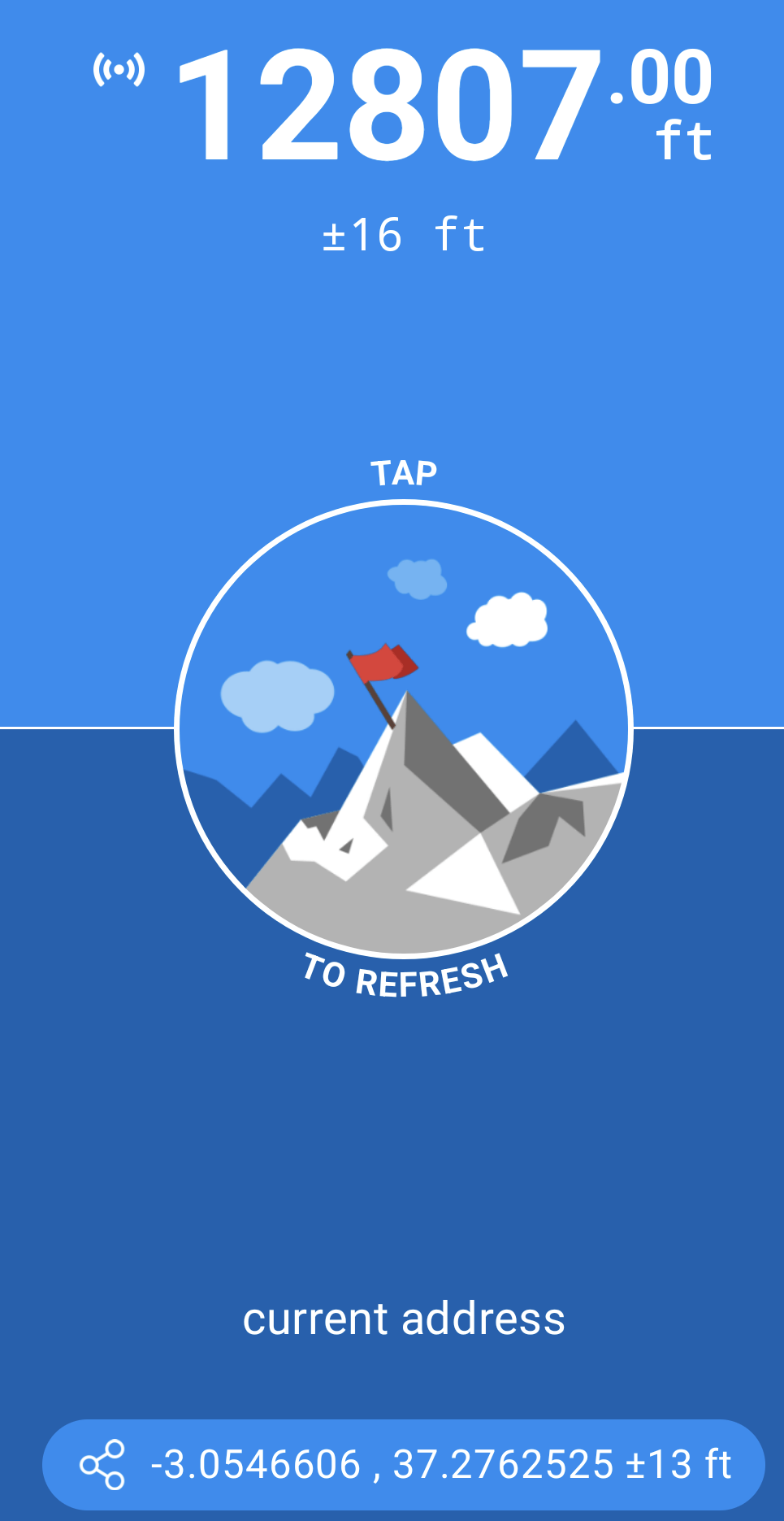
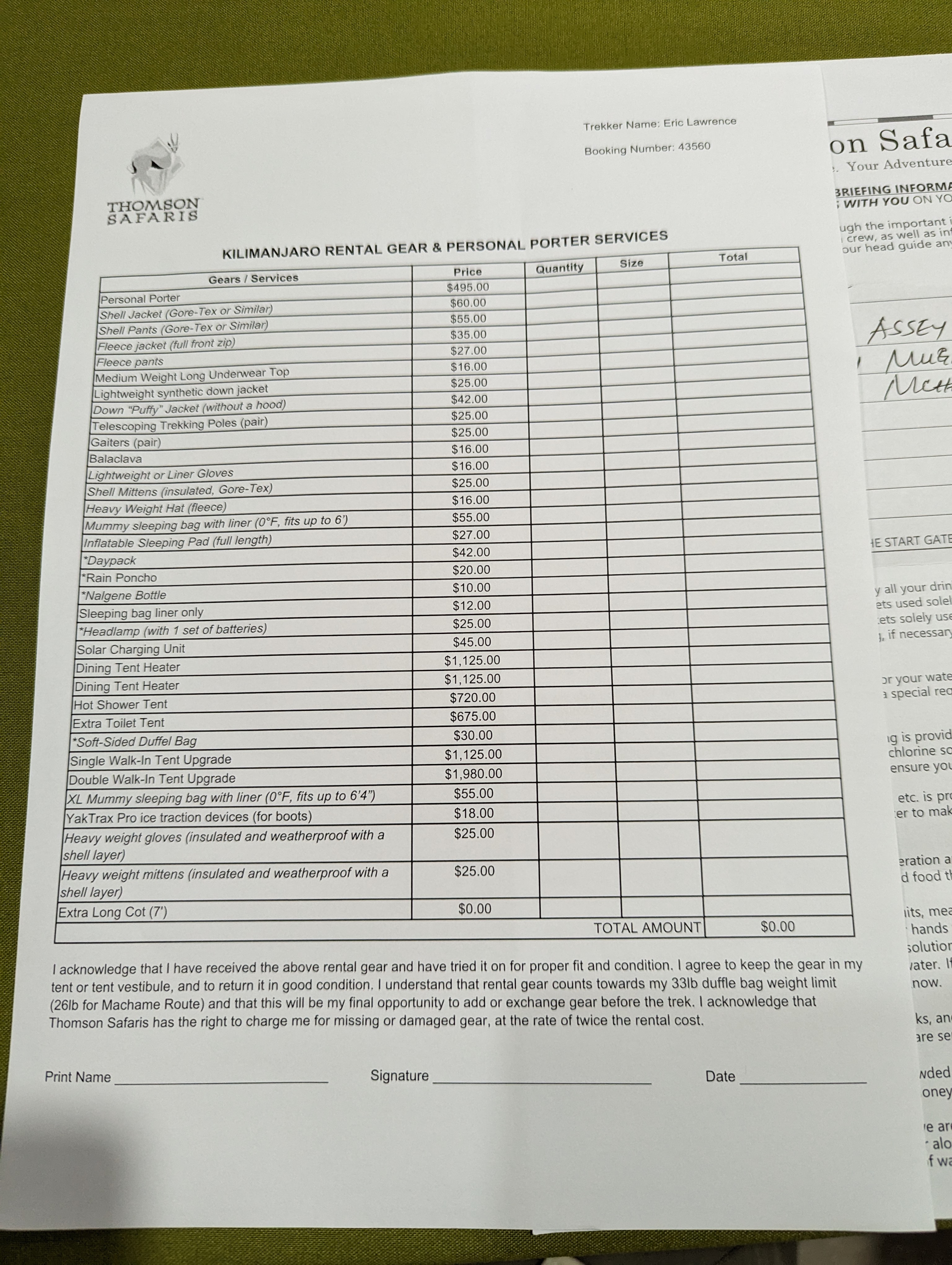
This is my final race before Kilimanjaro at the end of June. After summers’ end, I’ll again run the “Run for the Water” 10 miler in November, then do my second Austin 3M Half in January 2024. Then, I’ll be doing this race again on April 7, 2024.

-Eric

(The Futility of) Keeping Secrets from Yourself

Many interesting problems in software design boil down to “I need my client application to know a secret, but I don’t want the user of that application (or malware) to be able to learn that secret.

Some examples include:

  • Digital Rights Management encryption keys
  • Passwords stored in a Password Manager
  • API keys to use web services
  • Private keys for local certificate roots
  • Configuration options (e.g. exclusions) for security software

…and likely others.

In general, if your design relies on having a client protect a secret from a local attacker, you are doomed. As eloquently outlined in the story “Cookies” in 1971’s Frog and Toad Together, anything the client does to try to protect a secret can also be undone by the client:

For example, a user can easily read passwords filled by a password manager out of the browser’s DOM, or malware can read it out of the encrypted storage when it runs inside the user’s account with their encryption key. An attacker can read keys by viewing or debugging a binary that contains them, or it can watch API keys flow by in outbound network traffic (even if HTTPS is used). A “sufficiently/extremely motivated” attacker with physical access to a device can steal hardware-stored encryption keys directly off the hardware. Et cetera.

However, just because a problem cannot be solved does not mean that developers won’t try.

“Trying” isn’t entirely madness — believing that every would-be attacker is “sufficiently motivated” is as big a mistake as believing that your protection scheme is truly invulnerable. If you can raise the difficulty level enough at a reasonable cost (complexity, performance, etc), it may be entirely rational to do so.

Some approaches include:

  • Move the encryption key off the client. E.g. instead of having your client call the service provider’s web-service directly, have it call a proxy on your own website that adds the key before forwarding along the request. Of course, an attacker might still masquerade as your application (or automate it) to hit the service through your proxy, but at least they will be constrained in what calls they can make, and you can apply rate-limits, IP reputation, etc. to mitigate abuse.
  • Replace the key with short-lived tokens that are issued by an authenticated service. E.g. the Microsoft Edge VPN feature requires that the user be logged in with their Microsoft account (MSA) to use the VPN. The feature uses the user’s credentials to obtain tokens that are good for 1GB of VPN traffic quota apiece. An attacker wishing to abuse the VPN service has to generate fake Microsoft accounts, and there are robust investments in making that non-trivially expensive for an attacker.
  • Use hardware to make stealing secrets more difficult. For example, you can store a private key inside a TPM which makes it very difficult to steal and move to a different device. Keep in mind that locally-running malware could still use the key by treating the compromised device as a sock puppet.
  • Similarly, you can use a Secure Enclave/Virtual Secure Mode (available on some devices) to help ensure that a secret cannot be exported and try[1] to establish controls on what processes can request the enclave use the key for some purpose. For example, Windows 11’s Enhanced Phishing Protection stores a hashed version of the user’s Login Password inside a secure enclave so that it can evaluate whether recently typed text contains the user’s password, without exposing that secret hash to arbitrary code running on the PC.
  • Derive protection from other mechanisms. For instance, there’s a Microsoft Web API that demands that every request bear a matching hash of the request parameters. An attacker could easily steal the hash function out of the client code. However, Microsoft holds a patent on the hash function. Any application which contains this code contains prima facie evidence of patent infringement, and Microsoft can pursue remedies in court. (Assuming a functioning legal system in the target jurisdiction, etc, etc).
  • If the threat is from a compromised device but not a malicious user, enlist the user in helping to protect the secret. For example, reencrypt the data with a “main password” known only to the user, require off-device confirmation of credential use, etc. Locally-running malware will then have a limited opportunity to abuse the secret because it’s not always exposed.

-Eric

[1] try is the operative word here. From inside a VTL1 enclave, it’s very difficult to determine the identity of the calling process. Even if you can do so, it’s also non-trivial to ensure that the code running in the expected calling process wasn’t injected by malware. Stated differently, the API exposed by an enclave must be designed in such a way as to assume that it will be called by malicious VTL0 code. Using enclaves properly is tricky.

Auth Flows in a Partitioned World

Back in 2019, I explained how browsers’ cookie controls and privacy features present challenges for common longstanding patterns for authentication flows. Such flows often rely upon an Identity Provider (IdP) having access to its own cookies both on top-level pages served by the IdP and when the IdP receives a HTTP request from an XmlHttpRequest/fetch or frame embedded in a Relying Party (RP)‘s website:

These auth flows will fail if the IdP’s cookie is not accessible for any reason:

  1. the cookie wasn’t set at all (blocked by a browser privacy feature), or
  2. the cookie isn’t sent from the embedded context is blocked (e.g. by the browser’s “Block 3rd Party Cookies” option)
  3. the cookie jar is not shared between a top-level IdP page and a request to the IdP from the RP’s page (e.g. Cookie Partitioning)

While Cookie Partitioning is opt-in today, in late 2024, Chromium plans to start blocking all non-partitioned cookies in a 3rd Party context, meaning that authentication flows based on this pattern will no longer work. The IdP’s top-level page will set the cookie, but subframes loaded from that IdP in the RP’s page will use a cookie jar from a different partition and not “see” the cookie from the IdP top-level page’s partition.

What’s a Web Developer to do?

New Patterns

Approach 1: (Re)Authenticate in Subframe

The simplistic approach would be to have the authentication flow happen within the subframe that needs it. That is, the subframe to the IdP within the RP asks the user to log in, and then the auth cookie is available within the partition and can be used freely.

Unfortunately, there are major downsides to this approach:

  1. Every single relying party will have to do the same thing (no “single-sign on”)
  2. If the user has configured their browser to block 3rd party cookies, Chromium will not allow the subframe to automatically/silently send the user’s Windows credentials. (TODO: I don’t remember if clientcert auth is permitted).
  3. Worst of all, the user will have to be accustomed to entering their IdP’s credentials within a page that visually has no relationship to the IdP, because only the RP’s URL is shown in the browser’s address bar. (Many IdP’s use X-Frame-Options or Content-Security-Policy: frame-ancestors rules to deny loading inside subframes).

I would not recommend anyone build a design based on the user entering, for example, their Google.com password within RandomApp.com.

If we take that approach off the table, we need to think of another way to get an authentication token from the IdP to the RP, which factors down to the question of “How can we pass a short string of data between two cross-origin contexts?” And this, fortunately, is a task which the web platform is well-equipped to solve.

Approach 2: URL Parameter

One approach is to simply pass the token as a URL parameter. For example, the RP.com website’s login button does something like:

window.open('https://IdP.com/doAuth?returnURL=https://RP.com/AuthSuccess.aspx?token=$1', 'blank');

In this approach, the Identity Provider conducts its login flow, then navigates its tab back to the caller-provided “return URL”, passing the authentication token back as a URL parameter. The Relying Party’s AuthSuccess.aspx handler collects the token from the URL and does whatever it wants with it (setting it as a cookie in a first-party context, stores it in HTML5 sessionStorage, etc). When the token is needed to call an service requiring authentication, the Relying Party takes the token it stored and adds it to the call (inside an Auth header, as field in a POST body, etc).

One risk with this pattern is that, from the web browser’s perspective, it is nearly indistinguishable from bounce tracking, whereby trackers may try to circumvent the browser’s privacy controls and continue to track a user even when 3rd party cookies are disabled. While it’s not clear that browsers will ever fully or effectively block bounce trackers, it’s certainly an area of active interest for them, so making our auth scheme look less like a bounce tracker seems useful.

Approach 3: postMessage

So, my current recommendation is that developers communicate their tokens using the HTML5 postMessage API. In this approach, the RP opens the IdP and then waits to receive a message containing the token:

// rp.com
window.open('https://idp.com/doAuth?', '_blank');

window.addEventListener("message", (event) => {
    if (event.origin !== "https://idp.com") return;
    finalizeLoginWithToken(event.data.authToken);
    // ...
  },
  false
);

When the authentication completes in the popup, the IdP sends a message to the RP containing the token:

// idp.com
function returnTokenToRelyingParty(sRPOrigin, sToken){
    window.opener.postMessage({'authToken': sToken}, sRPOrigin);
}

Approach 4: Broadcast Channel (Not recommended)

Similar to the postMessage approach, an IdP site can use HTML5’s Broadcast Channel API to send messages between all of its contexts no matter where they appear. Unlike postMessage (which can pass messages beween any origins), a site can only use Broadcast Channel to send messages to its own origin. BroadcastChannel is widely supported in modern browsers, but unlike postMessage, it is not available in Internet Explorer.

While this approach works well today:

  • it doesn’t work in Safari (whether cross-site tracking is enabled or not)
  • it doesn’t work in Firefox 112+ with Enhanced Tracking Protection enabled
  • Chromium plans to break it soon; preview this by Enabling the chrome://flags/#third-party-storage-partitioning flag.

Approach 5: localStorage (Not recommended)

HTML5 localStorage behaves much like a cookie, and is shared between all pages (top-level and subframe) for a given origin. The browser fires a storage event when the contents of localStorage are changed from another context, which allows the IdP subframe to easily detect and respond to such changes.

However, this approach is not recommended. Because localStorage is treated like a cookie when it comes to browser privacy features, if 3P Cookies are disabled or blocked by Tracking Prevention, the storage event never fires, and the subframe cannot access the token in localStorage.

Furthermore, while this approach works okay today, Chromium plans to break it soon. You can preview this by Enabling the chrome://flags/#third-party-storage-partitioning flag.

Approach 6: FedCM

The Federated Credentials Management API (mentioned in 2022) is a mechanism explicitly designed to enable auth flows in a world of privacy-preserving lockdowns. However, it’s not available in every browser or from every IdP.

Demo

You can see approaches #3 to #5 implemented in a simple Demo App.

Click the Log me in! (Partitioned) button in Chromium 114+ and you’ll see that the subframe doesn’t “see” the cookie that is present in the WebDbg.com popup:

Now, click the postMessage(token) to RP button in that popup and it will post a message from the popup to the frame that launched it, and that frame will then store the auth token in a cookie inside its own partition:

We’ve now used postMessage to explicitly share the auth token between the two IdP contexts even though they are loaded within different cookie partitions.

Shortcomings

The approaches outlined in this post avoid breakage caused by various current and future browser settings and privacy lockdowns. However, there are some downsides:

  1. Updates require effort on the part of the relying party and identity provider.
  2. By handling auth tokens in JavaScript, you can no longer benefit from the httponly option for cookies that helps mitigate XSS attacks.

-Eric