Microsoft Family Safety is a feature of Windows that allows parents to control their children’s access to apps and content in Windows. The feature is tied to the user accounts of the parent(s) and child(ren).
When I visit https://family.microsoft.com and log in with my personal Microsoft Account, I’m presented with the following view:
The “Nate” account is my 9yo’s account. Clicking it reviews a set of tabs which contain options about what parental controls to enable.
Within the Settings link, there’s a simple dialog of options:
Within the tabs of the main page, parents can set an overall screen time limit:
Parents can configure which apps the child may use, how long they may use them:
…and so on. Parents can also lock out a device for the remainder of the day:
On the Edge tab, parents can enable Filter inappropriate websites to apply parental filtering inside the Edge browser.
(Unlike Microsoft Defender for Endpoint’s Web Content Filtering, there are no individual categories to choose from– it’s all-or-nothing).
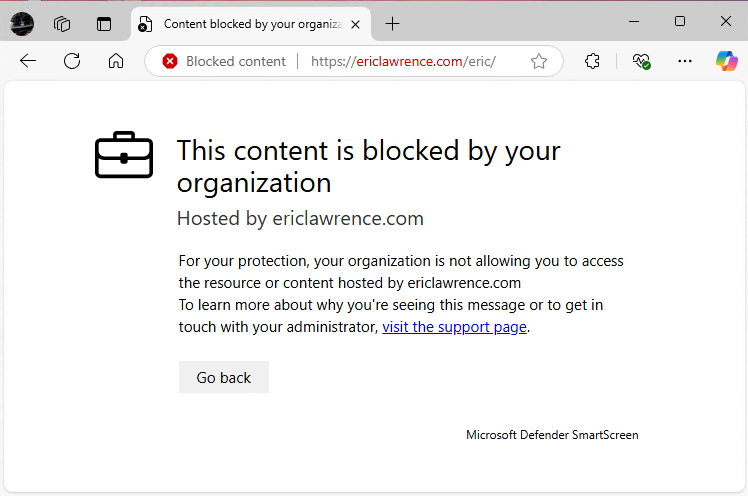
As with SmartScreen protection, Family Safety filtering is integrated directly into the Microsoft Edge browser. If the user visits a prohibited site, the navigation is blocked and a permission screen is shown instead:
If the parent responds to the request by allowing the site:
…the child may revisit that site in the future.
Blocking Third-Party Browsers
Importantly, Family Safety offers no filtering in third-party browsers (mostly because doing so is very difficult), so enabling Web Filtering will block third party browsers by default.
The blocking of third-party browsers is done in a somewhat unusual way. The Parental Controls Windows service watches as new browser windows appear:
…and if the process backing a window is that of a known browser (e.g. chrome.exe) the process is killed within a few hundred milliseconds (causing its windows to vanish).
After blocking, the child is then (intended to be) presented with the following dialog:
If the child presses “Ask to use”, a request is sent to the Family Safety portal, and the child is shown the same dialog they would see if they tried to use an application longer than a time limit set by the parent:
The parent(s) will receive an email:
…and the portal gives the parent simple options to allow access:
Some Bugs
For a rather long time, there was a bug where Family Safety failed to correctly enforce the block on third party browsers. That bug was fixed in early June and blocking of third party browsers was restored. This led to some panicked posts in forums like Microsoft Support and Reddit complaining that something weird had happened.
In many cases, the problem was relatively mild (“Hey, I didn’t change anything, but now I’m seeing this new permission prompt. What??”) and could be easily fixed by the parent by either turning off Web Filtering or by allowing Chrome to run:
· Disable “Filter inappropriate websites” under the Edge tab, or
· Go to Windows tab → Apps & Games → unblock Chrome.
Note that settings changes will take a minute or so to propagate to the client.
Pretty straightforward.
What’s less straightforward, however, is that there currently exists a second bug: If Activity reporting is disabled on the Windows tab for the child account:
…then the browser window is blown away without showing the permission request prompt:
This is obviously not good, especially in situations where users had been successfully using Chrome for months without any problem.
This issue has been acknowledged by the Family Safety team who will build the fix. For now, parents can workaround the issue by either opting out of web filtering or helping their children use the supported browser instead.
At WWDC 2025, Apple introduced an interesting new API, NEURLFilter, to respond to a key challenge we’ve talked about previously: the inherent conflict between privacy and security when trying to protect users against web threats. That conflict means that security filtering code usually cannot see a browser’s (app’s) fetched URLs to compare them against available threat intelligence and block malicious fetches. By supplying URLs directly to security software (a great idea!), the conflict between security and privacy need not be so stark.
Their presentation about the tech provides a nice explanation of how the API is designed to ensure that the filter can block malicious URLs without visibility into either the URL or where (e.g. IP) the client is coming from.
At a high-level, the design is generally similar to that of Google SafeBrowsing or Defender’s Network Protection — a clientside bloom filter of “known bad” URLs is consulted to see whether the URL being loaded is known bad. If the filter misses, then the fetch is immediately allowed (bloom filters never false positive). If the bloom filter indicates a hit, then a request to an online reputation service is made to get a final verdict.
Privacy Rules
Now, here’s where the details start to vary from other implementations: Apple’s API sends the reputation request to an Oblivious HTTP relay to “hide” the client’s network location from the filtering vendor. Homomorphic encryption is used to perform a “Private Information Retrieval” to determine whether the URL is in the service-side block database without the service actually being able to “see” that URL.
Filtering requests are sent automatically by WebKit and Apple’s native URLSession API. Browsers that are not built on Apple’s HTTPS fetchers can participate by calling an explicit API:
Neat, right? Well, yes, it’s very cool.
Is it perfect for use in every product? No.
Limitations
Inherent in the system design is the fact that Apple has baked its security/privacy tradeoffs into the design without allowing overrides. Here are some limitations that may cause filtering vendors trouble:
Reputation checks can no longer discover new URLs that might represent unblocked threats, or use lookups to prioritize security rescans for high-volume URLs.
There does not seem to be any mechanism to control which components of a URL are evaluated, such that things like rollups can be controlled.
Reputation services cannot have rules that evaluate only certain portions of a URL (e.g. if an campaign is run across many domains with a specific pattern in the path or query).
There does not appear to be any mechanism to submit additional contextual information (e.g. redirect URLs, IP addresses) nor any way to programmatically weight it on the service side (to provide resiliency against cloaking).
There does not appear to be any mechanism which would allow for non-Internet operation (e.g. within a sovereign cloud), or to ensure that reputation traffic flows through only a specific geography.
There’s no mechanism for the service to return a non-binary verdict (e.g. “Warn and allow override” or “Run aggressive client heuristics”).
When a block occurs in an Apple client, there is no mechanism to allow the extension to participate in a feedback experience (e.g. “Report false positive to service”).
There’s no apparent mechanism to determine which client device has performed a reputation check (allowing a Security Operations Center to investigate any potential compromise).
The fastest-allowed Bloom filter update latency is 45 minutes.
Apple’s position is that “Privacy is a fundamental human right” which is an absolutely noble position to hold. However, the counterpoint is that the most fundamental violation of a computer user’s privacy occurs upon phishing theft of their passwords or deployment of malware that steals their local files. Engineering is all about tradeoffs, and in this API, Apple controls the tradeoffs.
Verdict?
Do the limitations above mean that Apple’s API is “bad”? Absolutely not. It’s a brilliantly-designed, powerful privacy-preserving API for a great many use-cases. If I were installing, say, Parental Controls software on my child’s Mac, it’s absolutely the API that I would want to see used by the vendor.
Since the first days of the web, users and administrators have sought to control the flow of information from the Internet to the local device. There are many different ways to implement internet filters, and numerous goals that organizations may want to achieve:
blocking responses based on the category of content a site serves.
Today’s post explores the last of these: blocking content based on category.
The Customer Goal
The customer goal is generally a straightforward one: Put the administrator in control of what sorts of content may be downloaded and viewed on a device. This is often intended as an enforcement mechanism for an organization’s Acceptable Use Policy (AUP).
An AUP often defines what sorts of content a user is permitted to interact with. For example, a school may forbid students from viewing pornography and any sites related to alcohol, tobacco, gambling, firearms, hacking, or other criminal activity. Similarly, a company may want to forbid their employees from spending time on data and social media sites, or from using legitimate-but-unsanctioned tools for sharing files, conducting meetings, or interacting with artificial intelligence.
Mundane Impossibility
The simplicity of the goal belies the impossibility of achieving it. On today’s web, category filtering is inherently impossible to perfect for several reasons:
There are an infinite number of categories for content (and no true standard taxonomy).
Decisions of a site’s category are inherently subjective.
Many sites host content across multiple categories, and some sites host content from almost every category.
Self-labelling schemes like ICRA and PICS (Platform for Internet Content Selection), whereby a site can declare its own category, have all failed to be adopted.
As an engineer, while it would be nice to work on only tractable problems, in life there are many intractable problems for which customers are willing to buy imperfect best-effort solutions.
Web content categorization is one of these, and because sites and categories change constantly, it’s typically the case that content filtering is sold on a subscription basis rather than as a one-time charge. Most of today’s companies love recurring revenue streams.
So, given that customers have a need, and software can help, how do we achieve that?
Filtering Approaches
The first challenge is figuring out how and where to block content. There are many approaches; Microsoft’s various Web Content Filtering products and features demonstrate three of them:
Each implementation approach has its plusses and minuses, from:
Supported browsers: does it work in any browser? Only a small list? Only a specific one?
Performance: Does it slow down browsing? Because the product may categorize billions of URLs, it’s usually not possible to store the map on the client device.
User-experience: What kind of block notice can be shown? Does it appear in context?
Capabilities: Does it block only on navigating a frame (e.g. HTML), or can it block any sub-resources (images, videos, downloads, etc)? Are blocks targeted to the current user, or to the entire device?
Microsoft Defender Web Content Filtering block page shown in Microsoft Edge
Categorization
After choosing a filtering approach, the developer must then choose a source of categorization information. Companies that are already constantly crawling and monitoring the web (e.g. to build search engines like Bing or Google) might perform categorization themselves, but most vendors acquire data from a classification vendor like NetStar or Cyren that specializes in categorization.
Exposing the classification vendor’s entire taxonomy might be problematic though– if you bind your product offering too tightly to a 3rd-party classification, any taxonomy changes made by the classification vendor could become a breaking change for your product and its customers. So, it’s tempting to go the other way, and ask your customers what categories they expect, then map any of the classification vendor’s taxonomy onto the customer-visible categories.
This is the approach taken by Microsoft Defender WCF, for example, but it can lead to surprises. For example, Defender WCF classifies archive.org in the Illegal Software category, because that’s where our data vendor’s Remote Proxies category is mapped. But to the browser user, that opaque choice might be very confusing — while archive.org almost certainly contains illegal content (it’s effectively a time-delayed proxy for the entire web), that is not the category a normal person would first think of when asked about the site.
Ultimately, an enterprise that implements Web Content Filtering must expect that there will be categorizations with which they disagree, or sites whose categories they agree with but wish to allow anyway (e.g. because they run ads on a particular social networking site, for instance). Administrators should define a process by which users can request exemptions or reclassifications, and then the admins evaluate whether the request is reasonable. Within Defender, an ALLOW Custom Network indicator will override any WCF category blocks of a site.
Aside: Performance
If your categorization approach requires making a web-service request to look up a content category, you typically want to do so in parallel with the request for the content to improve performance. However, what happens if the resource comes back before the category information?
Showing the to-be-blocked content (e.g. a pornographic website) for even a few seconds might be unacceptable. To address that concern for Defender’s WCF, Edge currently offers the following flag on the about:flags page:
Aside: Sub-resources
It’s natural to assume that checking the category of all sub-resources would be superior to only checking the category of page/frame navigations: after all, it’s easy to imagine circumventing, say, an adult content filter by putting up a simple webpage at some innocuous location with a ton of <video> elements that point directly to pornographic video content. A filter that blocks only top-level navigations will not block the videos.
However, the opposite problem can also occur. For example, an IT department recently tried to block a wide swath of Generative AI sites to ensure that company data was not shared with an unapproved vendor. However, the company also outsourced fulfillment of its benefits program to an approved 3rd party vendor. That Benefits website relied upon a Help Chat Bot powered by a company that had recently pivoted into generative AI. Employees visiting the Benefits website were now seeing block notifications from Web Content Filtering due to the .js file backing the Help Chat Bot. Employees were naturally confused — they were using the site that HR told them to use, and got block notifications suggesting that they shouldn’t be using AI. Oops.
Aside: New Sites
Generally, web content filtering is not considered a security feature, even if it potentially reduces an organization’s attack surface by reducing the number of sites a user may visit. Of particular interest is a New Sites category — if an organization blocks users from accessing all sites that are newer than, say, 30 days, and which have not yet been categorized into another category, not only do they reduce the chance of a new site evading a block policy (e.g. a new pornographic site that hasn’t yet been classified by the vendor), this also provides a form of protection from a spear-phishing attack.
Unfortunately, providing a robust implementation of a New Sites category isn’t as easy as it sounds: for a data vendor to classify a site, they have to know its domain name exists. Depending upon the vendors data collection practices, that discovery might take quite a bit of time. That’s because of how the Internet is designed: there’s no “announcement” when a new domain goes online. Instead, a DNS server simply gets a new record binding the site’s hostname to its hosting IP address, and that new record is returned only if a client asks for it.
Simply treating all unclassified sites as “new” has its own problems (what if the site is on a company’s intranet and the data vendor will never be able to access it?). Instead, vendors might learn about new sites by monitoring Certificate Transparency logs, crawling web content that links to the new domain, watching DNS resolutions from broadly deployed client monitoring software (“Passive DNS”), or by integrating with browsers (e.g. as a browser extension) to discover new sites as users navigate to them. After a domain is discovered, the vendor can attempt to load it and use its classification engine to determine the categories to which the site should belong.
-Eric
PS: Over on BlueSky, Nathan McNulty compares Defender WCF’s list of categories with GSA’s list.
The Fiddler Web Debugger is now old enough to drink, but I still use it pretty much every day. Fiddler hasn’t aged entirely gracefully as platforms and standards have changed over the decades, but the tool is extensible enough that some of the shortcomings can be fixed by extensions and configuration changes.
Last year, I looked back at a few of the mistakes and wins I had in developing Fiddler, and in this post, I explore how I’ve configured Fiddler to maximize my productivity today.
Powerup with FiddlerScript & Extensions
Add a SingleBrowserMode button to Fiddler’s toolbar
By default, Fiddler registers itself as the system proxy and almost all applications on the system will immediately begin sending their traffic through Fiddler. While this can be useful, it often results in a huge amount of uninteresting “noise”, particularly for web developers hoping to see only browser traffic. Fiddler’s rich filtering system can hide traffic based on myriad criteria, but for performance and robustness reasons, it’s best not to have unwanted traffic going through Fiddler at all.
The easiest way to achieve that is to simply not register as the system proxy and instead just launch a single browser instance whose proxy settings are configured to point at Fiddler’s endpoint.
Adding a button to Fiddler’s toolbar to achieve this requires only a simple block of FiddlerScript:
This file contains hidden or bidirectional Unicode text that may be interpreted or compiled differently than what appears below. To review, open the file in an editor that reveals hidden Unicode characters.
Learn more about bidirectional Unicode characters
This button is probably the single most-valuable change I made to my copy of Fiddler in years, and I’m honestly a bit sick that I never thought to include this decades ago.
Disable ZSTD
ZStandard is a very fast lossless compression algorithm that has seen increasing adoption over the last few years, joining deflate/gzip and brotli. Unfortunately, Telerik has not added support for Zstd compression to Fiddler Classic. While it would be possible to plumb support in via an extension, the simpler approach is to simply change outbound requests so that they don’t ask for this format from web servers.
Doing so is simple: just rewrite the Accept-Encoding request header:
This file contains hidden or bidirectional Unicode text that may be interpreted or compiled differently than what appears below. To review, open the file in an editor that reveals hidden Unicode characters.
Learn more about bidirectional Unicode characters
Since moving to the Microsoft Defender team, I spend a lot more time looking at malicious files. You can integrate Fiddler into VirusTotal to learn more about any of the binaries it captures.
This file contains hidden or bidirectional Unicode text that may be interpreted or compiled differently than what appears below. To review, open the file in an editor that reveals hidden Unicode characters.
Learn more about bidirectional Unicode characters
Beyond looking at hashes, I also spend far more time looking at malicious sites and binaries, many of which embed malicious content in base64 encoding. Fiddler’s TextWizard (Ctrl+E) offers a convenient way to transform Base64’d text back to the original bytes, and the Web Session List’s context menu’s “Copy > Response DataURI” allows you to easily base64 encode any data.
Add the NetLog Importer
If your goal isn’t to modify traffic with Fiddler, it’s often best not to have Fiddler capture browser traffic at all. Instead, direct your Chromium-based browser to log its the traffic into a NetLog.json file which you can later import to Fiddler to analyze using the Fiddler NetLog Importer extension.
There are a zillion other useful little scripts you might add to Fiddler for your own needs. If you look through the last ten years of my GitHub Gists you might find some inspiration.
Adjust Settings
Configure modern TLS settings
Inside Tools > Fiddler Options > HTTPS, make it look like this:
Use Visual Studio Code as the Diff Tool
If you prefer VSCode to Windiff, type about:config in the QuickExec box below the Web Sessions list to open Fiddler’s Preferences editor.
Add/update the fiddler.config.path.differ entry to point to the file path to your VSCode instance.
Set the fiddler.differ.params value to --diff "{0}" "{1}"
Miscellaneous
On the road and don’t have access to Fiddler? You can quickly explore a Fiddler SAZ file using a trivial web-based tool.
Developers can use Fiddler’s frontend as the UI for their own bespoke tools and processes. For example, I didn’t want to build a whole tampering UI for the Native Messaging Meddler, so I instead use Fiddler as the front-end.
The team recently got a false-negative report on the SmartScreen phishing filter complaining that we fail to block firstline-trucking.com. I passed it along to our graders but then took a closer look myself. I figured that maybe the legit site was probably at a very similar domain name, e.g. firstlinetrucking.com or something, but no such site exists.
Curious.
Simple Investigation Techniques
I popped open the Netcraft Extension and immediately noticed a few things. First, the site is a new site. Suspicious, since they claim to have been around since 2002. Next, the site is apparently hosted in the UK, although they brag about being “Strategically located at the U.S.-Canada border.” Sus... and just above that, they supply an address in Texas. Sus.
Let’s take a look at that address in Google Maps. Hmm. A non-descript warehouse with no signage. Sus.
Well, let’s see what else we have. Let’s go to the “About Us” page and see who claims to be employed here. Right-click the CEO’s picture and choose “Copy image link.”
Investigating the other employee photos and customer pictures from the “Customer testimonials” section reveals that most of them are also from stock photo sites. The unfortunately-named “Marry Hoe” has her picture on several other “About us” pages — it looks like she probably came with the template. Her profile page is all Lorem Ipsum placeholder text.
I was surprised that one of the biggest photos on the site didn’t show up in TinEye at all. Then I looked at the Developer Tools and noticed that the secret is revealed by the image’s filename — ai-generated-business-woman-portrait. Ah, that’ll do it.
I tried searching for the phone number atop the site ((956) 253-7799) but there were basically no hits on Google. This is both very sus and very surprising, because often Googling for a phone number will turn up many complaints about scams run from that number.
Moar Scams!
Hmm…. what about all of those blog posts on the site. They’re not all lorem ipsum text. Hrm… but they do reference other companies. Maybe these scammers just lifted the text from some legit company? It seems plausible that “New England Auto Shipping” is probably a legit company they stole this from. Let’s copy this text and paste it into Google:
I didn’t find the source (likely neautoshipping.com, an earlier version of the scam from October 2024), but I did find another live copy of the attack, hosted on a similar domain:
This version is hosted at firstline-vehicle.com with the phone number (908-505-5378) and an address in New Jersey. They’ve literally been copy/pasting their scam around!
Netcraft reports that it’s first seen next month 🙃. Good thing I’ve got my time machine up and running!
The page title of this scam site doesn’t match the scammers though. Hmm… What happens if I look for “Bergen Auto Logistics” then?
Another scam site, bergen-autotrans.com, this one registered this month and CEO’d by a Stock Photo woman:
There are some more interesting photos here, including some that are less obviously faked:
It looks like there was an earlier version of this site in November 2024 at bergenautotrans.com that is now offline:
Searching around, we see that there’s also currently a legit business in New York named “Bergen Auto” whose name and reputation these scammers may have been trying to coast off of. And now some of the pieces are starting to make more sense — Bergen New York is on the US/Canada border.
Searching for the string "Your car does not need be running in order to be shipped" turns up yet more copies of the scam, including britt-trucking.net with phone number (602) 399-7327:
Another random Stock Photo CEO is here, and our same General Manager now has a new name:
…and hey, look, it’s our old friends, now with a different logo on their shirts!
Interestingly, if you zoom in on the photo, you see that the name and logo don’t even match the scam site. The company logo and filename contain Sunni-Transportation, which was also found in the filename of Marry Hoe on the first site we looked at.
The same "Your car does not need be running in order to be shipped" string was also found on two now-offline sites, unitedauto-transport.com, and unitedautotrans.net.
Not a Phish, but definitely Fishy
I went back to our original complainant and asked for clarification — this site doesn’t seem to be pretending to be the site of any other company, but instead appears to be just entirely manufactured from AI and stock photos.
He explained that the attackers troll Craigslist[1] looking for folks buying used cars. They put up some fake listings, and then act as if the (fake) seller has chosen them as an escrow provider. After a bunch of paperwork, the victim buyer wires the attacker thousands of dollars for the nonexistent car. The attackers immediately send a fake tracking number that goes to an order tracking page that’s never updated. They’re abusing people who are risk-averse enough to seek out an escrow company to protect a big transaction, but who not able to validate the bonafides of that “escrow company”… aka, smart humans. (Having bought houses thrice, I can say that validating the legitimacy of an escrow company is a very difficult task). Escrow scams like this one are only one of several popular attacks — this guide and this one describe several scams and how to avoid them.
Unfortunately, creating a fake business almost entirely in pixels is a simple scam, and one that’s not trivial to protect against. In cases where no existing business’ reputation is being abused, there’s no organization that’s particularly incentivized to do the work to get the bad guys taken down. Phishing protection features like SafeBrowsing and SmartScreen are not designed to protect against “business practices scams.”
The very same things that make online businesses so easy to start — low overhead, no real-estate, templates and AIs can do the majority of the work — make it easy to invent fake businesses that only exist in the minds of their victims. After the scammers get found out, the sites disappear and the crooks behind them simply fade away.
Looking through here, most of the sites are dead, but not all. Some have been live for years!
[1] In college, a friend fell victim to a different scam on Craigslist, the overpayment scam. They’d rented a 3 bedroom apartment and needed a 3rd roommate. They were contacted by an “international student” who needed a room and sent my friends a check $500 dollars larger than requested. “Oops, would you mind wiring back that extra? I really need it right now!” the scammer begged. My kind friends wired back the “overpayment” amount, and a few days later were heartbroken to discover that the original check had, of course, not actually cleared. They were out the $500, a huge sum for two broke young college students.




 text/plain