Kilimanjaro – Meet the Team; To Ndarakwai Lodge

Thursday, June 29, 2023; Day 0

Another night of rough sleep, but I got two solid blocks from 10:30p-1a and 4a-7:45a. I took a quick shower before heading to our last breakfast at the hotel. There was no omelette chef or hot buffet today, instead we were seated with some of our trekmates at a large table and provided with short menus. We both ordered our now customary omelettes and bacon and met the first of our new friends. First were a married couple, Sherri and Jason H., who were joined by their college friend Liza. In short order we met Matt, a USAF cargo pilot, and Amanda, a Navy doctor. We chatted as we ate.

After breakfast, at 9:30 we headed over to the hotel’s conference room to meet the rest of our group and our head guide, Respicius.

As folks streamed in, we met Norm, Amanda’s ex-Marine father, and Bob, another ex-Marine friend of Norm’s. Finally, we met Bob, a solo hiker from Florida, ex-Army. With two Jasons and two Bobs, we quickly named renamed Bob the Elder “Robert”, and left the Jason confusion aside for the moment. The ten of us sat around a long table to wait for our head guide to arrive.

While we wait, we learn that 6 out of the 10 in our hiking party had not yet received their duffel bags from the airline, and Jason was checking the Apple Airtag tracker and lamenting that it still showed their luggage in Amsterdam.

Respicius introduced himself and told us about his background. He’s summited 5 of the 7 continental peaks (Kili, Elbrus, Denali, Aconcagua, and Kosciuszko). A 52 year old father of four, he’s summited Kili “at least 500 times” (he stopped counting, but suspects over 1000) since 1997, hiking with trekkers aged 9 to 82. The rest of us take turns around the table to formally introduce ourselves.

  • Matt (40) USAF Lt. Colonel is a Pilot of C-17s. He was slated to hike with his father-in-law (who’d summited with Respicius the year before), but who had to cancel his second visit. He described some of his outdoor experience, including Survival Evasion Resistance and Escape school.
  • Jason H. (nickname: “Gadget”) is a former lawyer who now produced short films, including a super-bowl commercial. He and Sherri have two kids; their 16yo had come to Tanzania days ahead of them with a youth group who would be volunteering in a village, then climbing Kili on a different route days after us. In an amusing coincidence, my brother and I had probably seen him with his group at the airport while waiting for our shuttle to the hotel.
  • Sherri is a lawyer and top executive for a major financial company. She’d summited Mount Baker the year before.
  • Liza is a NYC health care lawyer, a former schoolmate of Jason and Sherri. She had some hiking experience before, but this was her biggest trip. She was in the middle of closing on a house.
  • Robert (70) is an old Marine buddy of Norm’s. He would turn 70 on the day we summited.
  • Norm (72) is a retired Marine Colonel. He’d completed 550 miles of the Appalachian trail with his daughter Amanda.
  • Amanda (“Doc”) is a Doctor and US Navy Commander living in Japan. She’d completed the full Appalachian Trail in 2004, and climbed Mount Fuji ten years prior. She’d been a Marine before getting an MD and moving to the Navy.
  • Robert (“Bob”) was in the Army until 2007; hiking solo, he had climbed St. Helens previously and was a property investor from Florida.
  • Jason L. (45) introduced himself and mentioned that we were brothers. (I heard an audible “oh” and amused myself with the idea that some of our trekmates had been trying in vain to figure out our relationship.) He mentioned his past hikes, climbs, and ultramarathons.
  • I (“REI”, 44) introduced myself and noted that to this point, I’d spent three nights outdoors in tents so far in my life, two of which were before the age of 13. Amidst the group’s laughter, I could see Respicius mentally flip the “Ah, I’ve found the weak link” bit on me.

It seemed like it was going to be an awesome group, and everyone was especially delighted that we’d unexpectedly had our own doctor coming along with us.

Respicius warns us that, as the head guide, he has the power to send any of us back down before the summit– if we develop any health concerns, we should report them immediately because sometimes they can be fixed before they become problems. A small pulse oximeter is passed around to get baseline readings. My starting PulseOx (Oxygen Saturation/Pulse) is 96%/63bpm.

At its peak before COVID, there were 65000 summit attempts per year. This year, in any given week, many hundreds of trekkers hike the mountain, with many more support staff. We learn that our support staff will be enormous– over 50 crew will join us ten. I was surprised to learn that many of our team had opted for the personal porter. (Technically, a personal porter is designated to carry your backpack, although most of our team still carried their own most of the time. After considering which aspects of the trip were challenging, I no longer felt like hiring a personal porter was “cheating”.)

Together, we eagerly pore over a map of the mountain trails as our route is explained.

We’ll start in the west, curving around the south side of the crater before ascending in the east.

We all had to sign disclaimers and boilerplate paperwork, including papers from the government requiring that none of us were carrying over $100 in cash (in truth, each of us had over $600 in tips). The remainder of the meeting consisted of last minute gear tryouts and rentals from folks whose duffels were still pending arrival. Beyond the cost of renting gear, they’ll apparently have to pay porters to bring their duffels up the mountain whenever they do arrive — and the cost will depend on how many days late the bags are. Surely they will be here in just a day or so?

A bit behind schedule (meant to leave at 10a, we didn’t depart until 11:45), we grabbed all of our luggage and split up into the two Land Rovers for the drive (~45 minutes?) to Ndarakwai Ranch. After driving on paved roads for about 30 minutes, we turn off onto an unpaved dirt road and head into the countryside. There are grazing giraffes and later a small Maasai village alongside the road.

When we finally arrive at the lodge, the compound is scenic and very rustic, far away from the nearest paved road. We have a quick briefing in a mid-sized hut full of sofas where we get our private hut assignments and those of us with gear shed some of it to our new friends (mostly water bottles, bandanas, and smaller items not available for rent). In contrast to our trip so far, we see mosquitos around; not long after this I notice that I’ve gotten my first and only bite of the trip. I really hope my anti-malarial drug works!

Jason and I are assigned to share the “Mbuni” (Ostrich) hut, a 2 minute walk up a gravel path from the center of the camp. It’s dreamy. A cool breeze crosses from one screened side to the other 15 feet away, and birds, monkeys, and other animals chirp and chitter pleasantly outside. Within its canvas walls, there’s a bathroom with a solar-heated shower, sink, and regular toilet. There are no power sockets, but there are two electric lamps and one bulb overhead in the bathroom area.

After dropping our bags, we meet with our team for lunch in the biggest common hut, which has a fireplace, sofas, a small bar, and a long table for meals.

At lunch, we meet one other Thomson trekker who is slated to meet her group and climb on a different route, two days after us.

The group hut has power for USB chargers and a wifi router that doesn’t seem to work.

Lunch is tasty, including a salsa-packed avocado:

I pop over to the toilet hut and giggle a bit while recognizing that this is the last porcelain that I’m likely to see for a while.

After a nice lunch (pork, and veggies over white rice) we have 90 minutes to relax before we reconvene for a “Safari walk” at 4:30pm. This is bliss, and crazy relaxing in a way that the hotel was not. I lay on the sofa in our hut and scrawl in my journal, musing that I could happily spend a week laying around with the sounds of nature all around and the screens keeping the mosquitos at bay. But I looked forward to the nature walk — it would be really cool to see some more wildlife, although I’d mostly given up hope of seeing an elephant.

Bathed in DEET repellent and sunscreen, we excitedly meet with a guide from the Ranch and head out from the lodge to the adjacent grounds. The nature walk proves pleasant but not amazing– we get to see some animals up-close.

I was disappointed that we didn’t get to go up into the “treehouse” overlook mentioned on the itinerary; I assume this is what they were calling the treehouse:

Beyond the animals, some of the trees were amazing and otherworldly.

And some were occupied:

Perhaps the most interesting thing we encountered was a group of kids herding goats just before dark.

Around fifteen minutes before we got back to camp, we get to see the sun descend over the horizon in a beautiful sunset whose majesty neither of my cameras managed to capture.

Frustratingly, (but by this point, predictably) cloud cover meant that we couldn’t get a view of Kili for the entire walk.

After dusting off and dropping stuff back in our private hut, we meet again in the common hut for dinner (soup, salad, meat, rice) and hang out in the dark. Some of our group watch the feeding of a “bush baby”, but I mostly miss it.

Post-dinner, some folks hang out on the sofas in front of the fireplace chatting about the adventure to come (with a long discussion about strategies for Diamox dosing), but the group breaks up before too late as we head back to our huts to sleep.

It would’ve been wildly romantic under different circumstances. :)

As the temperature had dropped into the 50s, we rolled down the canvas beside my bunk and snuggled into our beds under the warm covers. These beds were more comfortable than those in the hotel, and I had high hopes of finally getting great sleep. We turned out the lamps around 9pm.

Tomorrow was going to be a huge day!

Back to the Kilimanjaro Journal Index

Kilimanjaro – Mini Safari

Wednesday June 28, 2023; Day -1

I again spent long periods awake overnight, this time starting around 2am. When we got up somewhere around 8 in the morning, we had another nice breakfast on the hotel’s patio dining room, again with coffee, fruit, and a small custom omelet.

After breakfast we met Nasibu, our friendly guide and driver for the day. After filling our water bottles, we piled into his Land Rover for a slightly shorter drive to the entrance of Arusha National Park. The Land Rover felt enormous with just the three of us aboard.

We parked near the gate to collect the required permits, and Jason and I got out and took some pictures of a giant metal elephant sculpture near the gate, not knowing at the time that it would turn out to be the only elephant we saw on the whole trip.

After we got back into the truck, Nasibu raised the roof and we drove through the gate and into the park. It felt like we were on a “real” safari at last!

A few minutes later we come to the edge of a broad plain dotted with groups of zebras (a “dazzle”), some warthogs, buffalo, and a lone bird.

Moments later, a few giraffes ambled into view and I was glad that I brought the long lens for my Canon camera, although Jason’s Galaxy S23 also has an amazing zoom capability. Best of all was our guide’s binoculars, especially when stabilized on a beanbag atop the rim of the Land Rover’s roof. (Later back in the States, I learn that the Swarovski 12×42 NL Pure Binoculars retail for $3400. Eeep!)

Perched in the back of the Land Rover, I loved the look of the road winding through the forest behind us.

Driving on, we encountered some monkeys in the trees and parked for a long while to watch some small baboons, one of which was eating a dik-dik (small antelope) he’d caught, apparently a rare sight.

Not long after we stopped again to watch some crazy-billed birds shouting and swooping through the trees alongside the road.

We parked at a ranger station to meet the park ranger who would join us for a short walking tour out to a 28-meter tall waterfall. Our path started with some cool-but-ominous displays of skulls:

…but we soon walked away from the road, following alongside a bubbling stream.

We watched a pack of buffalo from under 20 meters away, our rifle-toting ranger showing only the slightest concern.

We dodged (not all of us successfully) some massive piles of buffalo poop on our way across the plain on our way to a short hike up the hill. The climb was my first real off-roading in my boots, and it went well; the sun beat down on us and I finally sweat a little. Not long later we arrived at the waterfall, which cast off a pleasantly cool mist:

On our way back to the ranger station, the ranger pointed out some soft leaves (“toilet paper”):

…and got a close look at some warthogs:

…and unusual looking trees:

After eating large boxed lunches in a small dining area next to the station, we got back into the Land Rover to continue our tour. In short order, we stopped to watch 23 giraffes (a “tower”) munching on trees.

After watching the giraffes and marveling at the beauty of the plain for a long while, we set off again. Soon we were four-wheeling through a few muddy pits and around a downed tree covering the dirt road, up to the top of a crater and dismounting to look around from Mikindu Point.

At a few spots, the Land Rover rocked hard from side-to-side almost like we were on a roller coaster. We encountered a few more monkeys on the road on our way out of the park.

On the drive back via the main road, Nasibu pulled over just before the hotel so he could point out the barest glimpse of Kili above the clouds– only a tiny dark smudge until we retried with the binoculars.

Finally back at the hotel around 3:45pm, I had another coke and two local Lagers (Kilimanjaro and Safari) and filled out some postcards I bought at the hotel’s small gift shop… I do hope that they arrive some day. 🤣

Not long after, we headed to the dining room for our tastiest meal yet, lamb over rice with vegetables.

At dinner, we both checked out each new arrival in the dining room, excited that our trek mates would soon be arriving.

A Thomson guide stopped by our table to tell us that our group would be briefed sometime around 9:30am tomorrow. We returned to the room around 8:30pm for yet another hour of sorting and repacking before lights out.

Tomorrow would be a very exciting day!

Back to the Kilimanjaro Journal Index

SmartScreen Application Reputation, with Pictures

Last Update: Sept 3, 2025

I’ve previously explained how Chromium-based browsers assign a “danger level” based on the type of the file, as determined from its extension. Depending on the Danger Level, the browser may warn the user before a file download begins in order to confirm that the user really wanted a potentially-dangerous file.

Deep in that article, I noted that Edge and Chrome can override the danger level for specific files based on the result of reputation checks against their respective security services (SmartScreen for Edge, SafeBrowsing for Chrome).

Stated another way, reputation services don’t just block download of known-unsafe files, they also smooth the download flow for known-safe files.

SmartScreen Application Reputation (AppRep) is a cloud service that maintains reputation information on billions of files in use around the world, and uses that reputation information to help keep users’ devices and personal information safe. It enhances the legacy Windows Attachment Manager security feature that shows warnings for dangerous files opened from the Internet.

To see what SmartScreen AppRep looks like, consider the case of downloading a trustworthy .EXE installer file (the Edge Canary setup program) in Edge with SmartScreen disabled and enabled.

Scenario: “Good” File

With SmartScreen disabled, we see a warning from the browser that the file could harm your device, because the .exe file type which has a danger level of ALLOW_ON_USER_GESTURE and I haven’t visited this download site before today1 in this browser profile:

Danger Level: ALLOW_ON_USER_GESTURE, not overridden

In contrast, if we enable SmartScreen and try again, this time, the new download MicrosoftEdgeSetupCanary (5).exe is not interrupted by a warning:

Default Danger Level overridden to “Allow” by SmartScreen AppRep

The new download’s default danger level was overridden by the result of SmartScreen’s reputation check on the downloaded file’s signature and hash. The result indicated that this is a known-safe signer or file:

Scenario: “Bad” File

Now, consider the case the file is known to Microsoft to be malware. If SmartScreen isn’t enabled, there’s know way for Edge to know the file is bad, so users see the same security prompt as they saw for a “Good” file:

On the other hand, if SmartScreen is enabled, AppRep reports the file is bad and the user gets a block notice in Edge.

A user may choose to override the block by choosing Keep from the context menu:

If the user chooses to Keep the file, an explanatory confirmation dialog is presented:

Scenario: “Unknown”/”Uncommon” File

In some cases, SmartScreen doesn’t have enough information to know if a file is good or bad.

If SmartScreen is disabled in Edge, the user sees the same old dialog as they saw for “Good” and “Bad” files:

However, if SmartScreen is enabled, the user sees a notice warning them that the file is uncommon

The user may elect to keep the file:

If the user chooses to Keep the file, an explanatory confirmation dialog is shown:


Windows Shell Integration

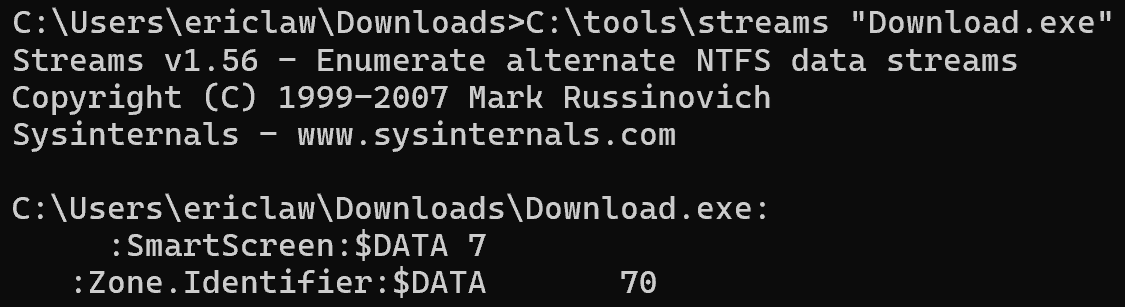
Beyond the integration into Edge, SmartScreen Application Reputation is also built into the Windows Shell. Even when you download an executable file using a non-Edge browser like Firefox or Chrome, the file is tagged with a Mark-of-the-Web (MotW).

When a MotW-adorned file is executed via the ShellExecute() API, such as when the user double-clicks in Explorer or the browser’s download manager, the SmartScreen AppRep service evaluates the file if its extension is in the list of AppRep-supported file types (.appref-ms .bat .cmd .com .cpl .dll .drv .exe .gadget .hta .js .jse .lnk .msi .msu .ocx .pif .ps1 .scr .sys .vb .vbe .vbs .vxd .website .wsf .docm).

If the file has a known “Good” reputation, no security prompt is shown. However, if it is malicious or unknown, a prompt will warn or block the file:

Prompt when AppRep service reported Unknown
Prompt when AppRep service reported Malware

In various cases, the legacy Windows Attachment Execution Services (AES) security prompt is shown instead:

… if any of the following are true:

  • If SmartScreen is disabled via the Windows Security toggle > Reputation-based Protection > Check apps and files
  • If the file’s extension is deemed High Risk but is not in the supported extensions list built into the AppRep client (.appref-ms .bat .cmd .com .cpl .dll .drv .exe .gadget .hta .js .jse .lnk .msi .msu .ocx .pif .ps1 .scr .sys .vb .vbe .vbs .vxd .website .wsf .docm)
  • If the AppRep web service responds that it does not support the specific file (e.g. as of fall 2025, an Unsupported result is expected for all .cmd, .bat, and some .js files).
  • If the invoker used the SEE_MASK_NO_UI flag when calling ShellExecuteEx
  • If the file is not located on the local machine (e.g. when running a file directly from a network share using a UNC path like \\server\share\file.exe)

If the downloaded file is manifested to “Run as Administrator”, the AES dialog isn’t shown, in favor of the UAC Elevation dialog which, somewhat unfortunately, looks less scary:

User Account Control Elevation prompt for a signed file

Scenario: User Overrides

Unless a Policy is set, the user may “click through” the warning by clicking “More Info” and then click “Run anyway.”

Scenario: Offline

If the device happens to be offline (or SmartScreen is otherwise unreachable), a local version of the dialog box is shown instead:

A Note About Windows Settings

SmartScreen’s shell integration is controlled by the Security Settings > Reputation Based Protection > Check apps and files setting:

When On, SmartScreen checks are enabled. However, you may be surprised to notice that even with this setting toggled to Off, you can still get SmartScreen warnings:

The reason is that there’s a different Windows setting, titled Choose where to get apps, and if that setting is set to either of the “Anywhere, but...” options:

… then SmartScreen is also consulted (the “Choose where to get apps” feature is implemented by calling the same web service).

A Note about Invokers

Calls to display the Windows Shell Security prompts shown above:

1) Attachment Execution Services prompt (introduced circa 2000)
2) SmartScreen AppRep prompting (introduced circa 2010 & 2018)

…are integrated into the ShellExecuteEx API, and not into other APIs like CreateProcess.

As a consequence, execution of files bearing a Mark-of-the-Web does NOT trigger security prompts or SmartScreen Web Service checks when the invoker does not call ShellExecute(). The most common such invocation is CreateProcess, which is the launch mechanism used by cmd.exe and PowerShell.

Relationship to Microsoft Defender Antivirus

Notably, SmartScreen AppRep is not antivirus. For example, if you append one byte at the end of a malicious file, its hash will change, and its reputation will move from Malicious to Unknown.

In contrast to SmartScreen AppRep, Microsoft Defender Antivirus (MDAV) is a next-generation antivirus product that scans files and observes process behavior to detect malicious code before and during execution. Unlike AppRep, MDAV can detect even previously unknown malware files by scanning them for malicious signatures and behavior.

Relationship to Microsoft Defender for Endpoint

Some Microsoft Defender for Endpoint (MDE) customers would like to suppress SmartScreen AppRep warnings on files they trust. They typically try to do so using an Allow indicator on the file’s hash or certificate.

Unfortunately, this technique does not work today– SmartScreen AppRep does not take MDE’s Custom Indicators into account.

Instead, your best bet is to ensure that the source of your trusted files is a site that has been added to Windows’s Trusted Sites or Local Intranet security zones; you can do so using the Internet Control Panel UI, or Group Policy. When you do this, files copied/downloaded from the target site will no longer be tagged with an Internet Zone Mark-of-the-Web (MotW). Without the MotW, SmartScreen checks will not be run.

Relationship to WDAC/AppControl for Business

If you enable Application Control in “signed and reputable” mode:

…and if a binary has a MotW, WDAC will check with SmartScreen AppRep for a reputation. Critically and surprisingly to some customers, however, if SmartScreen returns Unknown, and the user gets the blue prompt, the user can say “Run anyway” and WDAC will treat that action as if SmartScreen had said the file was reputable.

Relationship to Smart App Control

When Smart App Control is enabled, SmartScreen AppRep is disabled.

A Note about Reputation

The Application Reputation service builds reputation based on file hashes and the certificates used to sign those files. Because every update to a file changes its hash, this means that new files that are unsigned have no reputation by default. As a consequence, to avoid unexpected security warnings, a best practice for software developers is to sign your software using an Authenticode certificate. Because your certificate can be used to sign files for years, it will accumulate reputation that will accrue to files you sign in the future. Note that, from ~2013 to ~2019, all files signed by an Extended Validation Authenticode Certificate were given a “positive” reputation by default, but that is no longer the case — each certificate must build reputation itself.

While SmartScreen only checks the reputation of the main file that the user executes (aka its “entry point”), you should sign all files to help protect them from tampering, and to ensure your app works correctly when Windows 11’s Smart App Control feature is enabled. The Windows 11 Smart App Control feature goes further than SmartScreen and evaluates trust/signatures of all code (DLLs, scripts, etc) that is loaded by the Windows OS Loader and script engines. It also blocks certain file types entirely if the file in question originated from the Internet.

-Eric

[1] When testing this yourself, you might find that you unexpectedly still don’t get a security prompt for some files even after SmartScreen is disabled. The logic for ALLOW_ON_USER_GESTURE is quite subtle, and includes things like “Did you ever previously visit the site that triggered this download before today?

Try using the “Clear Browsing History” command (Ctrl+Shift+Del) to clear Browser History/caches before trying this scenario.

Divorce – 18 Months In

I got separated in March 2020 and finally divorced in January 2022. It was a long time in coming, but it wasn’t awesome.

In hindsight, I disassociated a bit, spreading the pain out over time rather than feeling it all at once. Immediately after our separation, I could easily distract myself for months by getting the new house in order, but I soon found myself with more time on my hands than I’d had in over a decade. The pandemic and lockdowns soon set everything askew.

I didn’t keep my separation or divorce a secret (even mentioning it here to anyone who reads my entire posts), and acquaintances I’ve known for years or decades came out of the woodwork to privately share their stories about troubled relationships. A year after we separated and a year before the final divorce paperwork, I wrote a post-mortem of my marriage, including some thoughts on the impact of social media. I challenged myself — was thinking and talking about the end of my marriage helping or hurting my mood? When I felt down, I tried to tease apart whether I was missing her, vs. missing being married at all.

Throughout 2022, I saw a counsellor on my company health plan because, well, I got divorced, and that’s what you do. I enjoyed our sessions, but mostly I just talked. And talked. And talked. I probably spoke for 55 minutes of every hour. At the end of 2022, the company switched health plan providers. My counsellor wasn’t in the new network, so further appointments would cost me around a hundred bucks an hour. While continuing our sessions might be worth it, I figured that for that much, I might find a massage and walk outside with coffee more effective for my mental health anyway. I changed my mind after my Kilimanjaro trip and decided to restart our sessions — they’re worth it.

To move forward, I knew I’d have to be more proactive about my life’s choices than I’d been in a long time. I challenged myself with each decision:What do you want more“? And I knew that moving forward meant that I needed to get comfortable with being uncomfortable. I adopted some mottos which now adorn my walls: Memento Mori. Tempus Fugit. Don’t get dead.

I started blogging more — writing is thinking, and creation is important to me. I started eating better and working out, losing 50 pounds. I made sure that I went outside every day, because “touching grass” inevitably improves my mood. I started spending money on things I wanted (house, furniture, electric car, vacations, home solar, exercise equipment) rather than trying to hoard a larger and larger pile, making a number get bigger on some website. I got a housemate, both because living with a friend is fun, and to help ensure that in a few years I wouldn’t find myself unable to live with other people. I started being more deliberate about calling family and friends to stay connected.

ProjectK gave me a guiding star on the horizon; an ambitious but achievable goal which would require achieving many sub-goals, and which would prove that I can “do big things.” Now that I’ve completed the project, I am noodling over what to pursue next.

One bittersweet element of all of these changes is my recognition that, had I made some of them earlier, at the expense of taking far more time “for myself,” I would’ve been a better and more interesting partner in my marriage.

I love my kids, and when I think back on my marriage, I try to focus my feelings toward gratitude rather than sadness.

Life is a series of ups and downs, and I have to remind myself of that almost every day.

Kilimanjaro – Coffee Tour

I woke up at 8am after a rough night’s sleep, awake for at least an hour around 3:30am, full of worries and nostalgia. Eight seemed a bit too early so I reset my watch’s alarm for 8:15, but either I failed to do so correctly or I slept through it, waking abruptly at 9 when my brother flipped on the room’s overhead lights. I was in the middle of a pleasant dream at the time, so my mood improved significantly despite the abrupt wakeup. We both dressed in a rush and hurried over to the hotel’s restaurant for breakfast, which was ending soon.

There was a good spread to choose from, and I grabbed two slices of pineapple, a peach yogurt, some dried fruit, and a cup of coffee. A chef was on hand to make us small custom omelettes which we enjoyed on the covered patio. We were amused to get a clipboard with a survey on it as we finished eating — did they confuse us for a party that’d been here for more than a few hours?

After breakfast, we stopped by the front desk to arrange a “Coffee Tour”; the concierge called around for a few minutes and we were quickly set up with a driver leaving soon after. The tour itself was just $30 apiece (including lunch), but the car and driver would cost $150. At first, this seemed a bit steep, until I realized that this wasn’t going to be a simple taxi ride– we were going in a giant Land Rover and our driver was going to be staying with us for several hours. The front desk staff considered our light shirts and suggested that we would be too cold if we didn’t wear warmer clothes, but we ignored their advice upon noticing that both were bundled up in fleece jackets despite what seemed to us to be a perfectly nice ambient temperature.

We headed back to our room for quick showers, then met our driver and drove west toward the city of Arusha.

While the drive wasn’t too far, it was slow — the speed limit on the two-lane main road was 50kph, but we rarely moved that fast, with frequent slowdowns behind trucks, motorbikes, and other slow-moving traffic. Our driver wasn’t very talkative, so we instead mostly looked out the window and pondered little mysteries, like why did so many of the roadside signs have red Xs across them?

Much later, we learned that the road is slated for widening, and X-marked signs must be moved further back.

We drove by farms (most growing sunflowers), houses, small markets, and numerous parking lots filled with a half dozen or more motorcycles with riders sitting atop chatting amongst each other. Based on the number of motorcycles we saw on the road with two or more riders, we decided these guys must be acting as single-person taxi services. Some of the loads were almost comical– one motorcycle had three riders, two on the front, and a third perched atop three enormous (50+ pound) bags of rice that were draped over the tail.

After a ride of almost half an hour, we turned off on a side street and met our guide on his motorcycle, disembarking the Land Rover to proceed on foot. We chatted as we walked down a few side streets, over a rickety wooden bridge, and went to examine some coffee plants whose cherries weren’t yet ready to harvest. There was a light drizzle and the unpaved road was steep in parts– I was glad to be wearing my boots, but wished I’d brought my hiking poles for a slick and uneven downhill portion.

We crossed a rickety bridge over a small stream next to the fields:

And a moment later we arrived at the edge of the coffee plants.

After a brief look and an obligatory selfie in front of the plants with our coffee expert:

…we headed to the “coffee factory.” The factory was not so much a factory as a small fenced compound where a small hut was set up with a table and chairs, with a mortar/pestle and a small wood-fired stove nearby. Apparently this is how they make coffee for their tourist guests and their families, but most of the harvested beans are taken to a true “factory” in the city.

The fresh beans are laid out to dry in the sun for weeks elsewhere inside the compound, but we skipped ahead to process a few pounds of dried beans. First, you use the mortar and pestle to smoosh the beans so the shell flakes off, then shake/blow the shells away:

After most of the shells blow off, you manually peel any remaining shells off the beans.

Next, you toast the beans over the fire:

After the beans are toasted, they are tossed again to remove any burned flakes of shells, then go back in the mortar to be ground into a fine powder. As the coffee was ground, our hosts danced and sang silly songs in Swahili, to which we tried to sing along.

The extremely fine powder is then put directly into a pot of boiling water — no filtration is necessary.

A bit of sugar and I was ready to enjoy a cup, about an hour and ten minutes after the preparation began:

As for the coffee itself? It was tasty, especially in the cool afternoon air, but to be completely honest the freshest cup of coffee I’ve ever had didn’t taste much different than an everyday cup. I’m no coffee connoisseur.

After drinking our coffee and packing up two bags to go, we, our driver, guide, and one of their friends headed back to the main road for lunch at a simple restaurant. We had “the brown”, a meat and rice dish said to be traditional when welcoming guests to your home. Given the option of goat or “red meat”, we picked the goat. It was tasty, simple, and not spicy.

After lunch, another half-hour’s drive brought us back to our hotel. After I enjoyed a leisurely Coke and Serengeti Lager in the bar (Jason tried a local soda), we tried out the hotel’s nice-looking pool. Alas, the water was too cold to really enjoy, so we left after 30 minutes and explored the short trail inside the wall of the hotel compound. Back in the room, I decided to wrote in my journal lest I succumb to an untimely nap. The bed was very firm, but comfortable enough that sleep beckoned as I continued to adjust to the 7-hour time change.

Frustratingly, cloud cover all day meant that we still hadn’t caught even a glimpse of Kilimanjaro. We were both excited for the next day’s mini safari — beyond the animals, surely we’d finally get our first look at our destination!

Back to the Kilimanjaro Journal Index

Attack Techniques: QR Codes

As outlined in earlier posts in this series, attackers know that security software can detect their phishing lures and block users from even seeing the lure if it contains a known-phishing URL. For example, both Windows Live and Gmail block email that is believed to contain phishing links. If your enterprise uses Microsoft Defender for Office, or you subscribe to Microsoft 365 Family, all inbound hyperlinks through Microsoft email services are rewritten to navigate through the “SafeLinks” service that performs another real-time check for malicious URLs whenever a user clicks on them.

To avoid security software, attackers try to hide URLs, using techniques like asking the user to retype URLs from an image, or sticking the link inside a password-protected PDF document, or avoid URLs by asking the user to call a phone number or send a reply email containing sensitive information.

Another technique is to send the user a QR Code. A QR Code is simply a picture that can be converted into the URL using the camera app on our now-ubiquitous mobile phones.

This QR Code points to a blog post

Users are increasingly accustomed to using QR Codes for legitimate purposes, so their use in attack scenarios won’t stand out as much as it once would have.

How does this URL-obfuscation technique benefit an attacker over a plain hyperlink?

  • Mail software can’t rewrite QR codes, so features like Microsoft SafeLinks won’t apply.
  • The use of a QR Code allows an attacker to cause the attack flow to move from a well-protected desktop to a less-protected mobile device.

    For example, users might be using a mobile web browser with weaker real-time anti-phishing reputation services than the browser on their desktop.

    That mobile browser may not be configured to proxy traffic through a secure proxy.

    Similarly, a user’s personal device might not include a password manager, making the attacker’s request for manually-typed credentials more plausible.

Someone recently tried to phish a Microsoft CTO via this approach:

Here’s a news article about a recent attack using the QR Code vector.

Update: In December 2023, the Microsoft Defender for Office 365 team outlined some of their protections against QR code phishing.

Stay safe out there — treat any QR codes received via SMS or email with extra caution. Carefully examine the url in any preview your camera app offers and check the browser’s address bar to see the final URL, because open redirectors are common, so the preview URL may be misleading.

-Eric

Enforcing SmartScreen with Policy

Microsoft Defender SmartScreen provides protection against the most common forms of attack: phishing and malware. SmartScreen support is built-in to Microsoft Edge and the Windows 8+ shell. The SmartScreen web service also powers the Microsoft Defender Browser Protection extension for Chromium-derived browsers.

While SmartScreen provides powerful controls to block attacks, the user remains in full control. SmartScreen will block Edge browsers from visiting a known-phishing site, but there’s a “Continue to this unsafe site (not recommended)” link available to override the decision:

Similarly, if a known malicious file is blocked from download in Edge, the user may use the Keep menu command to override the blocking decision:

When a known bad file is downloaded using another browser without SmartScreen built-in (e.g. Chrome), attempting to run the file via Windows Explorer will trigger a SmartScreen AppRep prompt that also includes a hidden-by-default option to run anyway:

Why Allow Overrides at all?

Digital security is an adversarial threat environment where the threats evolve rapidly in response to protection.

Threat Intelligence inherently will always include both false positives and false negatives – they will never go to zero for any real threat intelligence source.

As a consequence, products that utilize threat intelligence typically offer a mechanism for an override, either from an expert (e.g. an analyst in a Security Operations Center) or an end-user (e.g. a Windows Home user).

Most product features default to allowing an end-user override (with varying levels of advice about danger) blocks while providing IT Administrators the option to disable that user override.

Controls

But what if you’re a tech-savvy parent, child, or IT administrator who doesn’t want a less-savvy user you’re responsible for protecting to override the security protections of SmartScreen?

Here’s where Group Policy comes in. SmartScreen allows you remove these dangerous override options.

Policies can be set using various administrative tools, but these ultimately flow through to a handful of registry settings:

Windows Registry Editor Version 5.00

[HKEY_LOCAL_MACHINE\SOFTWARE\Policies\Microsoft\Windows\System]
"EnableSmartScreen"=dword:00000001
"ShellSmartScreenLevel"="Block"

[HKEY_LOCAL_MACHINE\SOFTWARE\Policies\Microsoft\Edge]
"SmartScreenPuaEnabled"=dword:00000001
"SmartScreenEnabled"=dword:00000001
"PreventSmartScreenPromptOverrideForFiles"=dword:00000001
"PreventSmartScreenPromptOverride"=dword:00000001
The Edge SmartScreen policies concern behavior in the Edge Web Browser
The Explorer SmartScreen Policies concern SmartScreen Application Reputation

After these policies are set, the software’s dangerous “do it anyway” commands are removed entirely.

The Edge block page loses the “Continue” link:

When downloading malicious or unrecognized programs, the “Keep” command is disabled:

Within the Windows Shell, the “Run anyway” link or button is removed from the dialog when invoking malicious or unrecognized files downloaded via other browsers:

Pairing the powerful protections of SmartScreen with policies that ensure that only experts are in control helps you keep everyone safe.

-Eric

Note: The Chrome extension unfortunately cannot read Windows policies, so if you want to enforce its protections, you’ll need to set other registry keys.

Note: If you’re using Windows Defender Network Protection, you must use a different policy set via InTune or Set-MpPreference EnableConvertWarnToBlock to disallow users of Chrome/Firefox users from bypassing phish/malware warnings.

Note: Perhaps surprisingly, if you have Windows Defender Application Control enabled and set to use the “Signed and Reputable mode”, the Intelligent Security Graph (ISG) clause means that SmartScreen AppRep is consulted.

Critically, however, if AppRep returns “Unknown”, the user will be prompted via the blue “Windows Protected your PC” dialog. If the user chooses to “Run anyway”, the “unknown” file is treated as trusted. This may not be what you want; if you don’t, you can either choose a different configuration, or use the SmartScreen policies to remove the “Run anyway” options.

Note: Apps built atop the WebView2 control (a hosted Microsoft Edge) have an additional option to disable SmartScreen via the IsReputationCheckingRequired property; setting that property to false will bypass reputation checks even if SmartScreen is otherwise set to enabled for Edge/Store apps.

Attack Techniques: SMS Gift Card Scams

Last week, I had the chance to fly to Redmond to meet my new teammates on the Protection team in Microsoft Defender. I also had the chance to catch up with a few old friends from the Edge team, one of whom I met for coffee on Friday morning.

As we sat down with our coffee, she received a text from the CEO of the small startup where she now works, requesting that she go to a Target or Apple Store to grab some gift cards for a partner they were working with. While she’s got a job in senior management, at startups, everyone pitches in to help out with any task.

I don’t have time for this right now…” she mused, and I was excited to note “Well, that, and it’s a scam,” a smug security smarty-pants.

I immediately recognized the true nature of the situation for two reasons: first, it wasn’t my CEO with a time-sensitive request, and second, because another friend was targeted by exactly the same scam. She’d received a SMS text message “signed” by her CEO, asking that she go buy some Google Play gift cards and respond with the codes:

Mark’s organization was large enough that the request was more obviously unnatural, and she’s always on guard for scammers, having grown up in a variety of scam-rich environments.

The attacker in this case only needs a few things: the name of a senior leader with budget approval, names of target employees, their phone numbers, and a throwaway account from which to send the lure. Sometimes this recon information is sourced from data breaches, and sometimes it can be determined from employment sites and other public sources.

The attacker can blast out text messages to dozens or hundreds of potential victims at once. While any given attack is only likely to yield hundreds of dollars, it’s a low-investment attack for the bad guys. Like similar attacks via our phones, these attacks evade URL reputation security scanners. Better still, attackers don’t have to find a way to convert credentials into money — they get the gift card codes which they can immediately convert into either merchandise or sell to unsuspecting buyers.

Why bother with an attack like this?

Because the scam works, even against very smart people — it’s not a question of intelligence. Attackers follow the well-trod social engineering path:

  • create a sense of urgency,
  • abuse our desire to be useful to our bosses,
  • subvert the trust we’ve built with our colleagues, and
  • exploit our limited ability to authenticate the source of our communications.

Stay safe out there!

-Eric

Kilimanjaro – Getting There

My kids and I flew from Austin to Maryland on Friday, June 23rd, and spent a day getting them settled in with their grandparents as I finished collecting a few last-minute essentials for the adventure. My brother and I had a few last-minute conversations about gear (“How many rolls of TP should we bring? Do I have room for this LED lantern?“) and got excited as the hours ticked away.

The evening of Sunday, June 25th, our transatlantic flight to Amsterdam was set to depart from Dulles Airport (IAD) near Washington D.C. We were delighted to discover that Dulles was nearly empty, managing to clear check-in and security in under 30 minutes. Since we’d arrived at the airport almost three hours early, we had plenty of time to grab a coffee at Peet’s, chat, and look at our ride:

We boarded our Airbus A330 around 5pm. We’d paid for an upgrade to “Comfort Plus” seats, so we were in the front row of the economy section with a few feet of legroom between us and the bulkhead.

Shortly before takeoff, we got the good news that favorable winds would shorten our flight time by almost an hour, but moments later the pilot came on to announce that we’d have to wait on the runway because all takeoffs were paused due to problems with communication between air traffic control and planes. He mentioned that the plan was to send one plane up to check communications and if that went well, the airport would reopen.

Not long after that, he announced that we were first in line for takeoff and I wondered “Wait, are we the guinea pigs?” An hour and nine minutes after leaving the gate, we took off uneventfully at 6:40pm and were finally on our way.

While I’d planned to watch a bunch of movies and TV on the flight, I instead mostly ended up reading Longitude, a book about the race to find a reliable means for sailors to determine their longitude while crossing the ocean throughout the 15th and 16th centuries. I periodically looked up from my book to the GPS-powered flight display showing our progress over the sea, a feat made possible by hundreds of years of scientific ingenuity.

As an international flight, we got a pretty nice dinner:

Thanks to six hours of timezone difference, our delayed 8 hour 9 minute flight arrived in Amsterdam at 7:40am on Monday morning. After a layover of a few hours, we switched over to a 787 for the 8 hour 42 minute flight to Kilimanjaro Airport (JRO), taking off at 10:38am.

Our seats weren’t quite as nice on this second flight, but by this time I was a bit of a zombie. I finished reading my book and zoned out in a half-awake state.

Our flight path seemed strangely indirect, until we noticed that the plane was carefully avoiding flying over Sudan, whose airspace had been closed since a coup in April.

Unfortunately, our arrival was 90 minutes after sundown, so we didn’t get even a tantalizing glimpse of Kilimanjaro, beyond what we saw on the map screen:

After having boarded the A330 around 5pm Sunday night Virginia time, we finally disembarked from our 787 around 20:15 Kilimanjaro time.

It took almost an hour to clear immigration, collect our duffel bags (which had arrived, thankfully!), and wait for a shuttle bus to the hotel. While we waited, I was amused to listen in on a large group of teenagers who’d all arrived for a trip together, sans parents, as a part of some sort of adventuring group.

A bumpy ten minute ride on the packed shuttle from the airport brought us to our hotel (Planet Lodge), ending the first major part of our journey.

Shortly after checking in, we were shown to our room which took up half of a duplex on the enclosed grounds. While there for a practical reason, as a westerner, the mosquito nets would’ve lent the room a romantic feel were it not my brother in the next bed. :)

I felt both super-sleepy and somewhat energized, but after unpacking a little, scribbling a bit in my journal and brushing my teeth (remembering to use bottled water!), we hit the beds and tried to get some shut-eye in a time zone seven hours from US EDT.

My journal entry concludes: For now, sleep. Tomorrow… adventure!

< Back to Kilimanjaro Journal Index

Kilimanjaro – Journal


Following two previously-posted entries:

…this is an index post with links to the day-by-day journal of my Kilimanjaro trip.

From Gadget’s GPS Tracker. We head East, round the crater, summit, then descend.

I’ve split the posts up by day because the idea of summarizing the entire trip in a single post feels like an endeavor as overwhelming as the trek itself.

Coda: I started publishing these posts on July 27th and finally finished writing on Labor Day weekend, 58 days after reaching Kilimanjaro’s summit. I imagine I’ll be tweaking them for the next few weeks, and I probably need to write some sort of concluding post summarizing what I’ve learned from this adventure and what I hope to do next. But first I have to figure all of that out. :)

Update: I never did get around to writing a concluding post, and instead ended up signing up for another adventure. I’ll be ending 2025 atop Kilimanjaro, trekking Thomson’s Grand Traverse route with a friend. I’m excited to have a reason to get back in shape, and looking forward to seeing the north side of the mountain. Hopefully I’ll pack a little wiser this time and be warm enough to not huddle in my tent quite as much. :)

Thomson’s Grand Traverse Route