Stop Spilling the Beans

I’ve written about Same Origin Policy a bunch over the years, with a blog series mapping it to the Read/Write/Execute mental model.

More recently, I wrote about why Content-Type headers matter for same-origin-policy enforcement.

I’ve just read a great paper on cross-origin infoleaks and current/future mitigations. If you’re interested in browser security, it’s definitely worth a read.

Building your .APP website with NameCheap and GitHub Pages–A Visual Guide

I recently bought a few new domain names under the brand new .app top-level-domain (TLD). The .app TLD is awesome because it’s on the HSTSPreload list, meaning that browsers will automatically use only HTTPS for every request on every domain under .app, keeping connections secure and improving performance.

I’m not doing anything terribly exciting with these domains for now, but I’d like to at least put up a simple welcome page on each one. Now, in the old days of HTTP, this was trivial, but because .app requires HTTPS, that means I must get a certificate for each of my sites for them to load at all.

Fortunately, GitHub recently started supporting HTTPS on GitHub Pages with custom domains, meaning that I can easily get a HTTPS site up in running in just a few minutes.

1. Log into GitHub, go to your Repositories page and click New:

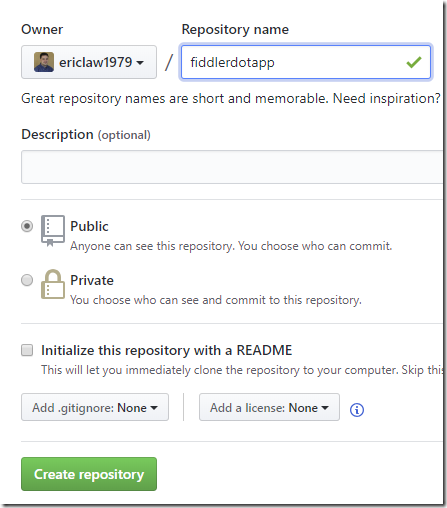
2. Name your new repository something reasonable:
3. Click to create a simple README file:

4. Edit the file
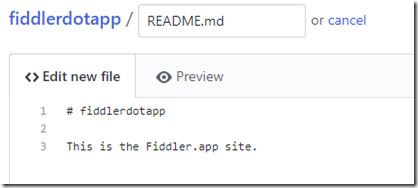
5. Click Commit new file

6. Click Settings on the repository

7. Scroll to the GitHub Pages section and choose master branch and click Save:

8. Enter your domain name in the Custom domain box and click Save

9. Login to NameCheap (or whatever DNS registrar you used) and click Manage for the target domain name:
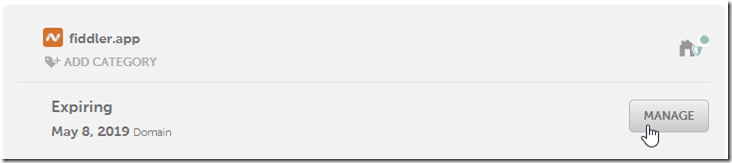
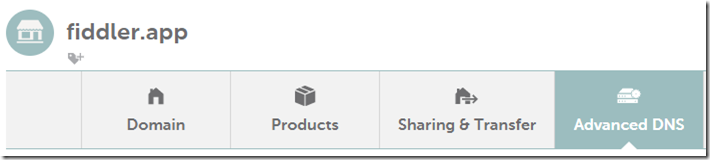
10. Click the Advanced DNS tab:
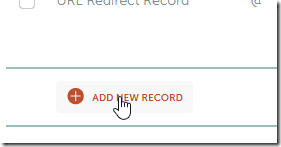
11. Click Add New Record:
 

12. Enter four new A Records for host of @ with the list of IP addresses GitHub pages use:
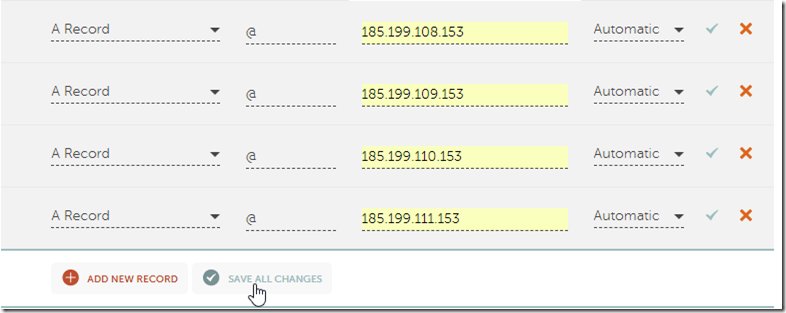
13. Click Save All Changes.

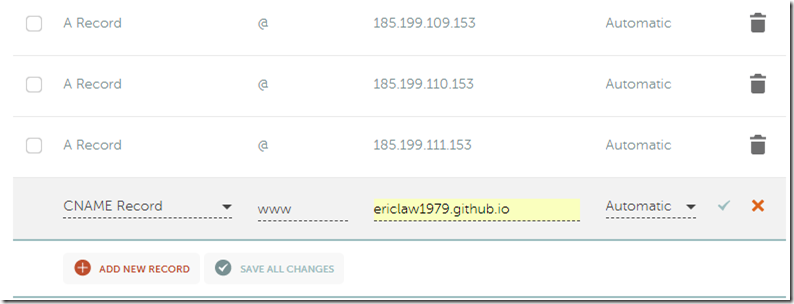
14. Click Add New Record and add a new CNAME Record. Enter the host www and a target value of username.github.io. Click Save All Changes: 
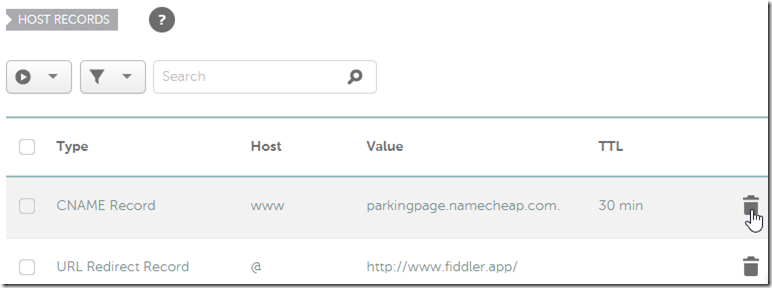
15. Click the trash can icons to delete the two default DNS entries that NameCheap had for your domain previously:
16. Try loading your new site.

  • If you get a connection error, wait a few minutes for DNS to propagate and re-verify the DNS records you just added.
  • If you get a certificate error, look at the certificate. It’s probably the default GitHub certificate. If so, look in the GitHub Pages settings page and you may see a note that your certificate is awaiting issuance by LetsEncrypt.org. If so, just wait a little while.

  • After the certificate is issued, your site without errors:
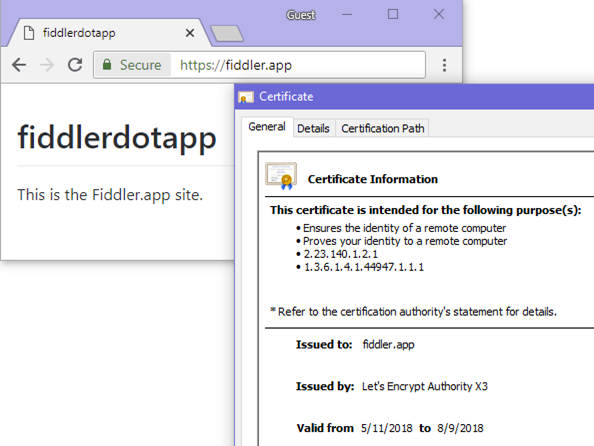
 

Go forth and build great (secure) things!

-Eric Lawrence

Fight Phish with Facebook (and Certificate Transparency)

As of April 30th 2018, Chrome now requires that all certificates issued by a public certificate authority be logged in multiple public Certificate Transparency (CT) logs, ensuring that anyone can audit all certificates that have been issued. (Update: Microsoft Edge 79+ also mandates CT).

CT logs allow site owners and security researchers to much more easily detect if a sloppy or compromised Certificate Authority has issued a certificate in error, because all certificates are published to a public, tamper-proof log that anyone can search. If you see a certificate for a site you own that you didn’t request, someone’s attacking you!

For instance, I own bayden.com, a site where I distribute freeware applications. I definitely want to hear about it if any CA issues a certificate for my site, because that’s a strong indication that my site’s visitors may be under attack. What’s cool is that CT also allows me to detect if someone got a certificate for a domain name that was suspiciously similar to my domain, for instance bȧyden.com.

There are some great tools to examine CT logs; my go-to is crt.sh which is simple and fast. For example, here’s the list of all of the certificates issued covering my domain.

Manual lookups are neat, but to improve security, I still have to actually pay attention to the CT logs, and who’s got time for that? Someone else’s computer, that’s who.

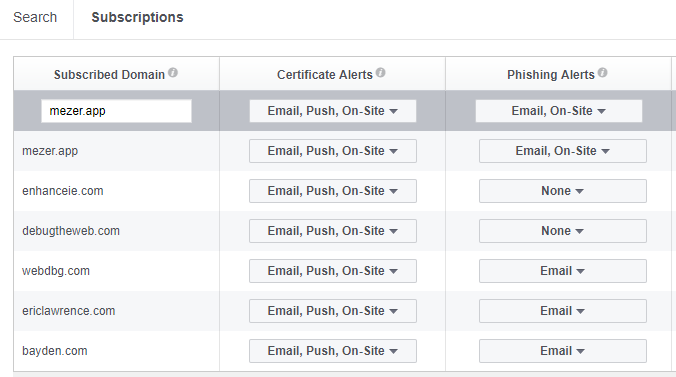
The folks over at Facebook Security have built an easy-to-use interface that allows you to subscribe to notifications any time a domain you care about has a new certificate issued. Just enter a hostname and decide what sorts of alerts you’d like:

CTMonitor

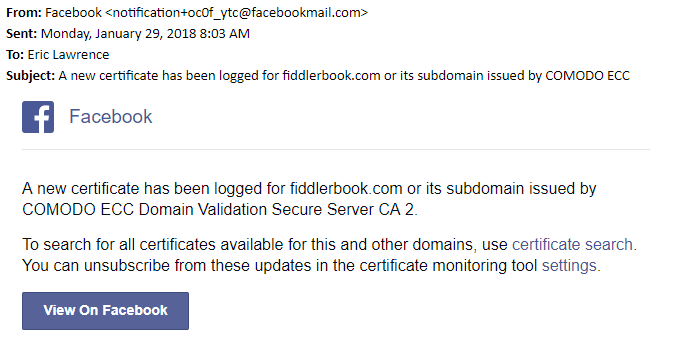
You can even connect their system into webhooks if you’re looking for something more elaborate than email, although mail works just fine for me:

Notification

Beyond Facebook, there will likely be many other CT Monitoring services coming online over the next few years. For instance, the good folks at Hardenize have already integrated one into their broader security monitoring platform.

The future is awesome.

-Eric

PS: If you want to reduce the risk of a rogue certificate in the first place, consider opting-in to Certificate Authority Authorization, a mechanism that declares which CAs are allowed to issue certificates for your site.

Going Offline with ServiceWorker

In the IE8 era, I had a brief stint as an architect on the IE team, trying to figure out a coherent strategy and a deployable set of technologies that would allow web developers to build offline-capable web applications. A few of those ideas turned into features, several turned into unimplemented patents, and a few went nowhere at all.

A decade later, it’s clear that ServiceWorker is going to be the core engine beneath all future top-tier web applications. ServiceWorker brings the power of Fiddler’s AutoResponder and FiddlerScript features to JavaScript code running directly within the user’s browser. Designed by real web developers for real web developers, it delivers upon scenarios that previously required native applications. And browser support is looking great:

ServiceWorker

As I started looking at ServiceWorker, I was concerned about its complexity but I was delighted to discover a straightforward, very approachable reference on designing a ServiceWorker-backed application: Going Offline by Jeremy Keith. The book is short (I’m busy), direct (“Here’s a problem, here’s how to solve it“), opinionated in the best way (landmine-avoiding “Do this“), and humorous without being confusing. As anyone who has received unsolicited (or solicited) feedback from me about their book knows, I’m an extremely picky reader, and I have no significant complaints on this one. Highly recommended.

Unfortunately, the book isn’t available at list price on Amazon, but buying directly from the publisher is straightforward. The EBook is $11 and the paperback+ebook bundle is $28.80+shipping.

-Eric