I again spent long periods awake overnight, this time starting around 2am. When we got up somewhere around 8 in the morning, we had another nice breakfast on the hotel’s patio dining room, again with coffee, fruit, and a small custom omelet.
After breakfast we met Nasibu, our friendly guide and driver for the day. After filling our water bottles, we piled into his Land Rover for a slightly shorter drive to the entrance of Arusha National Park. The Land Rover felt enormous with just the three of us aboard.
We parked near the gate to collect the required permits, and Jason and I got out and took some pictures of a giant metal elephant sculpture near the gate, not knowing at the time that it would turn out to be the only elephant we saw on the whole trip.
After we got back into the truck, Nasibu raised the roof and we drove through the gate and into the park. It felt like we were on a “real” safari at last!
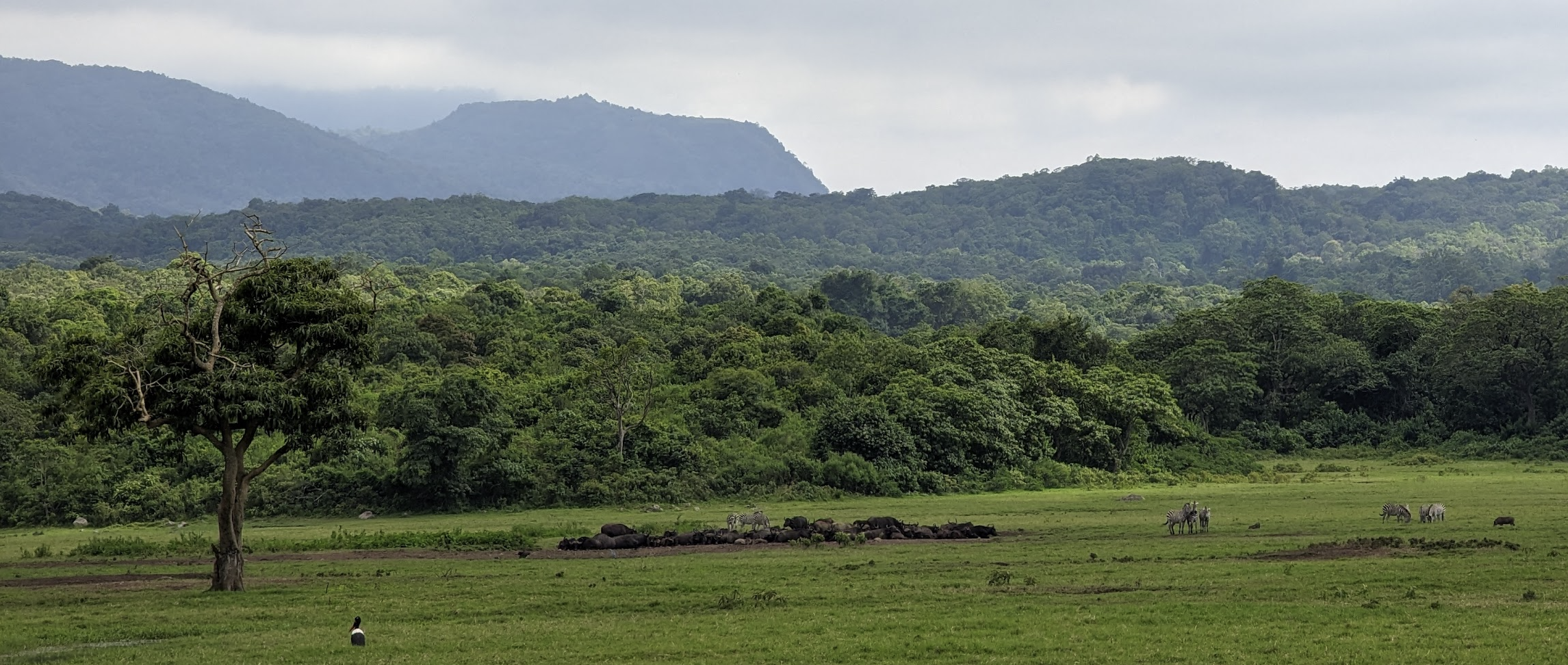
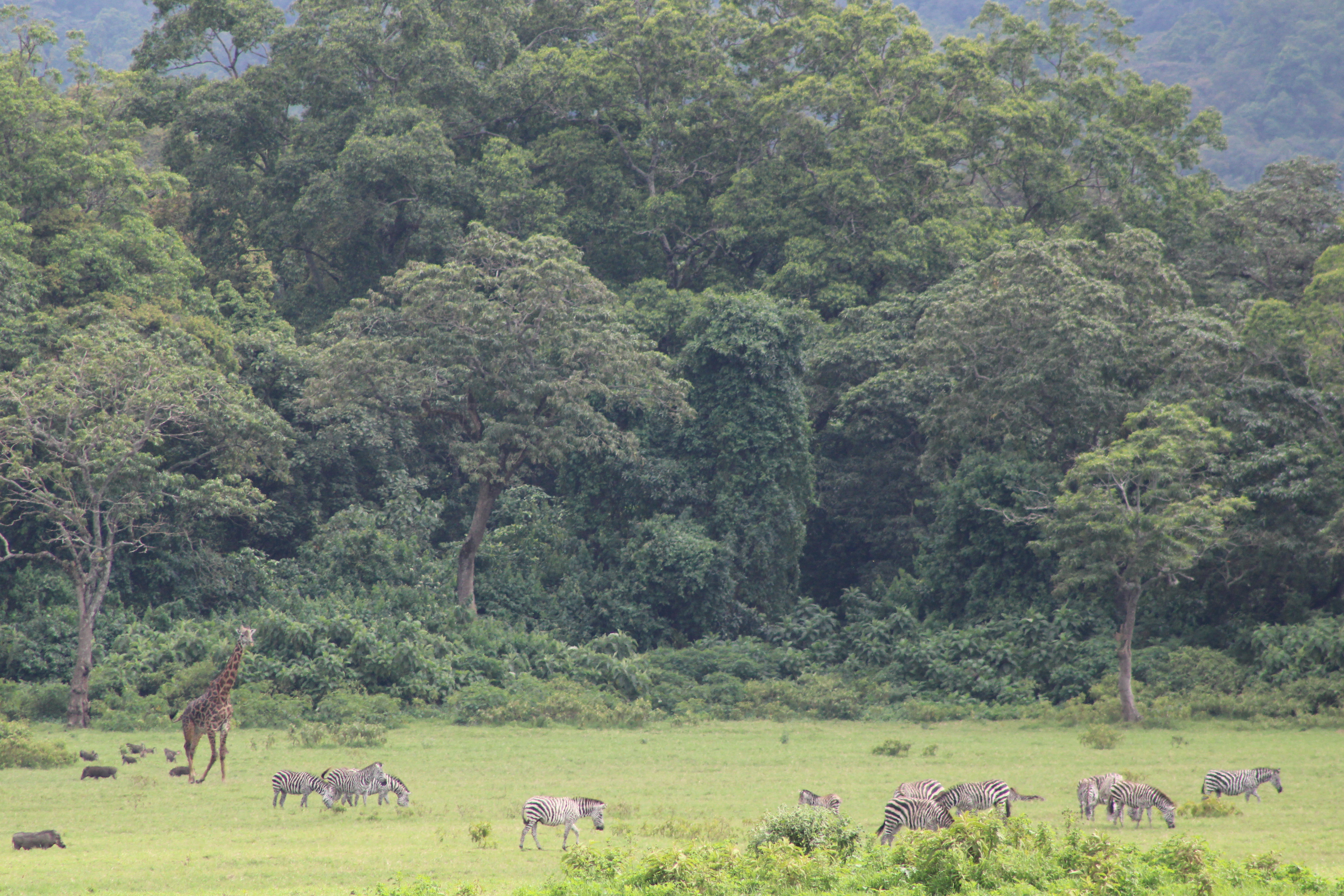
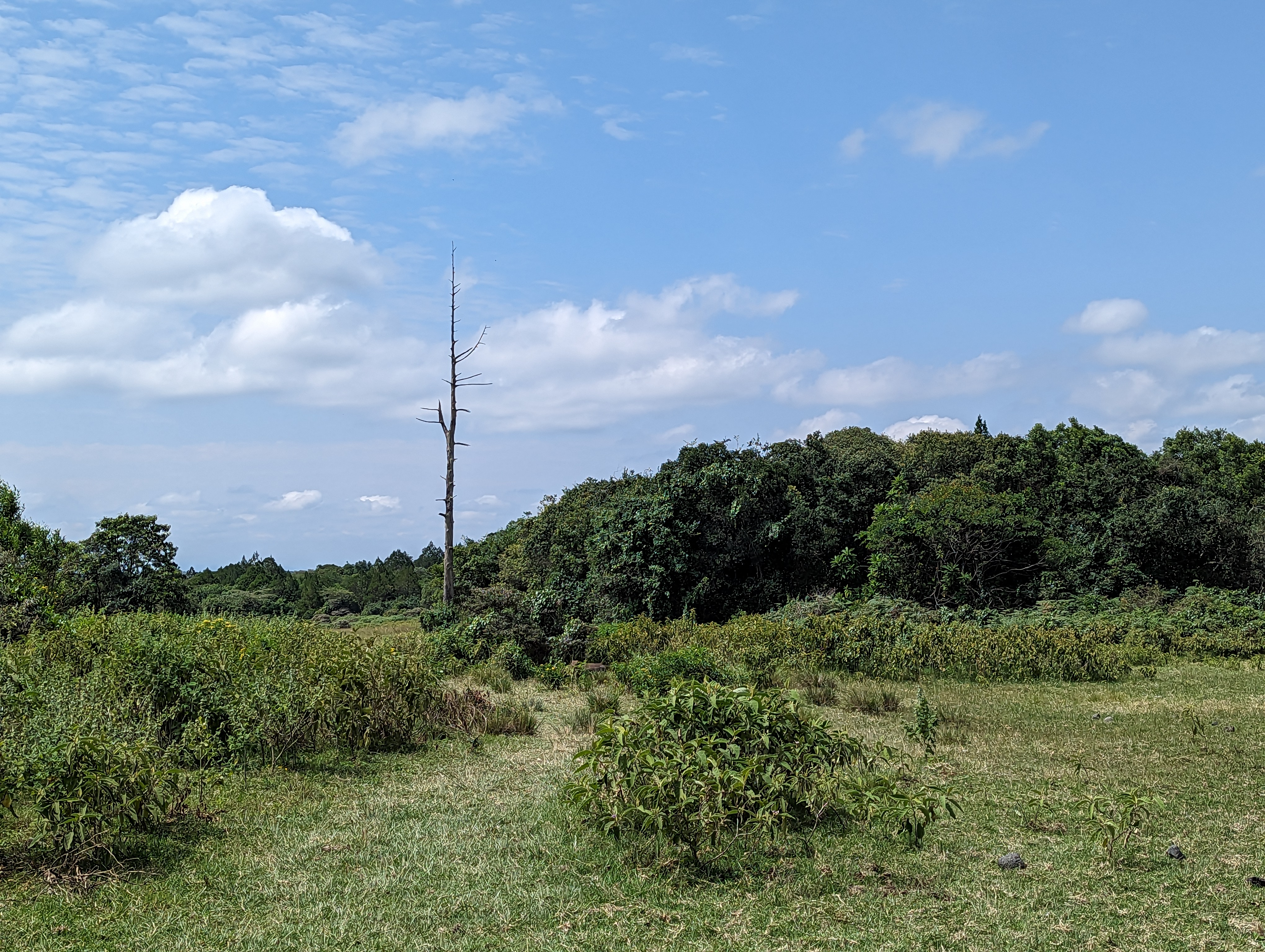
A few minutes later we come to the edge of a broad plain dotted with groups of zebras (a “dazzle”), some warthogs, buffalo, and a lone bird.
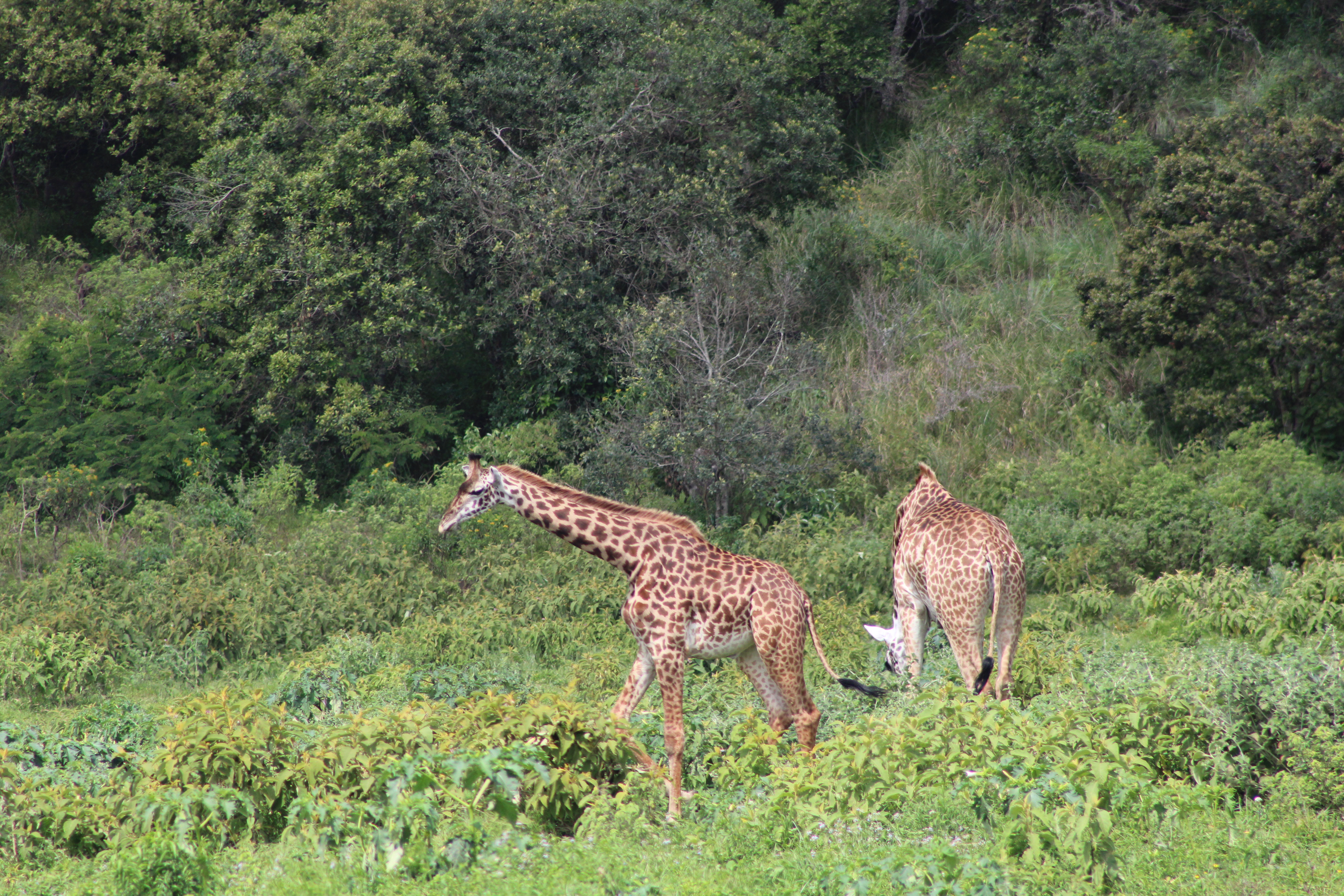
Moments later, a few giraffes ambled into view and I was glad that I brought the long lens for my Canon camera, although Jason’s Galaxy S23 also has an amazing zoom capability. Best of all was our guide’s binoculars, especially when stabilized on a beanbag atop the rim of the Land Rover’s roof. (Later back in the States, I learn that the Swarovski 12×42 NL Pure Binoculars retail for $3400. Eeep!)
Perched in the back of the Land Rover, I loved the look of the road winding through the forest behind us.
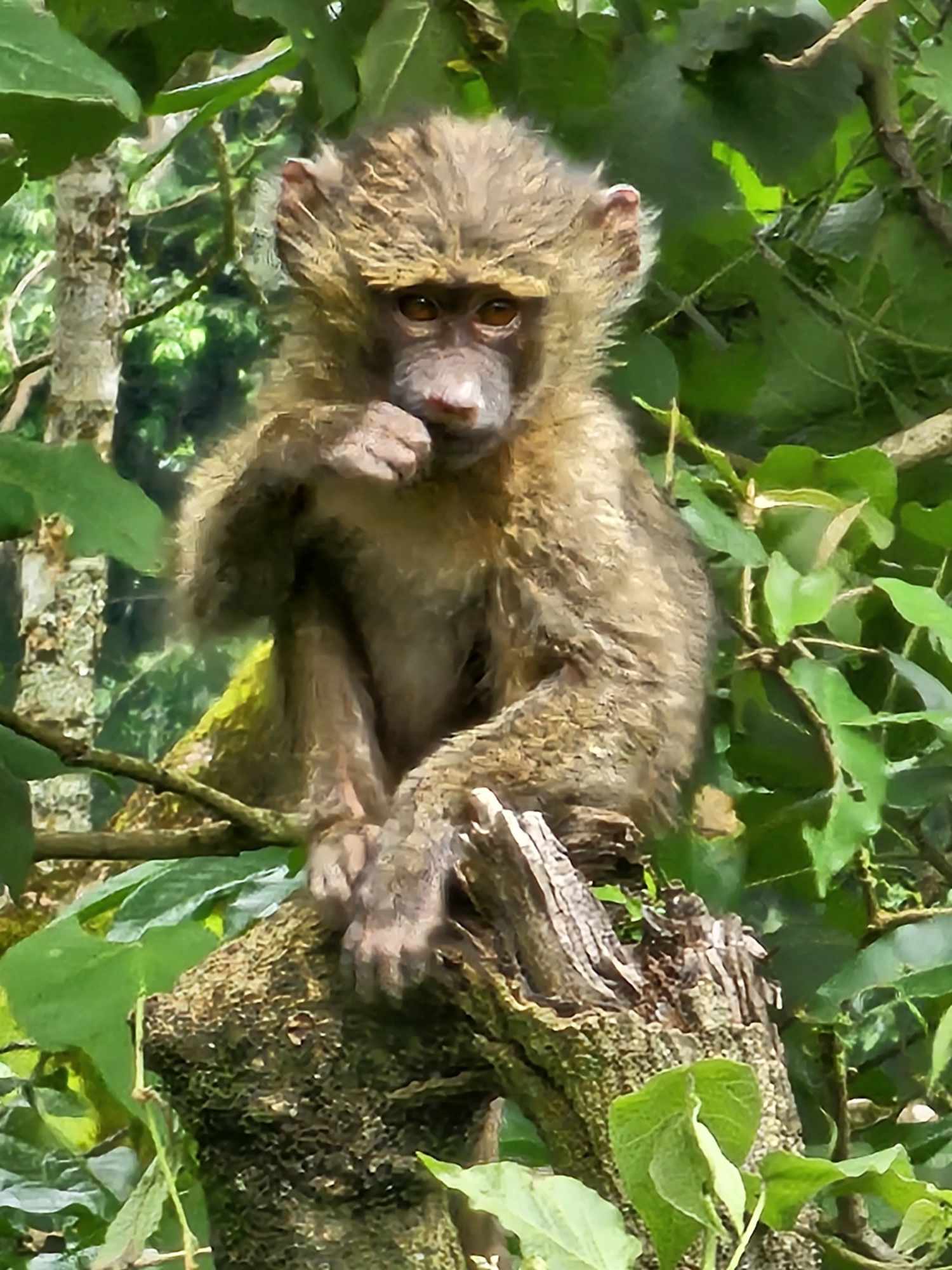
Driving on, we encountered some monkeys in the trees and parked for a long while to watch some small baboons, one of which was eating a dik-dik (small antelope) he’d caught, apparently a rare sight.
Not long after we stopped again to watch some crazy-billed birds shouting and swooping through the trees alongside the road.
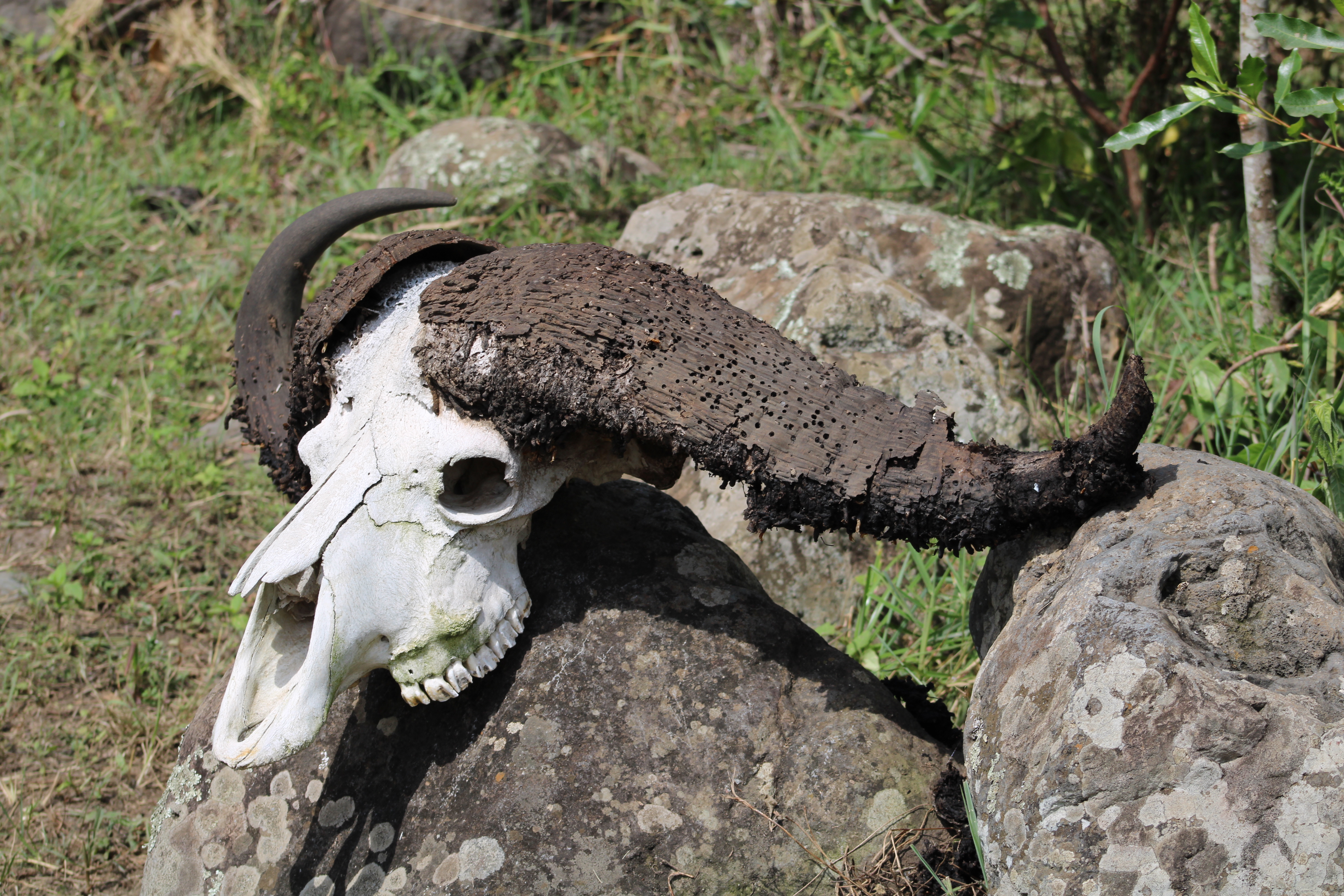
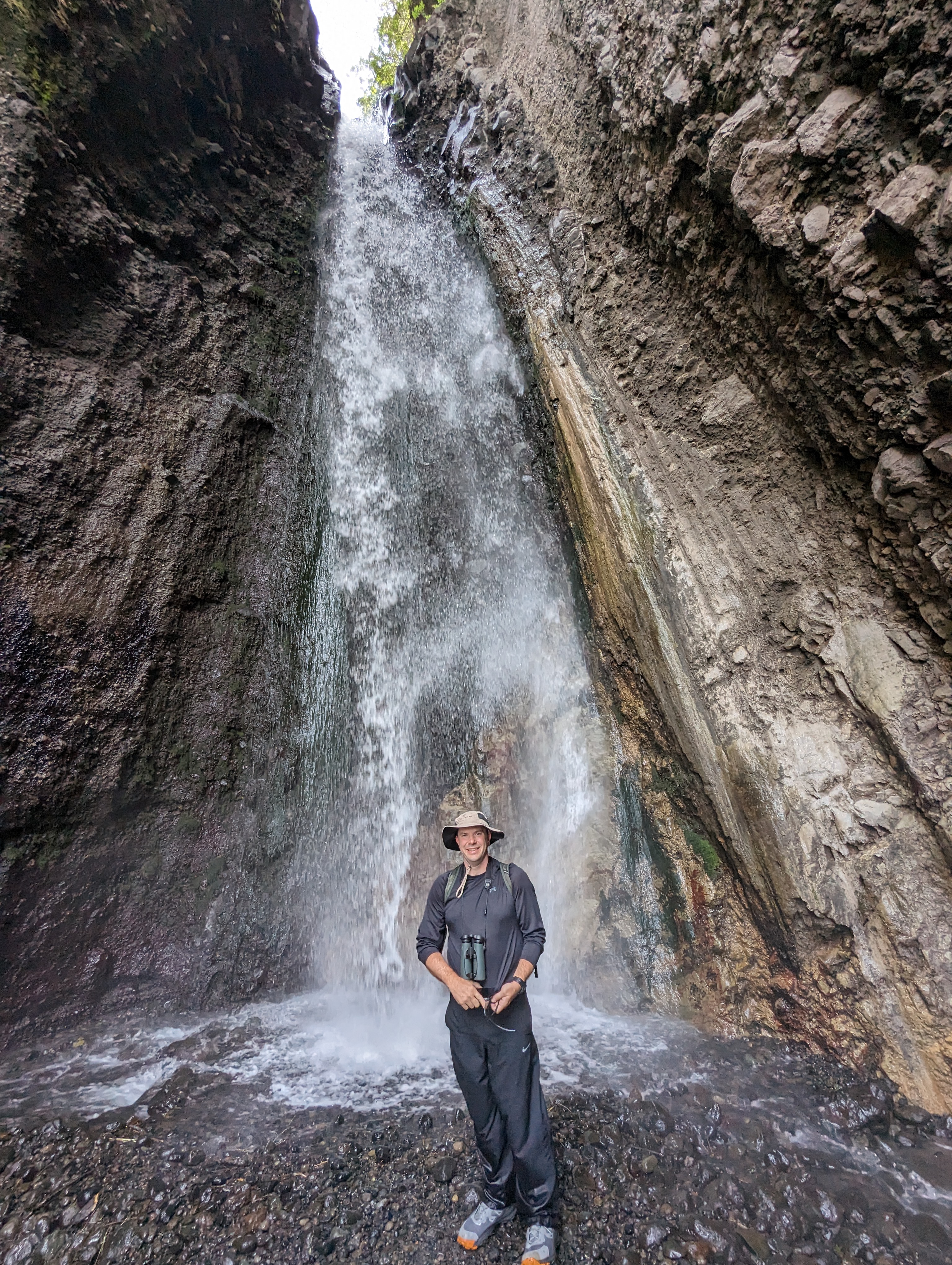
We parked at a ranger station to meet the park ranger who would join us for a short walking tour out to a 28-meter tall waterfall. Our path started with some cool-but-ominous displays of skulls:
…but we soon walked away from the road, following alongside a bubbling stream.
We watched a pack of buffalo from under 20 meters away, our rifle-toting ranger showing only the slightest concern.
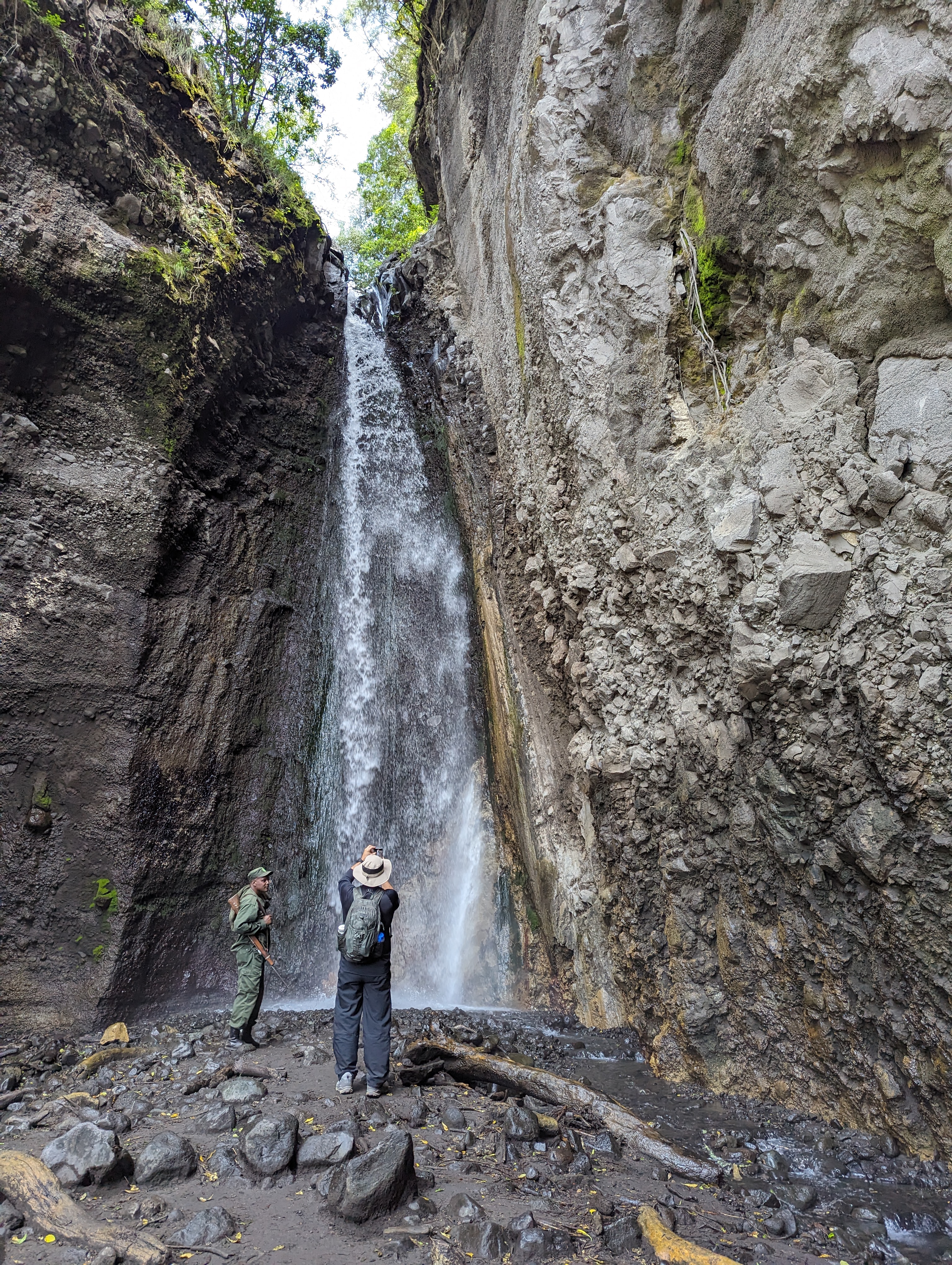
We dodged (not all of us successfully) some massive piles of buffalo poop on our way across the plain on our way to a short hike up the hill. The climb was my first real off-roading in my boots, and it went well; the sun beat down on us and I finally sweat a little. Not long later we arrived at the waterfall, which cast off a pleasantly cool mist:
On our way back to the ranger station, the ranger pointed out some soft leaves (“toilet paper”):
…and got a close look at some warthogs:
…and unusual looking trees:
After eating large boxed lunches in a small dining area next to the station, we got back into the Land Rover to continue our tour. In short order, we stopped to watch 23 giraffes (a “tower”) munching on trees.
After watching the giraffes and marveling at the beauty of the plain for a long while, we set off again. Soon we were four-wheeling through a few muddy pits and around a downed tree covering the dirt road, up to the top of a crater and dismounting to look around from Mikindu Point.
At a few spots, the Land Rover rocked hard from side-to-side almost like we were on a roller coaster. We encountered a few more monkeys on the road on our way out of the park.
On the drive back via the main road, Nasibu pulled over just before the hotel so he could point out the barest glimpse of Kili above the clouds– only a tiny dark smudge until we retried with the binoculars.
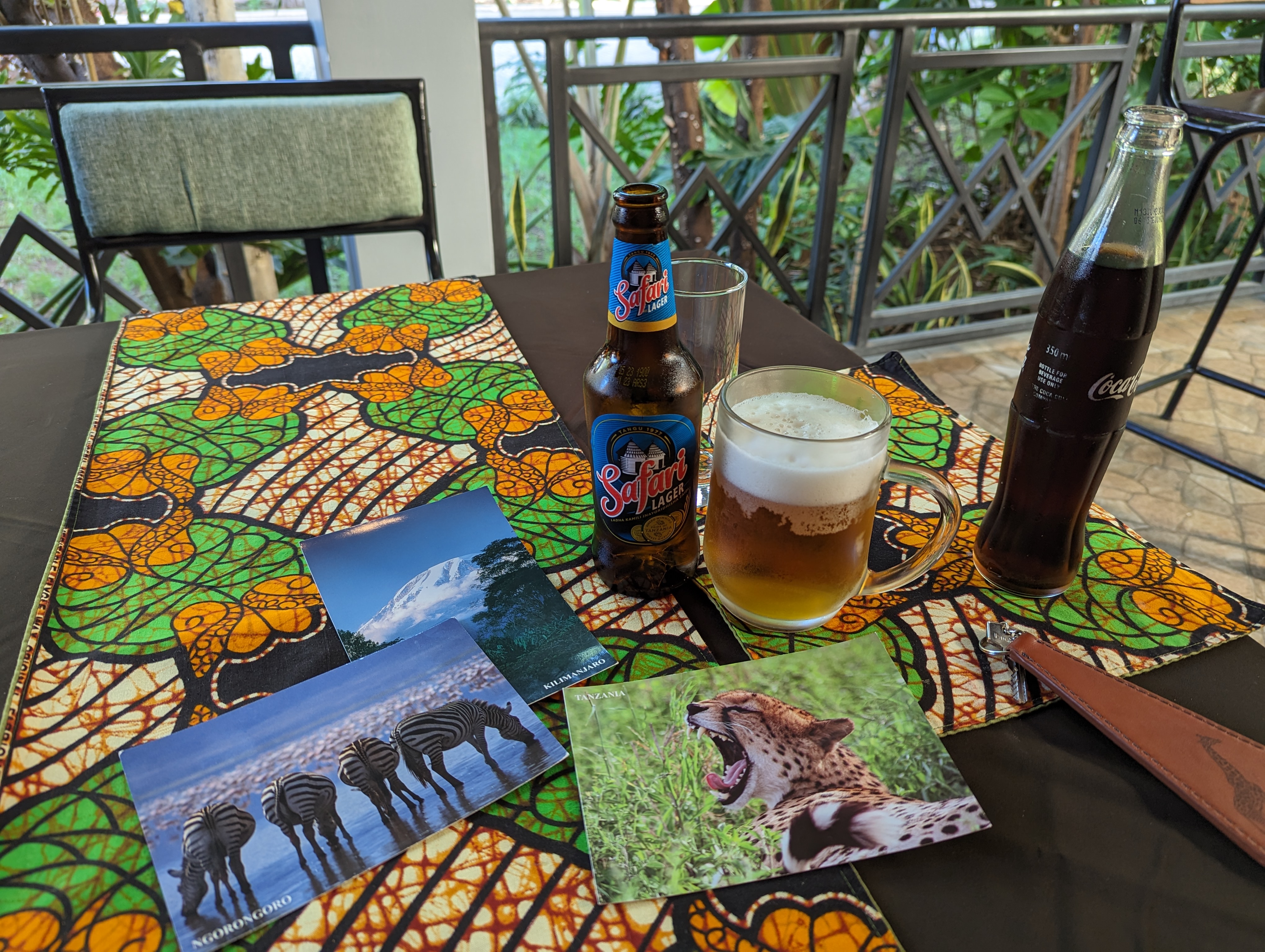
Finally back at the hotel around 3:45pm, I had another coke and two local Lagers (Kilimanjaro and Safari) and filled out some postcards I bought at the hotel’s small gift shop… I do hope that they arrive some day. 🤣
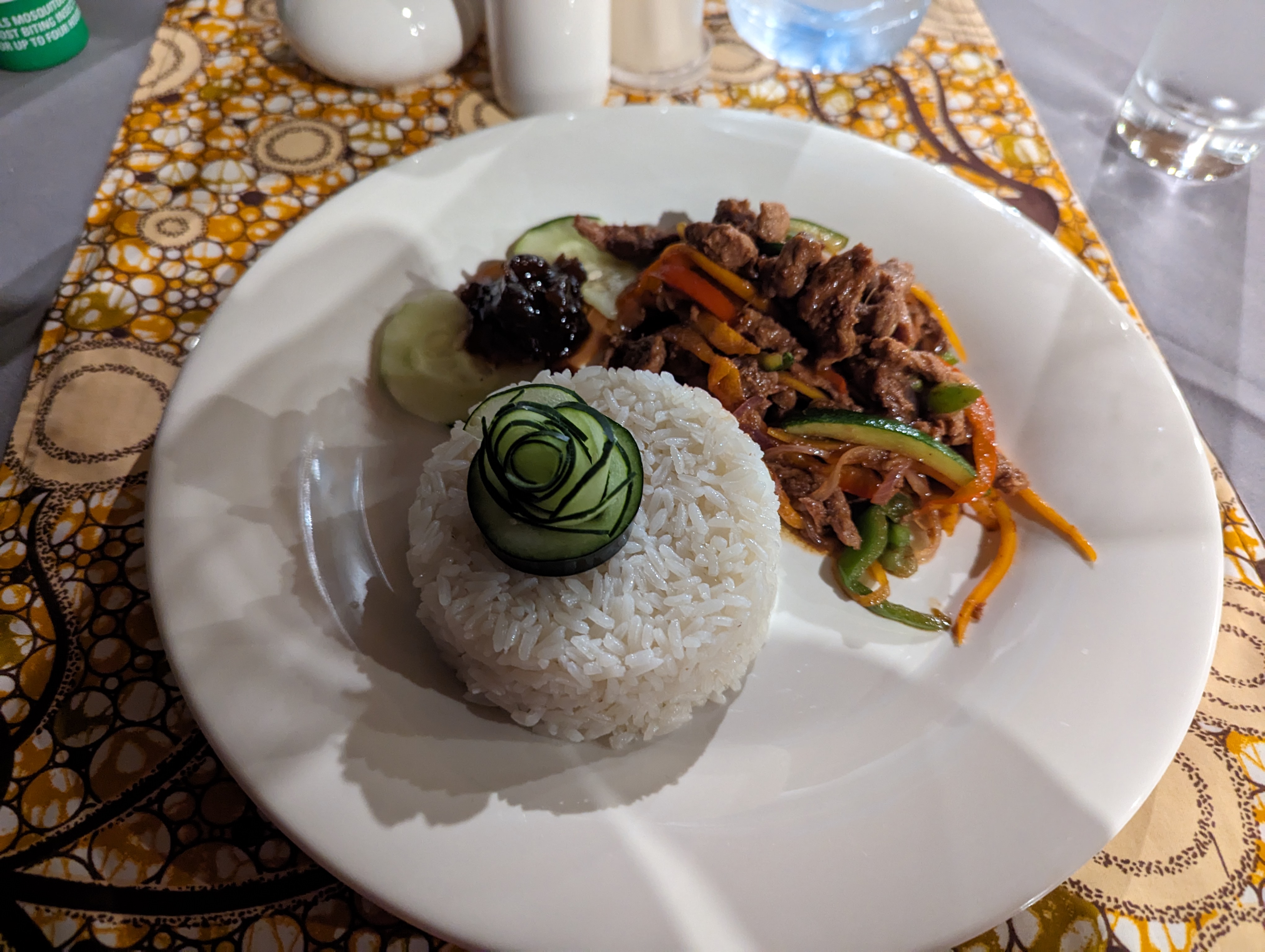
Not long after, we headed to the dining room for our tastiest meal yet, lamb over rice with vegetables.
At dinner, we both checked out each new arrival in the dining room, excited that our trek mates would soon be arriving.
A Thomson guide stopped by our table to tell us that our group would be briefed sometime around 9:30am tomorrow. We returned to the room around 8:30pm for yet another hour of sorting and repacking before lights out.
I’ve previously explained how Chromium-based browsers assign a “danger level” based on the type of the file, as determined from its extension. Depending on the Danger Level, the browser may warn the user before a file download begins in order to confirm that the user really wanted a potentially-dangerous file.
Deep in that article, I noted that Edge and Chrome can override the danger level for specific files based on the result of reputation checks against their respective security services (SmartScreen for Edge, SafeBrowsing for Chrome).
Stated another way, reputation services don’t just block download of known-unsafe files, they also smooth the download flow for known-safe files.
SmartScreen Application Reputation (AppRep) is a cloud service that maintains reputation information on billions of files in use around the world, and uses that reputation information to help keep users’ devices and personal information safe. It enhances the legacy Windows Attachment Manager security feature that shows warnings for dangerous files opened from the Internet.
To see what SmartScreen AppRep looks like, consider the case of downloading a trustworthy .EXE installer file (the Edge Canary setup program) in Edge with SmartScreen disabled and enabled.
Scenario: “Good” File
With SmartScreen disabled, we see a warning from the browser that the file could harm your device, because the .exe file type which has a danger level of ALLOW_ON_USER_GESTURE and I haven’t visited this download site before today1 in this browser profile:
Danger Level: ALLOW_ON_USER_GESTURE, not overridden
In contrast, if we enable SmartScreen and try again, this time, the new download MicrosoftEdgeSetupCanary (5).exe is not interrupted by a warning:
Default Danger Level overridden to “Allow” by SmartScreen AppRep
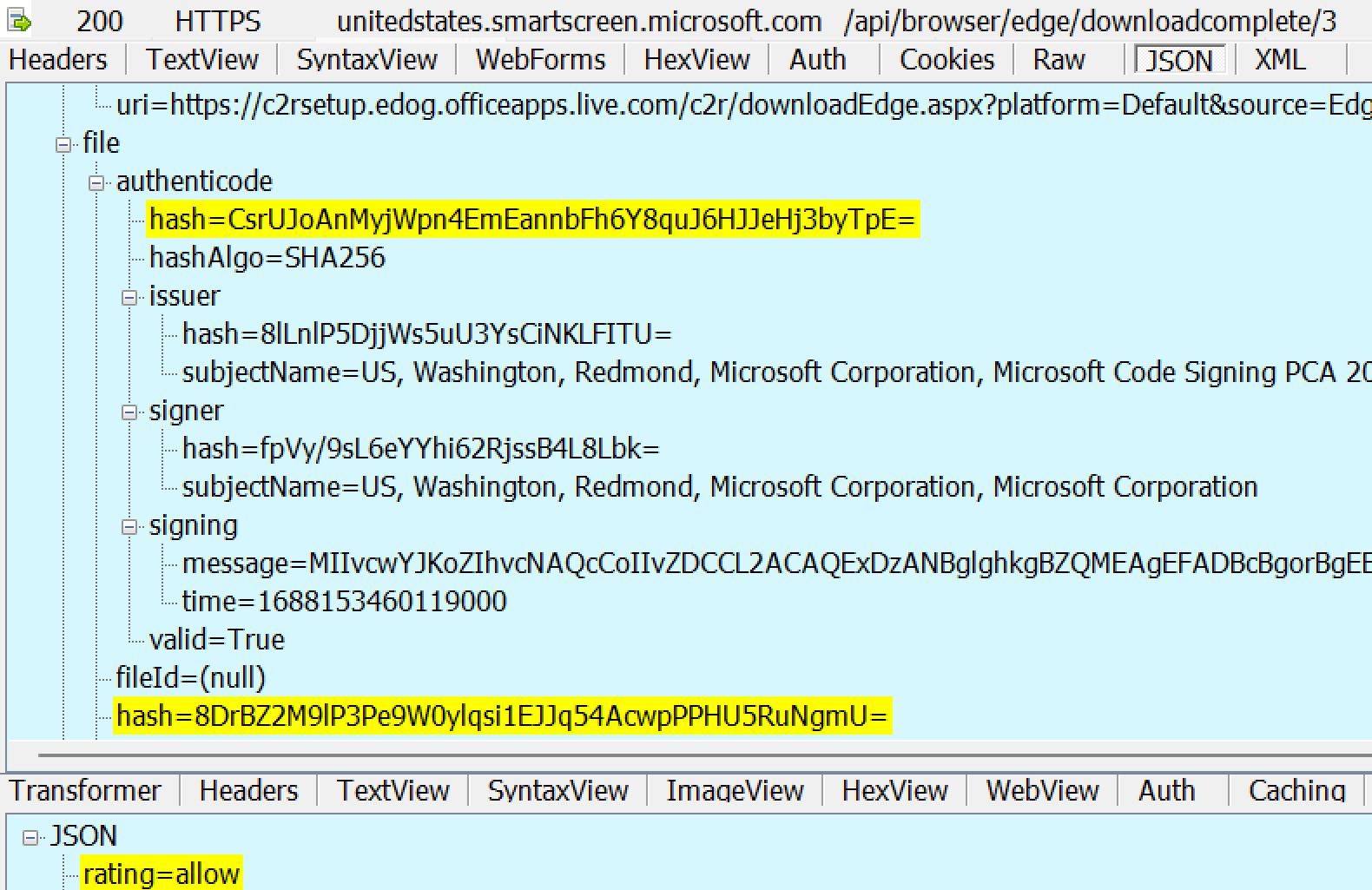
The new download’s default danger level was overridden by the result of SmartScreen’s reputation check on the downloaded file’s signature and hash. The result indicated that this is a known-safe signer or file:
Scenario: “Bad” File
Now, consider the case the file is known to Microsoft to be malware. If SmartScreen isn’t enabled, there’s know way for Edge to know the file is bad, so users see the same security prompt as they saw for a “Good” file:
On the other hand, if SmartScreen is enabled, AppRep reports the file is bad and the user gets a block notice in Edge.
A user may choose to override the block by choosing Keep from the context menu:
If the user chooses to Keep the file, an explanatory confirmation dialog is presented:
Scenario: “Unknown”/”Uncommon” File
In some cases, SmartScreen doesn’t have enough information to know if a file is good or bad.
If SmartScreen is disabled in Edge, the user sees the same old dialog as they saw for “Good” and “Bad” files:
However, if SmartScreen is enabled, the user sees a notice warning them that the file is uncommon
The user may elect to keep the file:
If the user chooses to Keep the file, an explanatory confirmation dialog is shown:
Windows Shell Integration
Beyond the integration into Edge, SmartScreen Application Reputation is also built into the Windows Shell. Even when you download an executable file using a non-Edge browser like Firefox or Chrome, the file is tagged with a Mark-of-the-Web (MotW).
When a MotW-adorned file is executed via the ShellExecute() API, such as when the user double-clicks in Explorer or the browser’s download manager, the SmartScreen AppRep service evaluates the file if its extension is in the list of AppRep-supported file types (.appref-ms .bat .cmd .com .cpl .dll .drv .exe .gadget .hta .js .jse .lnk .msi .msu .ocx .pif .ps1 .scr .sys .vb .vbe .vbs .vxd .website .wsf .docm).
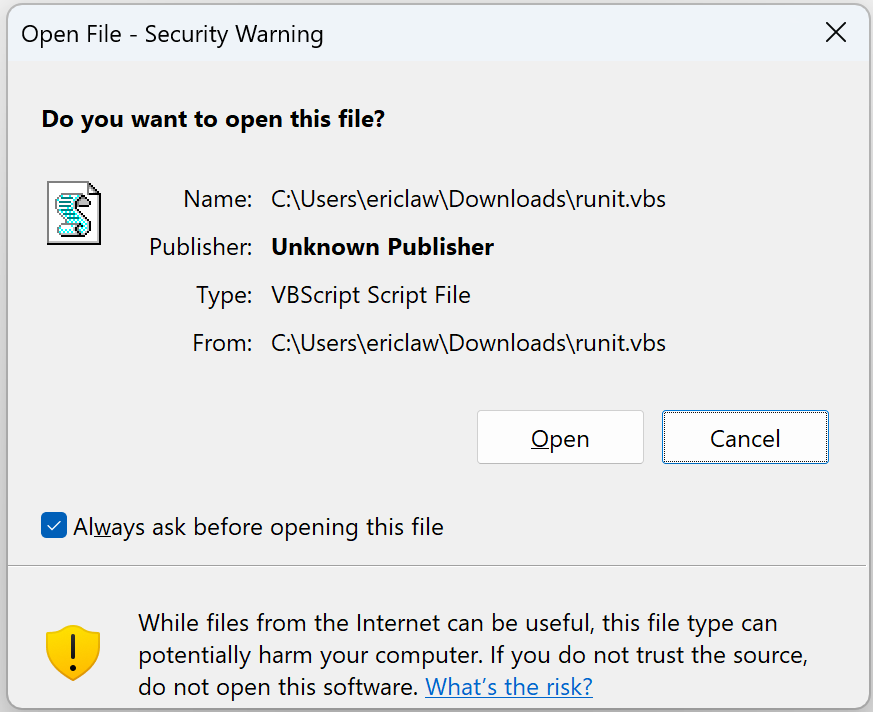
If the file has a known “Good” reputation, no security prompt is shown. However, if it is malicious or unknown, a prompt will warn or block the file:
If SmartScreen is disabled via the Windows Security toggle > Reputation-based Protection > Check apps and files
If the file’s extension is deemed High Risk but is not in the supported extensions list built into the AppRep client (.appref-ms .bat .cmd .com .cpl .dll .drv .exe .gadget .hta .js .jse .lnk .msi .msu .ocx .pif .ps1 .scr .sys .vb .vbe .vbs .vxd .website .wsf .docm)
If the AppRep web service responds that it does not support the specific file (e.g. as of fall 2025, an Unsupported result is expected for all .cmd, .bat, and some .js files).
If the invoker used the SEE_MASK_NO_UI flag when calling ShellExecuteEx
If the file is not located on the local machine (e.g. when running a file directly from a network share using a UNC path like \\server\share\file.exe)
If the downloaded file is manifested to “Run as Administrator”, the AES dialog isn’t shown, in favor of the UAC Elevation dialog which, somewhat unfortunately, looks less scary:
User Account Control Elevation prompt for a signed file
Scenario: User Overrides
Unless a Policy is set, the user may “click through” the warning by clicking “More Info” and then click “Run anyway.”
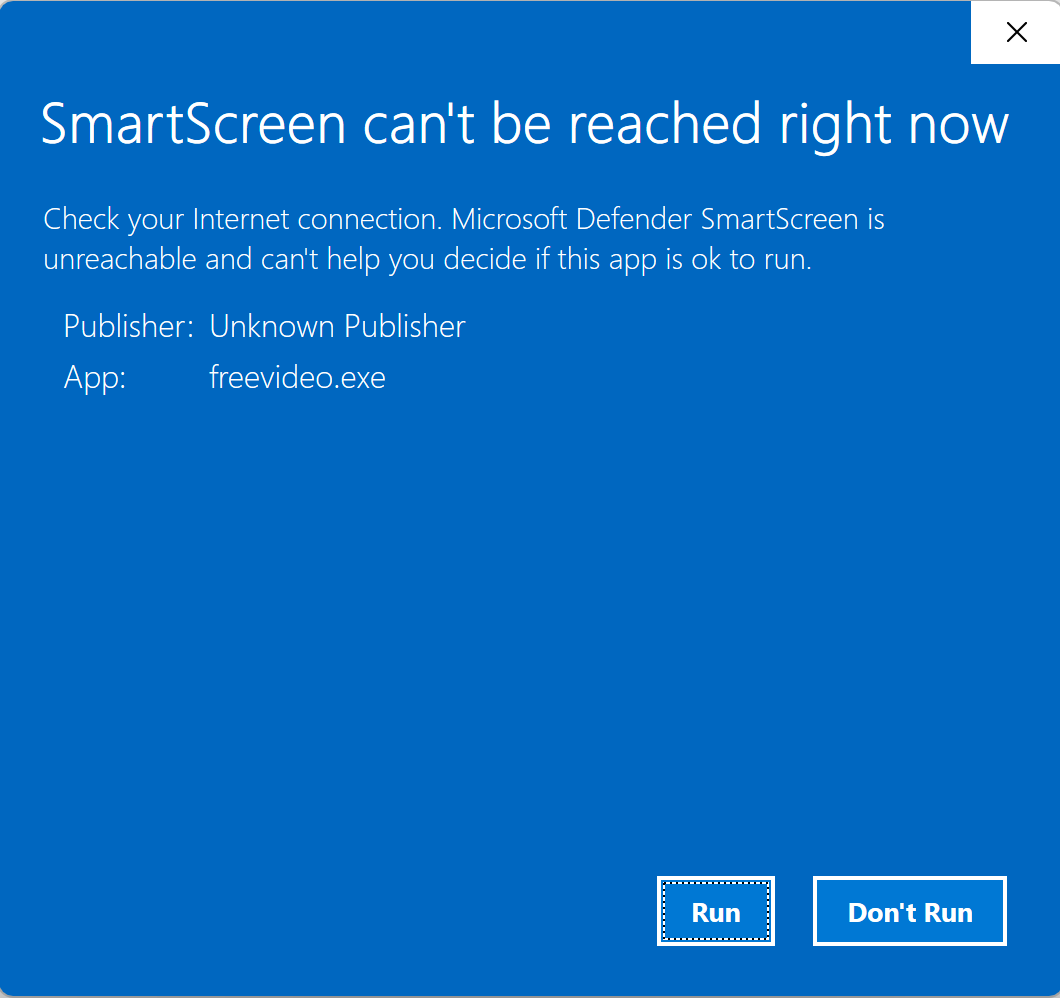
Scenario: Offline
If the device happens to be offline (or SmartScreen is otherwise unreachable), a local version of the dialog box is shown instead:
A Note on “Choose where to get Apps”
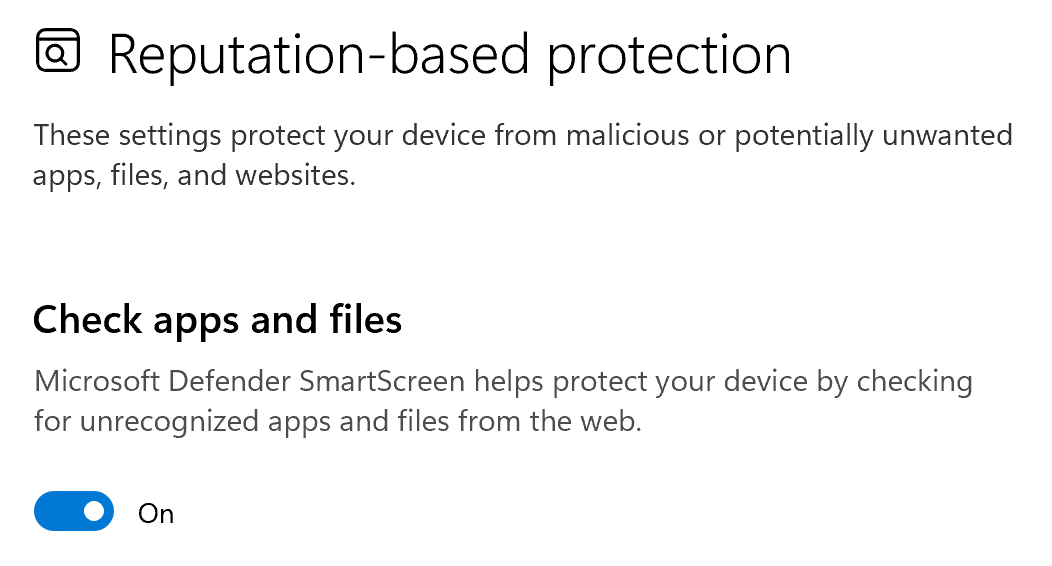
SmartScreen’s shell integration is controlled by the Security Settings > Reputation Based Protection > Check apps and files setting:
When On, SmartScreen checks are enabled. However, you may be surprised to notice that even with this setting toggled to Off, you can still get SmartScreen warnings:
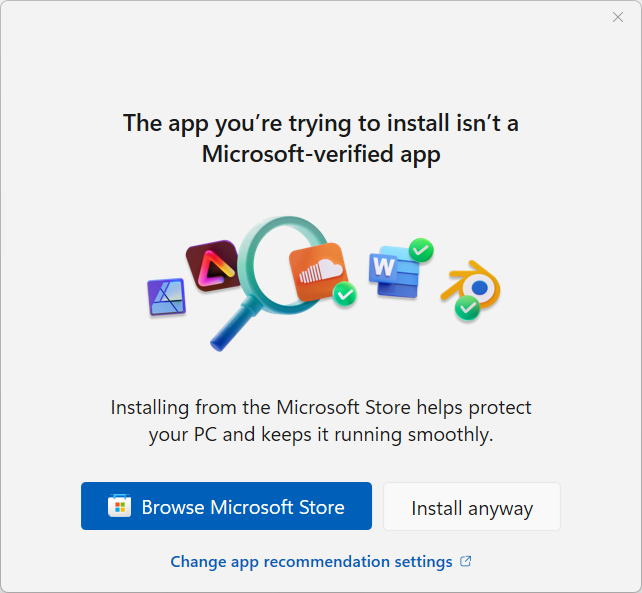
The reason is that there’s a different Windows setting, titled Choose where to get apps, and if that setting is set to either of the “Anywhere, but...” options:
… then SmartScreen is also consulted (the “Choose where to get apps” feature is implemented by calling the same web service).
As a consequence, execution of files bearing a Mark-of-the-Web does NOT trigger security prompts or SmartScreen Web Service checks when the invoker does not call ShellExecute(). The most common such invocation is CreateProcess, which is the launch mechanism used by cmd.exe and PowerShell.
Relationship to Microsoft Defender Antivirus
Notably, SmartScreen AppRep is not antivirus. For example, if you append one byte at the end of a malicious file, its hash will change, and its reputation will move from Malicious to Unknown.
In contrast to SmartScreen AppRep, Microsoft Defender Antivirus (MDAV) is a next-generation antivirus product that scans files and observes process behavior to detect malicious code before and during execution. Unlike AppRep, MDAV can detect even previously unknown malware files by scanning them for malicious signatures and behavior.
Relationship to Microsoft Defender for Endpoint
Some Microsoft Defender for Endpoint (MDE) customers would like to suppress SmartScreen AppRep warnings on files they trust. They typically try to do so using an Allow indicator on the file’s hash or certificate.
Unfortunately, this technique does not work today– SmartScreen AppRep does not take MDE’s Custom Indicators into account.
Instead, your best bet is to ensure that the source of your trusted files is a site that has been added to Windows’s Trusted Sites or Local Intranetsecurity zones; you can do so using the Internet Control Panel UI, or Group Policy. When you do this, files copied/downloaded from the target site will no longer be tagged with an Internet Zone Mark-of-the-Web (MotW). Without the MotW, SmartScreen checks will not be run.
…and if a binary has a MotW, WDAC will check with SmartScreen AppRep for a reputation. Critically and surprisingly to some customers, however, if SmartScreen returns Unknown, and the user gets the blue prompt, the user can say “Run anyway” and WDAC will treat that action as if SmartScreen had said the file was reputable.
Relationship to Smart App Control
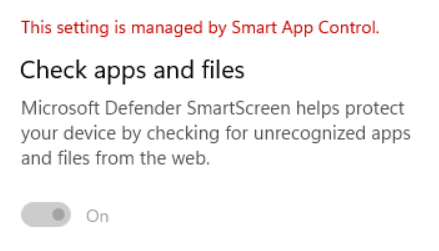
When Smart App Control is enabled, SmartScreen AppRep is disabled.
A Note about Reputation
The Application Reputation service builds reputation based on file hashes and the certificates used to sign those files. Because every update to a file changes its hash, this means that new files that are unsigned have no reputation by default. As a consequence, to avoid unexpected security warnings, a best practice for software developers is to sign your software using an Authenticode certificate. Because your certificate can be used to sign files for years, it will accumulate reputation that will accrue to files you sign in the future. Note that, from ~2013 to ~2019, all files signed by an Extended Validation Authenticode Certificate were given a “positive” reputation by default, but that is no longer the case — each certificate must build reputation itself.
While SmartScreen only checks the reputation of the main file that the user executes (aka its “entry point”), you should sign all files to help protect them from tampering, and to ensure your app works correctly when Windows 11’s Smart App Control feature is enabled. The Windows 11 Smart App Control feature goes further than SmartScreen and evaluates trust/signatures of all code (DLLs, scripts, etc) that is loaded by the Windows OS Loader and script engines. It also blocks certain file types entirely if the file in question originated from the Internet.
-Eric
[1] When testing this yourself, you might find that you unexpectedly still don’t get a security prompt for some files even after SmartScreen is disabled. The logic for ALLOW_ON_USER_GESTURE is quite subtle, and includes things like “Did you ever previously visit the site that triggered this download before today?“
Try using the “Clear Browsing History” command (Ctrl+Shift+Del) to clear Browser History/caches before trying this scenario.
I got separated in March 2020 and finally divorced in January 2022. It was a long time in coming, but it wasn’t awesome.
In hindsight, I disassociated a bit, spreading the pain out over time rather than feeling it all at once. Immediately after our separation, I could easily distract myself for months by getting the new house in order, but I soon found myself with more time on my hands than I’d had in over a decade. The pandemic and lockdowns soon set everything askew.
I didn’t keep my separation or divorce a secret (even mentioning it here to anyone who reads my entire posts), and acquaintances I’ve known for years or decades came out of the woodwork to privately share their stories about troubled relationships. A year after we separated and a year before the final divorce paperwork, I wrote a post-mortem of my marriage, including some thoughts on the impact of social media. I challenged myself — was thinking and talking about the end of my marriage helping or hurting my mood? When I felt down, I tried to tease apart whether I was missing her, vs. missing being married at all.
Throughout 2022, I saw a counsellor on my company health plan because, well, I got divorced, and that’s what you do. I enjoyed our sessions, but mostly I just talked. And talked. And talked. I probably spoke for 55 minutes of every hour. At the end of 2022, the company switched health plan providers. My counsellor wasn’t in the new network, so further appointments would cost me around a hundred bucks an hour. While continuing our sessions might be worth it, I figured that for that much, I might find a massage and walk outside with coffee more effective for my mental health anyway. I changed my mind after my Kilimanjaro trip and decided to restart our sessions — they’re worth it.
To move forward, I knew I’d have to be more proactive about my life’s choices than I’d been in a long time. I challenged myself with each decision: “What do you want more“? And I knew that moving forward meant that I needed to get comfortable with being uncomfortable. I adopted some mottos which now adorn my walls: Memento Mori. Tempus Fugit. Don’t get dead.
I started blogging more — writing is thinking, and creation is important to me. I started eating better and working out, losing 50 pounds. I made sure that I went outside every day, because “touching grass” inevitably improves my mood. I started spending money on things I wanted (house, furniture, electric car, vacations, home solar, exercise equipment) rather than trying to hoard a larger and larger pile, making a number get bigger on some website. I got a housemate, both because living with a friend is fun, and to help ensure that in a few years I wouldn’t find myself unable to live with other people. I started being more deliberate about calling family and friends to stay connected.
ProjectK gave me a guiding star on the horizon; an ambitious but achievable goal which would require achieving many sub-goals, and which would prove that I can “do big things.” Now that I’ve completed the project, I am noodling over what to pursue next.
One bittersweet element of all of these changes is my recognition that, had I made some of them earlier, at the expense of taking far more time “for myself,” I would’ve been a better and more interesting partner in my marriage.
I love my kids, and when I think back on my marriage, I try to focus my feelings toward gratitude rather than sadness.
Life is a series of ups and downs, and I have to remind myself of that almost every day.
I woke up at 8am after a rough night’s sleep, awake for at least an hour around 3:30am, full of worries and nostalgia. Eight seemed a bit too early so I reset my watch’s alarm for 8:15, but either I failed to do so correctly or I slept through it, waking abruptly at 9 when my brother flipped on the room’s overhead lights. I was in the middle of a pleasant dream at the time, so my mood improved significantly despite the abrupt wakeup. We both dressed in a rush and hurried over to the hotel’s restaurant for breakfast, which was ending soon.
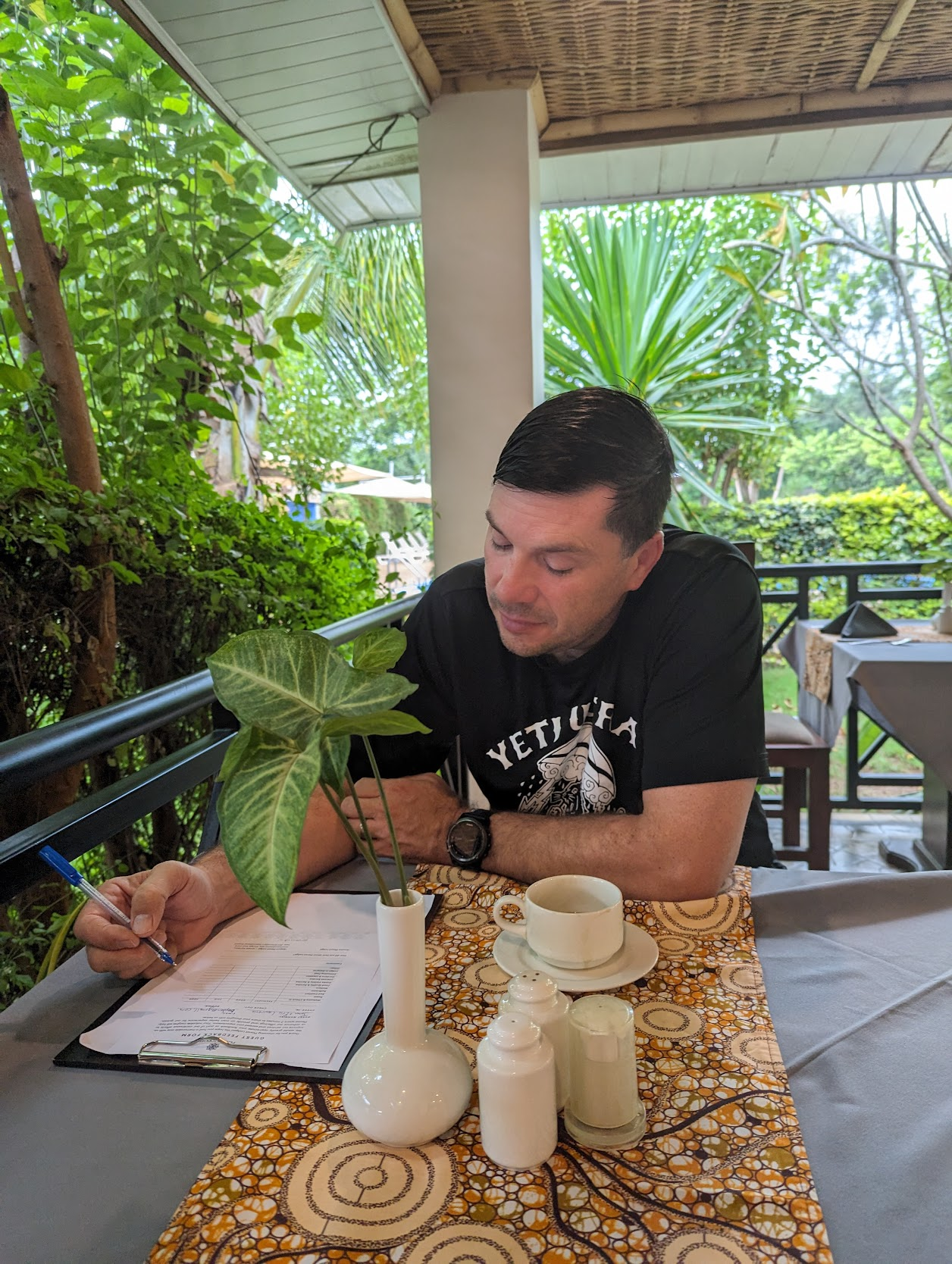
There was a good spread to choose from, and I grabbed two slices of pineapple, a peach yogurt, some dried fruit, and a cup of coffee. A chef was on hand to make us small custom omelettes which we enjoyed on the covered patio. We were amused to get a clipboard with a survey on it as we finished eating — did they confuse us for a party that’d been here for more than a few hours?
After breakfast, we stopped by the front desk to arrange a “Coffee Tour”; the concierge called around for a few minutes and we were quickly set up with a driver leaving soon after. The tour itself was just $30 apiece (including lunch), but the car and driver would cost $150. At first, this seemed a bit steep, until I realized that this wasn’t going to be a simple taxi ride– we were going in a giant Land Rover and our driver was going to be staying with us for several hours. The front desk staff considered our light shirts and suggested that we would be too cold if we didn’t wear warmer clothes, but we ignored their advice upon noticing that both were bundled up in fleece jackets despite what seemed to us to be a perfectly nice ambient temperature.
We headed back to our room for quick showers, then met our driver and drove west toward the city of Arusha.
While the drive wasn’t too far, it was slow — the speed limit on the two-lane main road was 50kph, but we rarely moved that fast, with frequent slowdowns behind trucks, motorbikes, and other slow-moving traffic. Our driver wasn’t very talkative, so we instead mostly looked out the window and pondered little mysteries, like why did so many of the roadside signs have red Xs across them?
Much later, we learned that the road is slated for widening, and X-marked signs must be moved further back.
We drove by farms (most growing sunflowers), houses, small markets, and numerous parking lots filled with a half dozen or more motorcycles with riders sitting atop chatting amongst each other. Based on the number of motorcycles we saw on the road with two or more riders, we decided these guys must be acting as single-person taxi services. Some of the loads were almost comical– one motorcycle had three riders, two on the front, and a third perched atop three enormous (50+ pound) bags of rice that were draped over the tail.
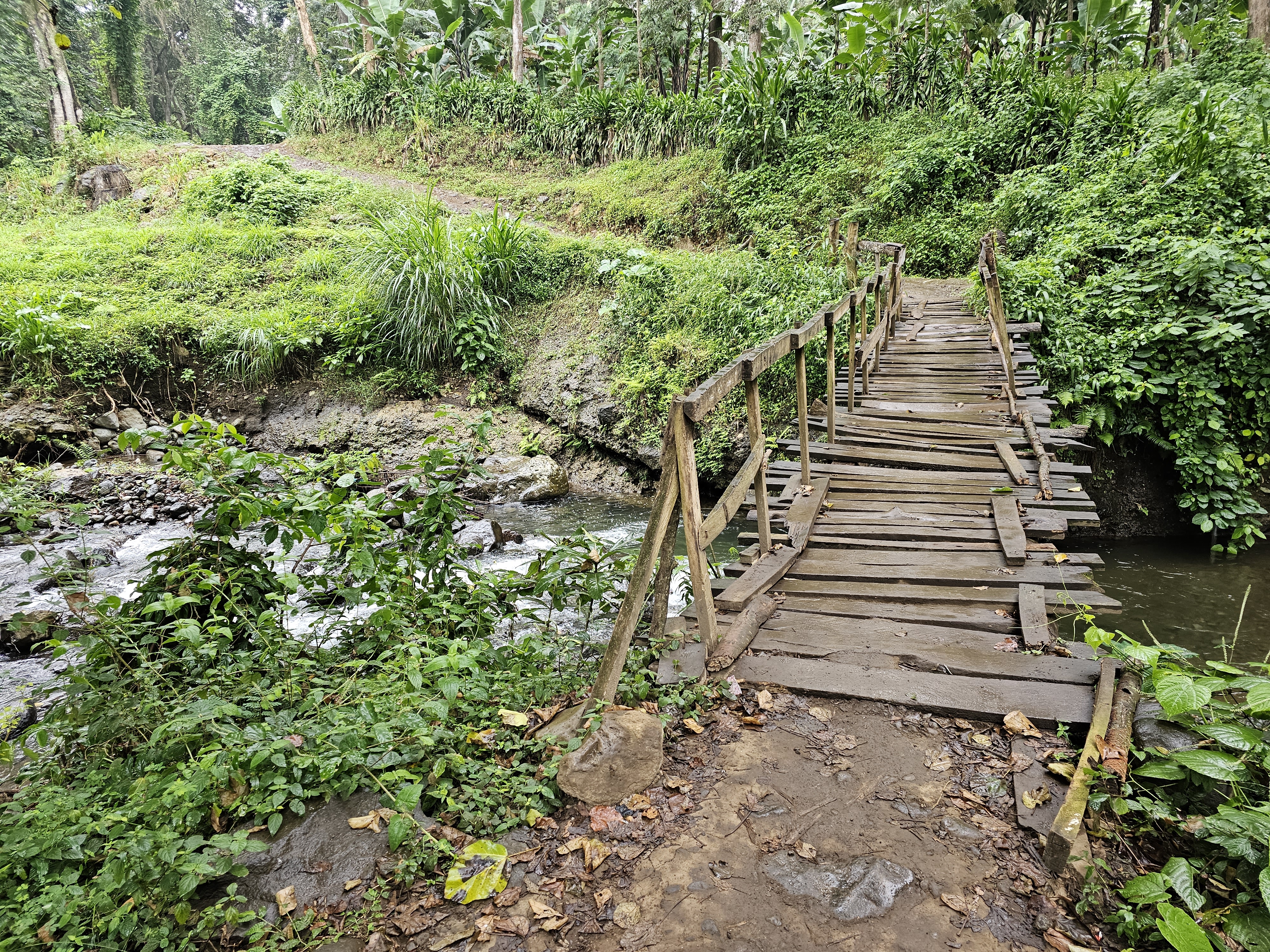
After a ride of almost half an hour, we turned off on a side street and met our guide on his motorcycle, disembarking the Land Rover to proceed on foot. We chatted as we walked down a few side streets, over a rickety wooden bridge, and went to examine some coffee plants whose cherries weren’t yet ready to harvest. There was a light drizzle and the unpaved road was steep in parts– I was glad to be wearing my boots, but wished I’d brought my hiking poles for a slick and uneven downhill portion.
We crossed a rickety bridge over a small stream next to the fields:
And a moment later we arrived at the edge of the coffee plants.
After a brief look and an obligatory selfie in front of the plants with our coffee expert:
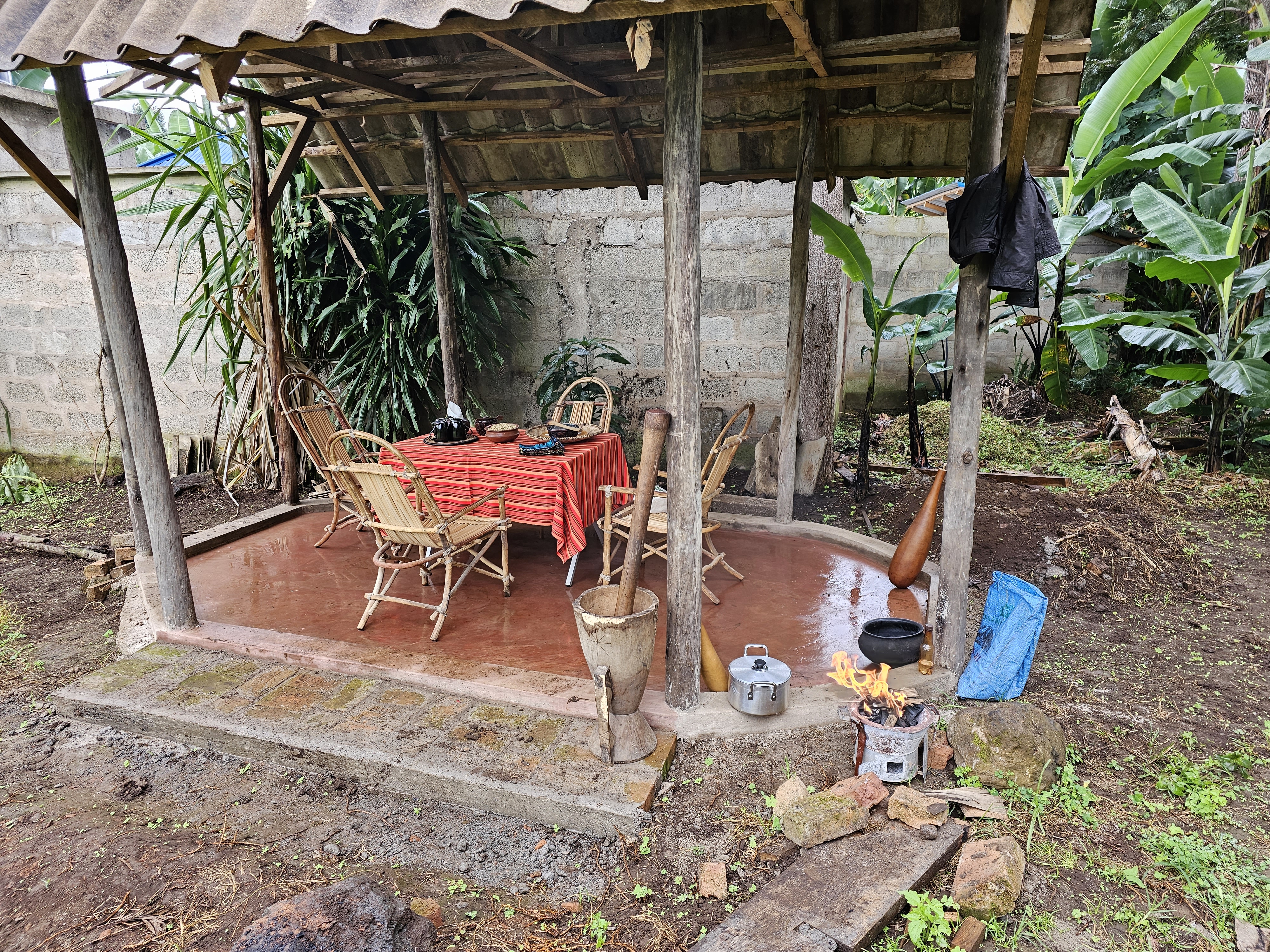
…we headed to the “coffee factory.” The factory was not so much a factory as a small fenced compound where a small hut was set up with a table and chairs, with a mortar/pestle and a small wood-fired stove nearby. Apparently this is how they make coffee for their tourist guests and their families, but most of the harvested beans are taken to a true “factory” in the city.
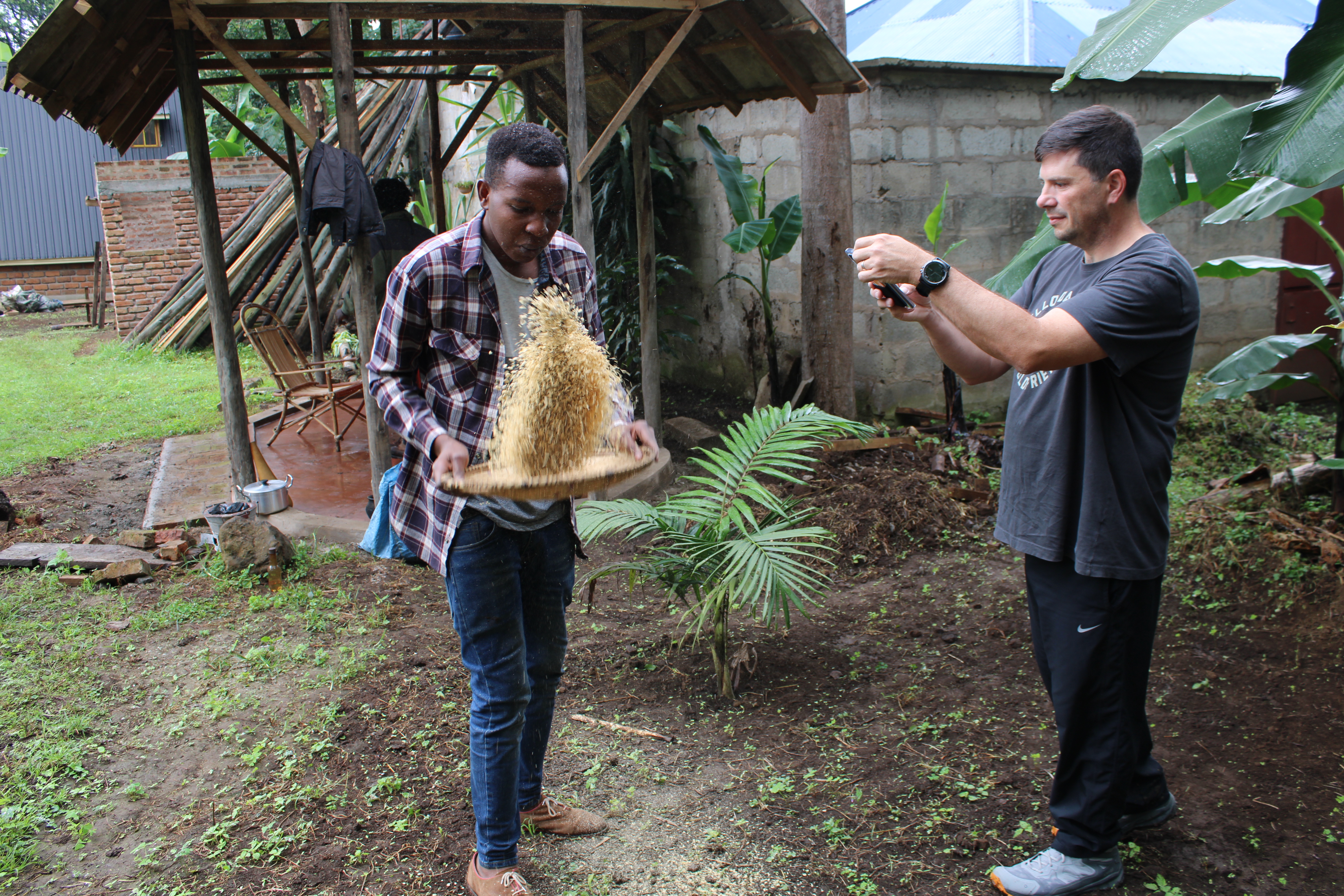
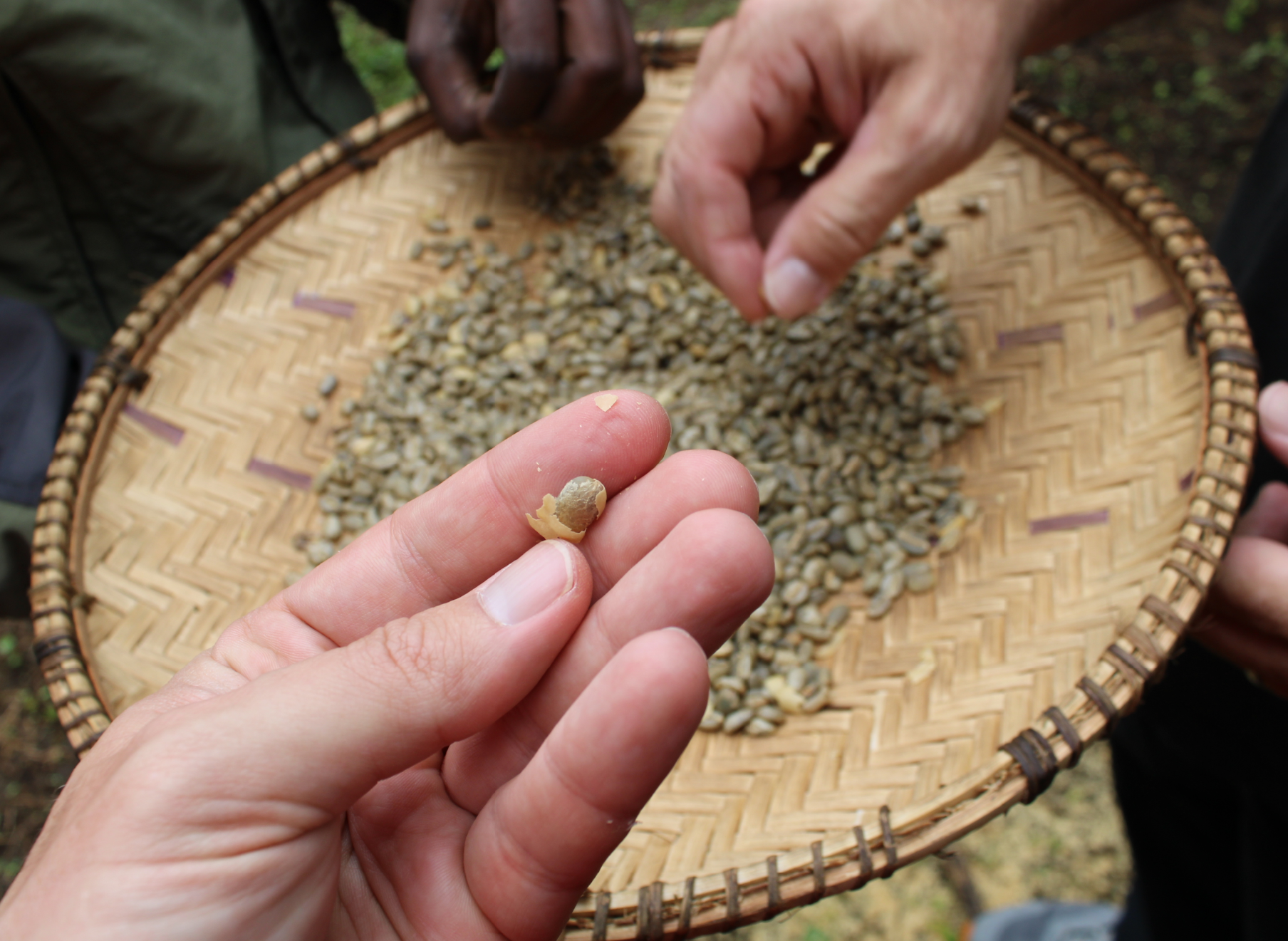
The fresh beans are laid out to dry in the sun for weeks elsewhere inside the compound, but we skipped ahead to process a few pounds of dried beans. First, you use the mortar and pestle to smoosh the beans so the shell flakes off, then shake/blow the shells away:
After most of the shells blow off, you manually peel any remaining shells off the beans.
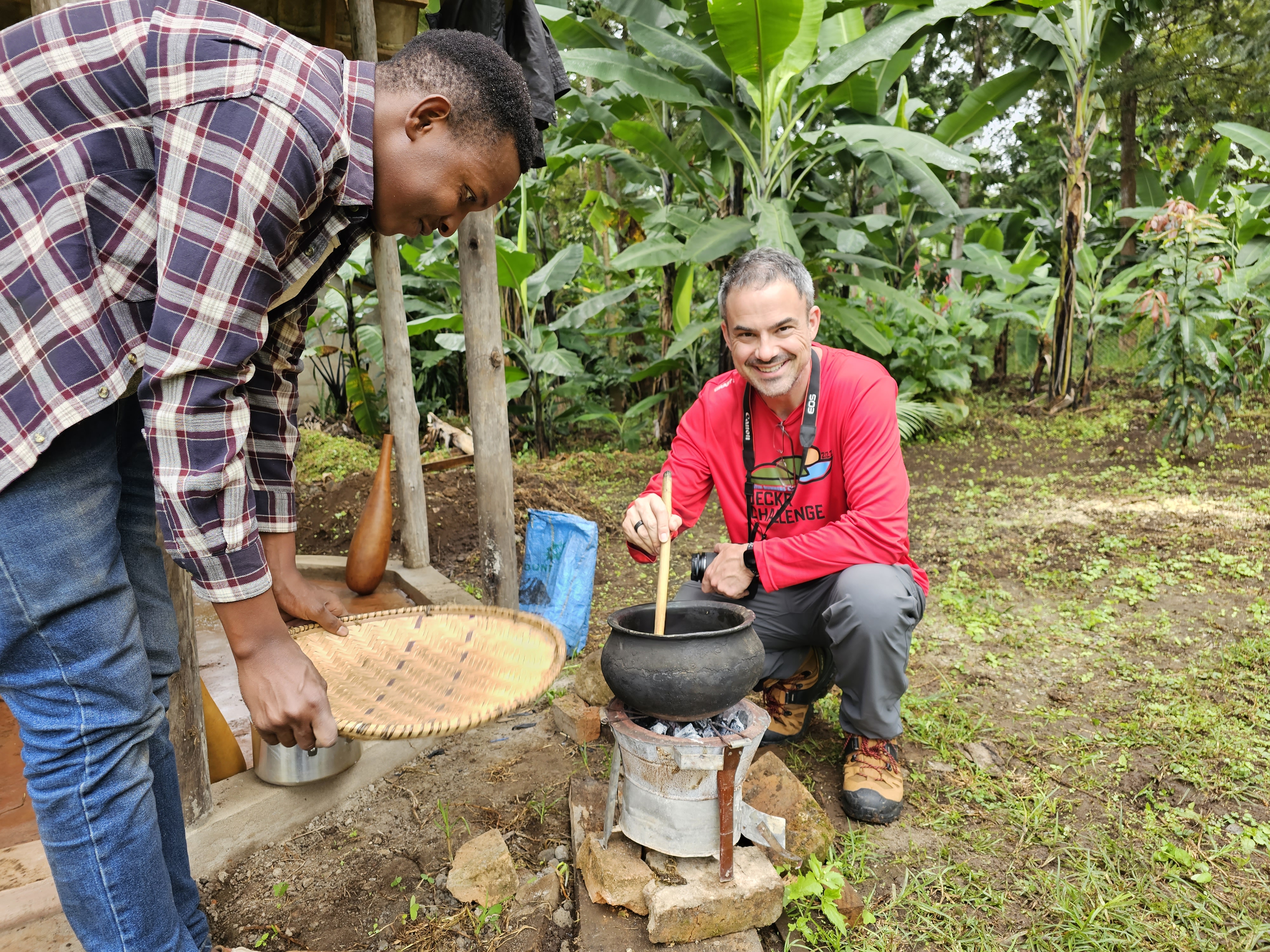
Next, you toast the beans over the fire:
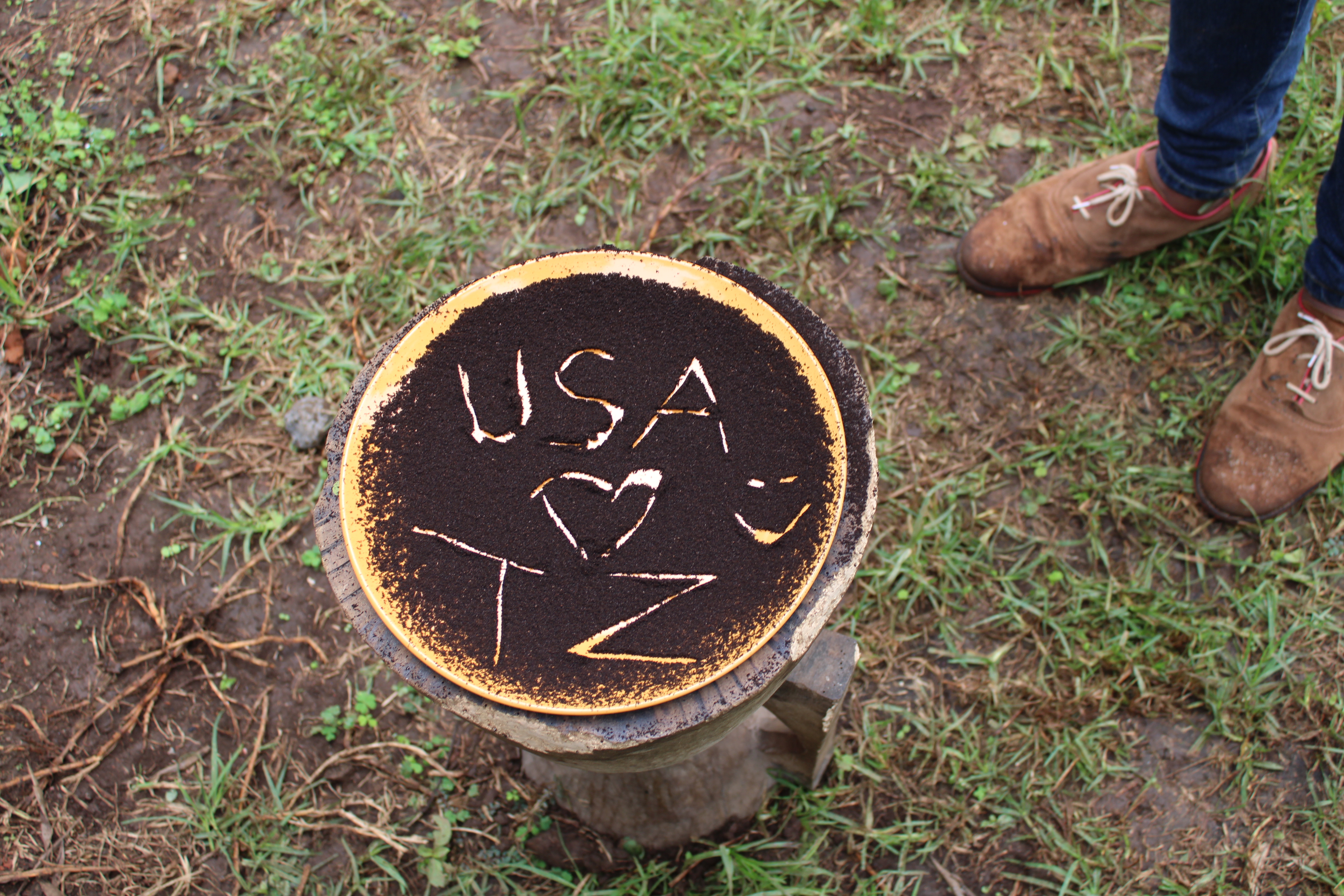
After the beans are toasted, they are tossed again to remove any burned flakes of shells, then go back in the mortar to be ground into a fine powder. As the coffee was ground, our hosts danced and sang silly songs in Swahili, to which we tried to sing along.
The extremely fine powder is then put directly into a pot of boiling water — no filtration is necessary.
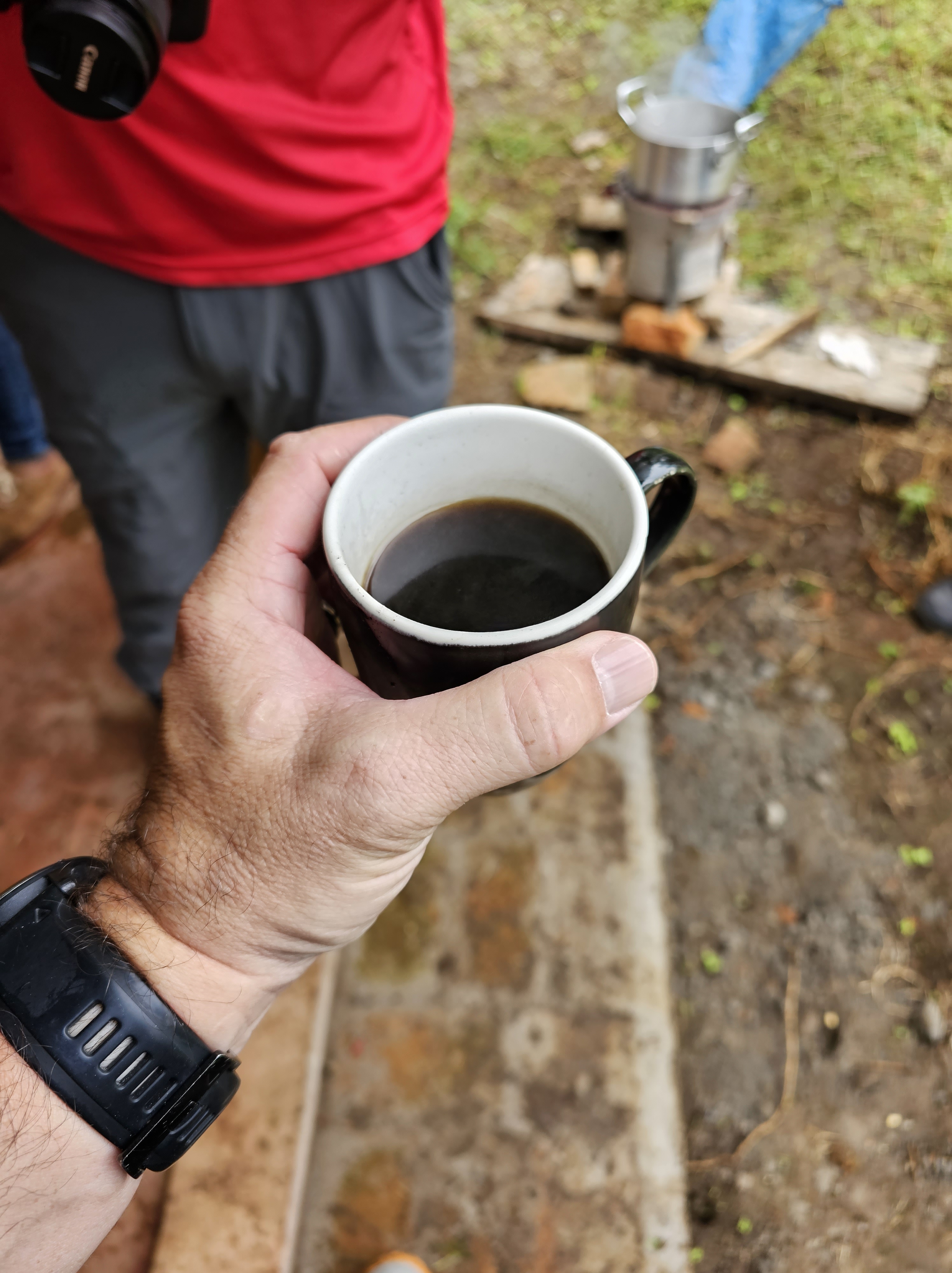
A bit of sugar and I was ready to enjoy a cup, about an hour and ten minutes after the preparation began:
As for the coffee itself? It was tasty, especially in the cool afternoon air, but to be completely honest the freshest cup of coffee I’ve ever had didn’t taste much different than an everyday cup. I’m no coffee connoisseur.
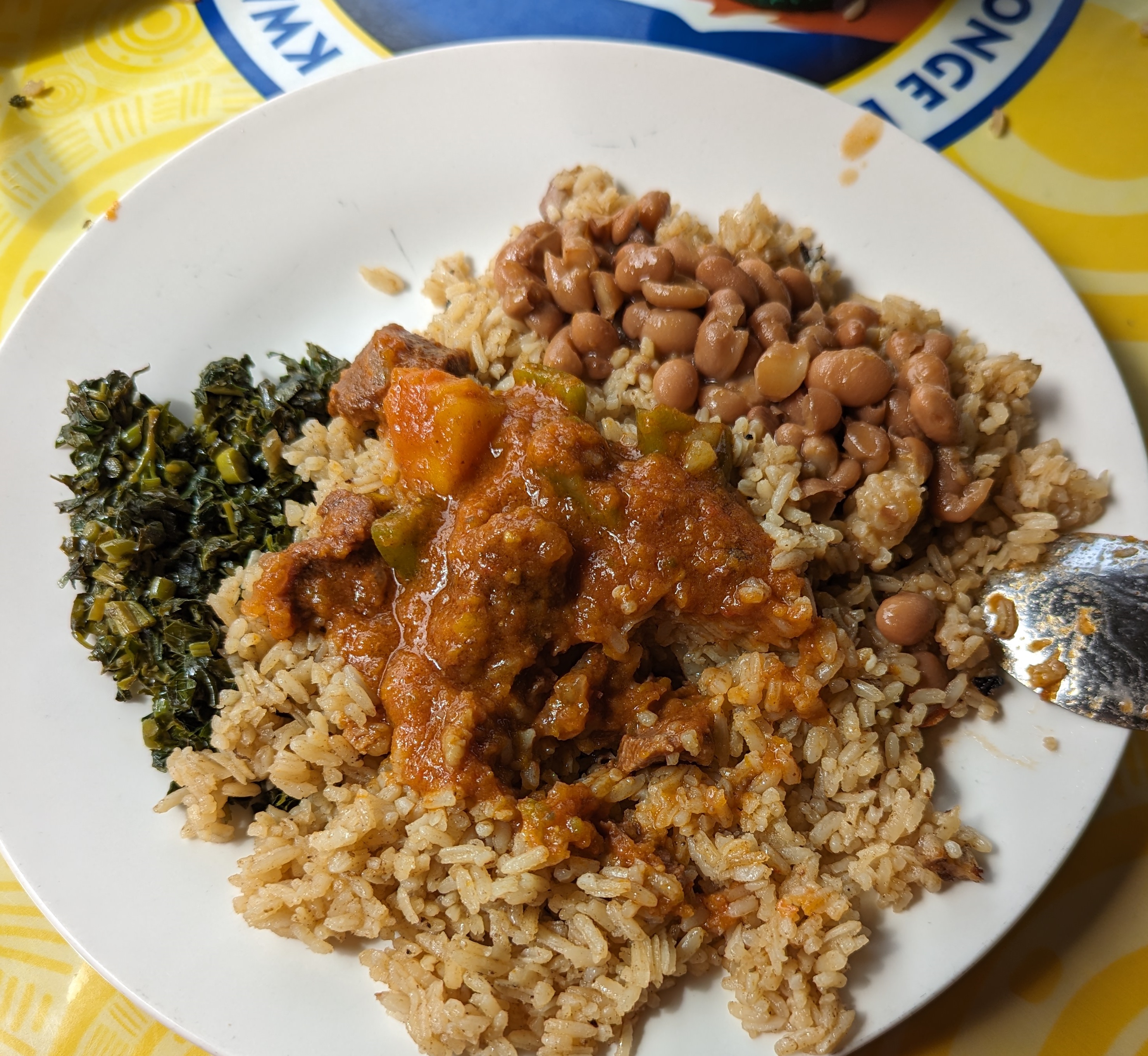
After drinking our coffee and packing up two bags to go, we, our driver, guide, and one of their friends headed back to the main road for lunch at a simple restaurant. We had “the brown”, a meat and rice dish said to be traditional when welcoming guests to your home. Given the option of goat or “red meat”, we picked the goat. It was tasty, simple, and not spicy.
After lunch, another half-hour’s drive brought us back to our hotel. After I enjoyed a leisurely Coke and Serengeti Lager in the bar (Jason tried a local soda), we tried out the hotel’s nice-looking pool. Alas, the water was too cold to really enjoy, so we left after 30 minutes and explored the short trail inside the wall of the hotel compound. Back in the room, I decided to wrote in my journal lest I succumb to an untimely nap. The bed was very firm, but comfortable enough that sleep beckoned as I continued to adjust to the 7-hour time change.
Frustratingly, cloud cover all day meant that we still hadn’t caught even a glimpse of Kilimanjaro. We were both excited for the next day’s mini safari — beyond the animals, surely we’d finally get our first look at our destination!
As outlined in earlier posts in this series, attackers know that security software can detect their phishing lures and block users from even seeing the lure if it contains a known-phishing URL. For example, both Windows Live and Gmail block email that is believed to contain phishing links. If your enterprise uses Microsoft Defender for Office, or you subscribe to Microsoft 365 Family, all inbound hyperlinks through Microsoft email services are rewritten to navigate through the “SafeLinks” service that performs another real-time check for malicious URLs whenever a user clicks on them.
To avoid security software, attackers try to hide URLs, using techniques like asking the user to retype URLs from an image, or sticking the link inside a password-protected PDF document, or avoid URLs by asking the user to call a phone number or send a reply email containing sensitive information.
Another technique is to send the user a QR Code. A QR Code is simply a picture that can be converted into the URL using the camera app on our now-ubiquitous mobile phones.
This QR Code points to a blog post
Users are increasingly accustomed to using QR Codes for legitimate purposes, so their use in attack scenarios won’t stand out as much as it once would have.
How does this URL-obfuscation technique benefit an attacker over a plain hyperlink?
Mail software can’t rewrite QR codes, so features like Microsoft SafeLinks won’t apply.
The use of a QR Code allows an attacker to cause the attack flow to move from a well-protected desktop to a less-protected mobile device.
For example, users might be using a mobile web browser with weaker real-time anti-phishing reputation services than the browser on their desktop.
That mobile browser may not be configured to proxy traffic through a secure proxy.
Similarly, a user’s personal device might not include a password manager, making the attacker’s request for manually-typed credentials more plausible.
Stay safe out there — treat any QR codes received via SMS or email with extra caution. Carefully examine the url in any preview your camera app offers and check the browser’s address bar to see the final URL, because open redirectors are common, so the preview URL may be misleading.





























 text/plain